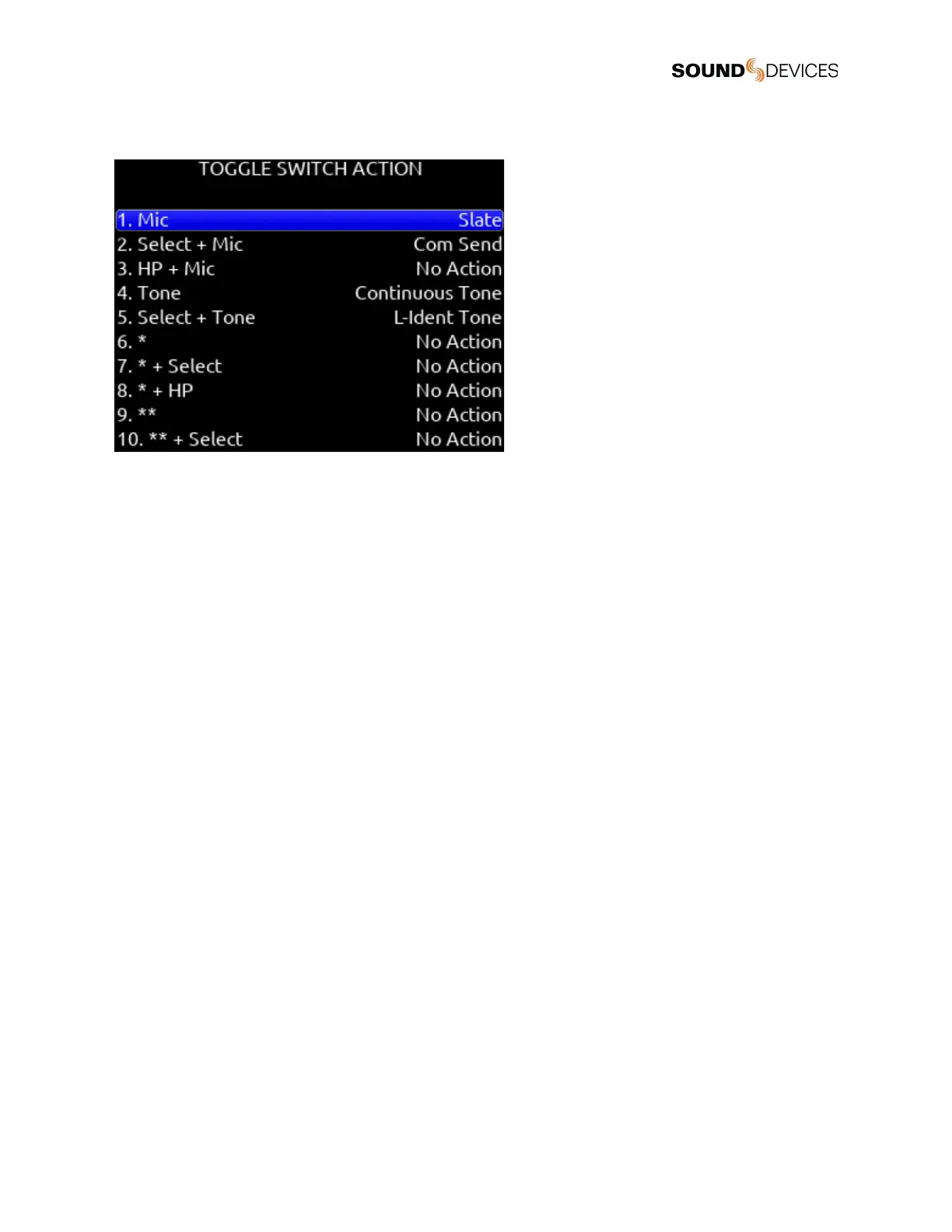
Toggle Switch Action
Mic, Select + Mic, HP + MIc,
Selects Slate, Slate (Latch), Slate (Moment), Com Send, Com Send (Latch), Com Send (Moment), Ch 7 Trim/PFL (latch), Ch 8
Trim/PFL (latch), Ch 7 Fader /PFL (latch), Ch 8 Fader/PFL (latch), Add Q-mark, Delete Q-mark, Create Sound Report, Record
Folder, or No Action.
Select + Tone, Tone
Selects Continuous Tone, L-ident Tone, Add Q-mark, Delete Q-mark, Create Sound Report, Record Folder, or No Action.
*/**
[Jam Menu, Jam A20-Mini Menu, Circle Take, Slate, Slate (Latch), Slate (Moment), Com Send, Com Send (Latch), Com Send
(Moment), Rtn, Com Rtn, Auto Mixer On/Off, Noise Suppression On/Off, Take List, Next Scene Name, Take Notes, Take Number,
Current Scene Name, New Scene Name, Ch 7 Trim/PFL (latch), Ch 8 Trim/PFL (latch), Ch 7 Fader /PFL (latch), Ch 8 Fader/PFL
(latch) Add Q-mark, Delete Q-mark, Create Sound Report, Record Folder, No Action}
* + SELECT
[Ch 7 Trim/PFL (Moment), No Action]
* + HP
[Ch 8 Trim/PFL (Moment), No Action]
** + SELECT
[Ch 7 Fader/PFL (Moment), No Action]
** + HP
[Ch 8 Fader/PFL (Moment), No Action]
Select + Rtn, HP + Rtn, Rtn
[Rtn, Com Rtn, Fav HP, Ch 7 Trim/PFL (latch), Ch 8 Trim/PFL (latch), Ch 7 Fader /PFL (latch), Ch 8 Fader/PFL (latch), Add Q-mark,
Delete Q-mark, Create Sound Report, Record Folder, No Action]
Select + FAV, FAV + HP, FAV
[Rtn, Com Rtn, Fav HP, Ch 7 Trim/PFL (latch), Ch 8 Trim/PFL (latch), Ch 7 Fader /PFL (latch), Ch 8 Fader/PFL (latch), Add Q-mark,
Delete Q-mark, Create Sound Report, Record Folder, No Action]


 To Next Page
 Loading...