Know your Machine
11
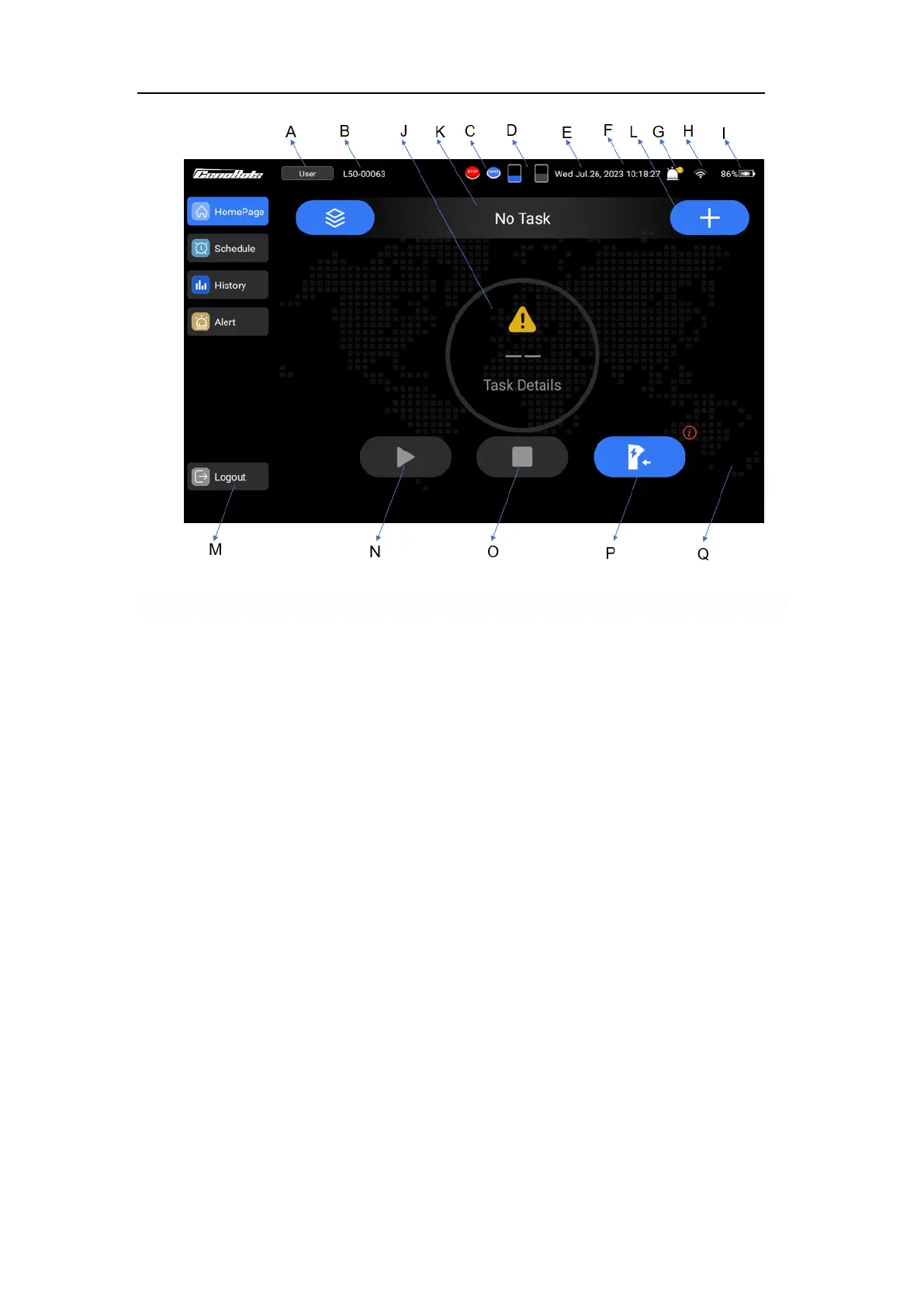
FIG.6
A. Account
B. Machine model and ID
C. The E-stop status and operation mode
D. The water tanks level
E. Date
F. Time
G. Warning notice
H. Network
I. Battery level
J. Task completion rate and task details
K. Cleaning mode and status
L. Create a temporary task
M. Account logout
N. Task pauses or continues
O. End task
P. Return to the docking station
Q. Select cleaning intensity (Can be
selected after the task starts)
Notice:
⚫ The emergency stop icon is shown on the screen only after it has been pressed.
⚫ The ‘Hand’ icon is shown on the screen only in manual mode.
Schedule Page
This page can display and modify the settings of scheduled tasks, as well as the
execution status of past tasks.



 To Next Page