Operation
19
FIG.17
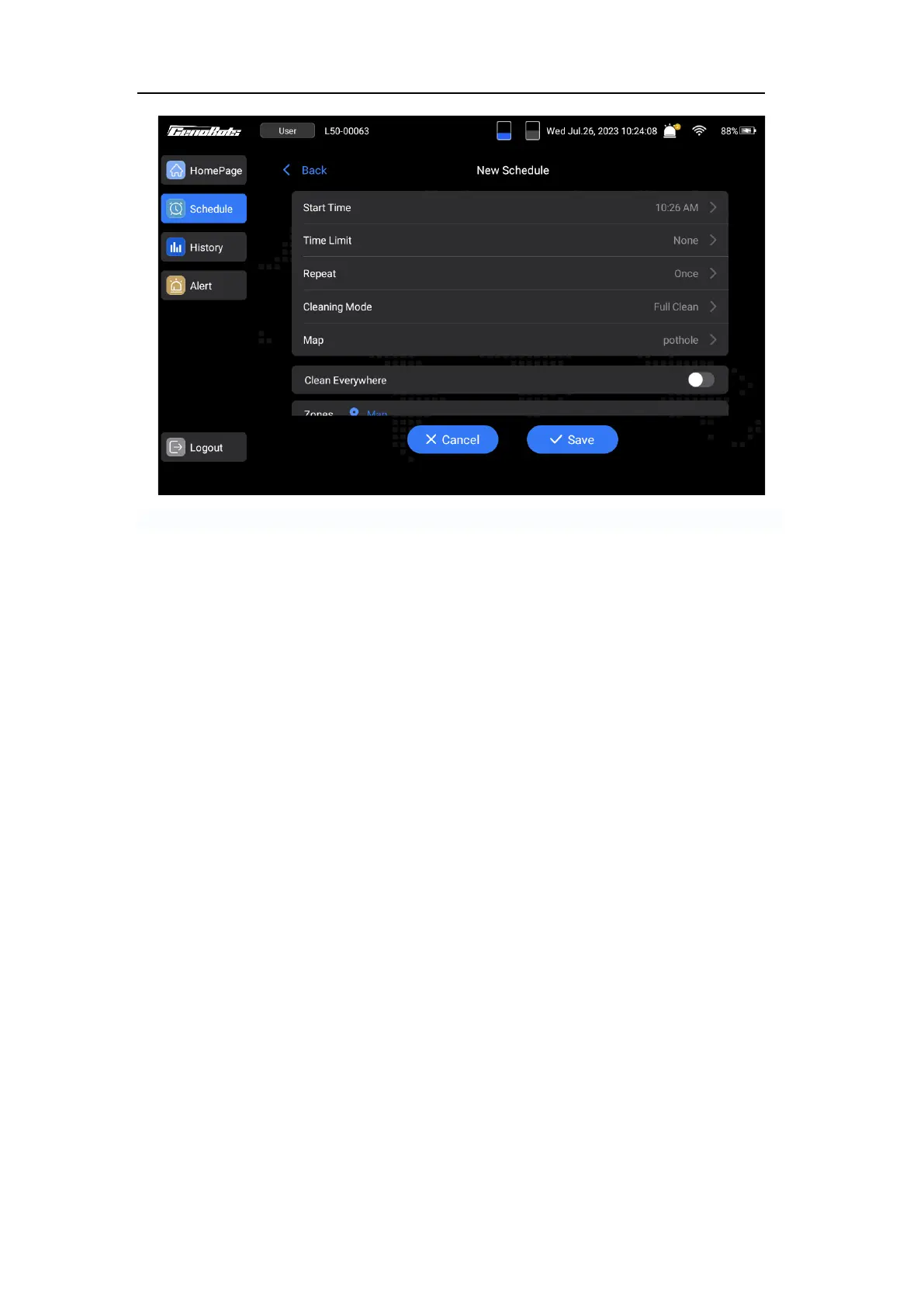
⚫ Start Time: The task will be triggered to start at the designated 'Start time'.
⚫ Time Limit: Task will end after the selected time.
⚫ Repeat: The machine will do the cleaning repeatedly on the selected dates.
⚫ Clean Mode: There are multiple options available for selecting different levels of cleaning
intensity.
⚫ Clean Everywhere: If the button is disabled, the machine will only clean the selected
areas. If the button is enabled, the machine will clean the entire map area.
Starting a Temporary Cleaning Task
1. Tap ‘+ New’ button on the homepage to create a temporary task.
2. Select the ending time, cleaning mode, map and cleaning areas.
3. Tap the ‘Start’ button to begin the task.
Custom: Customization will only be valid once and will not be saved.
Notice: The explanations for the ‘Limited time’, ‘Clean Mode’, ‘Map’ and ‘Clean
Everywhere’ can be found in the chapter titled ‘Setting scheduled Cleaning Tasks’.
Notice: The cleaning area can be selected from the saved area or customized by tapping
‘Custom’.



 To Next Page