Know your Machine
10
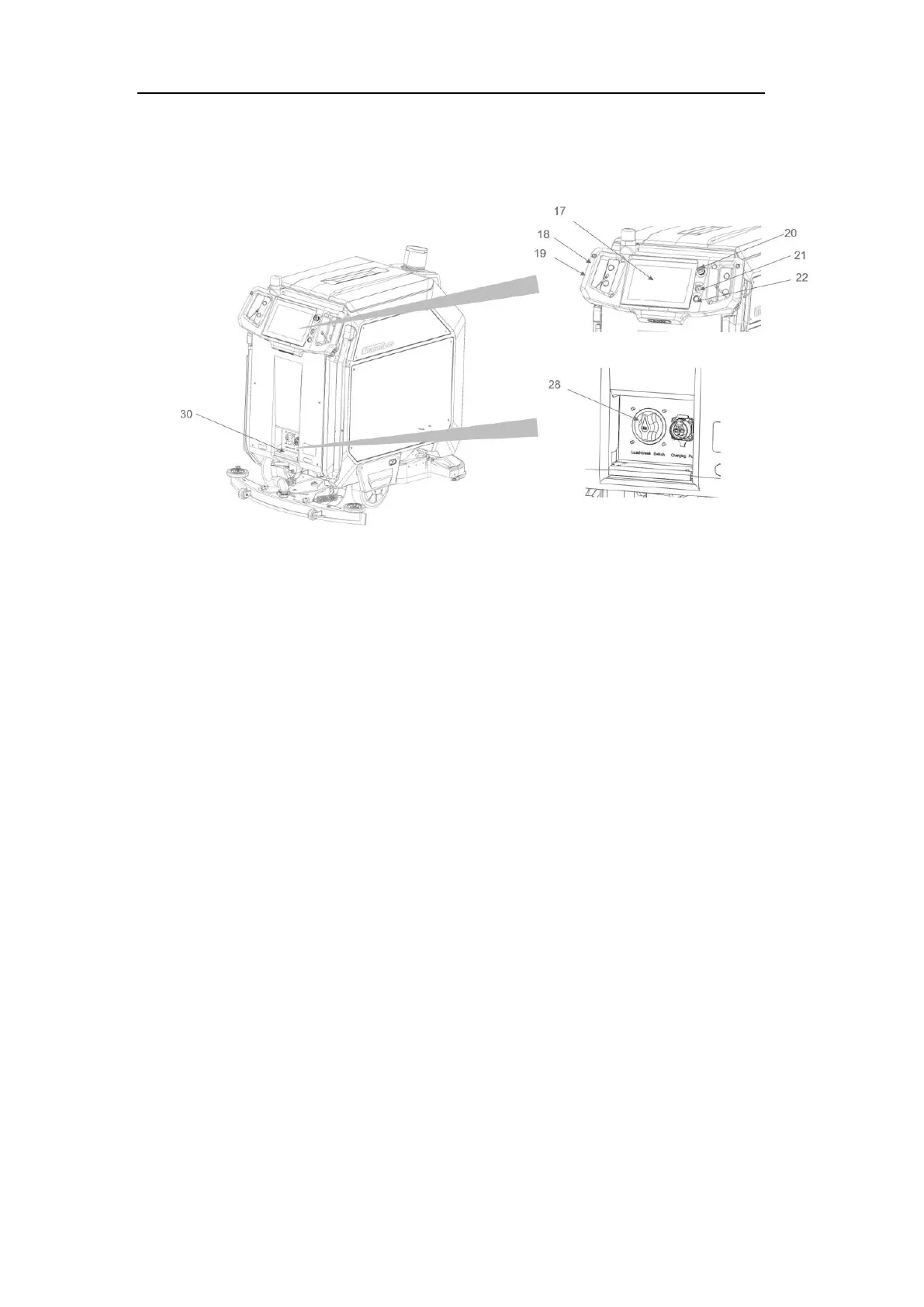
Control Panel
FIG.5
1. TOUCH SCREEN (17)
The User Interface (UI) is an essential component of the machine, consisting of a 10.1-
inch touchscreen display located at the top rear. It enables operators to conveniently
access features such as machine instructions, cleaning schedules, cleaning reports, and
performance monitoring.
Note:The UI interface of the screen may change with software updates. If you have any
questions, please contact local dealer or CenoBots for technical support.
Homepage
The homepage is the main page on the monitor. This page can display the task details
and some common operations, such as pausing, ending, creating temporary tasks, etc.



 To Next Page