H.264 Network Digital Video Recorder User Manual
Page 14
【File backup】Backup the chosen file. Click the button and operate as followed.
Note: The storage must be installed before the file backup. If the backup is terminated, the already
backup can playback individually.
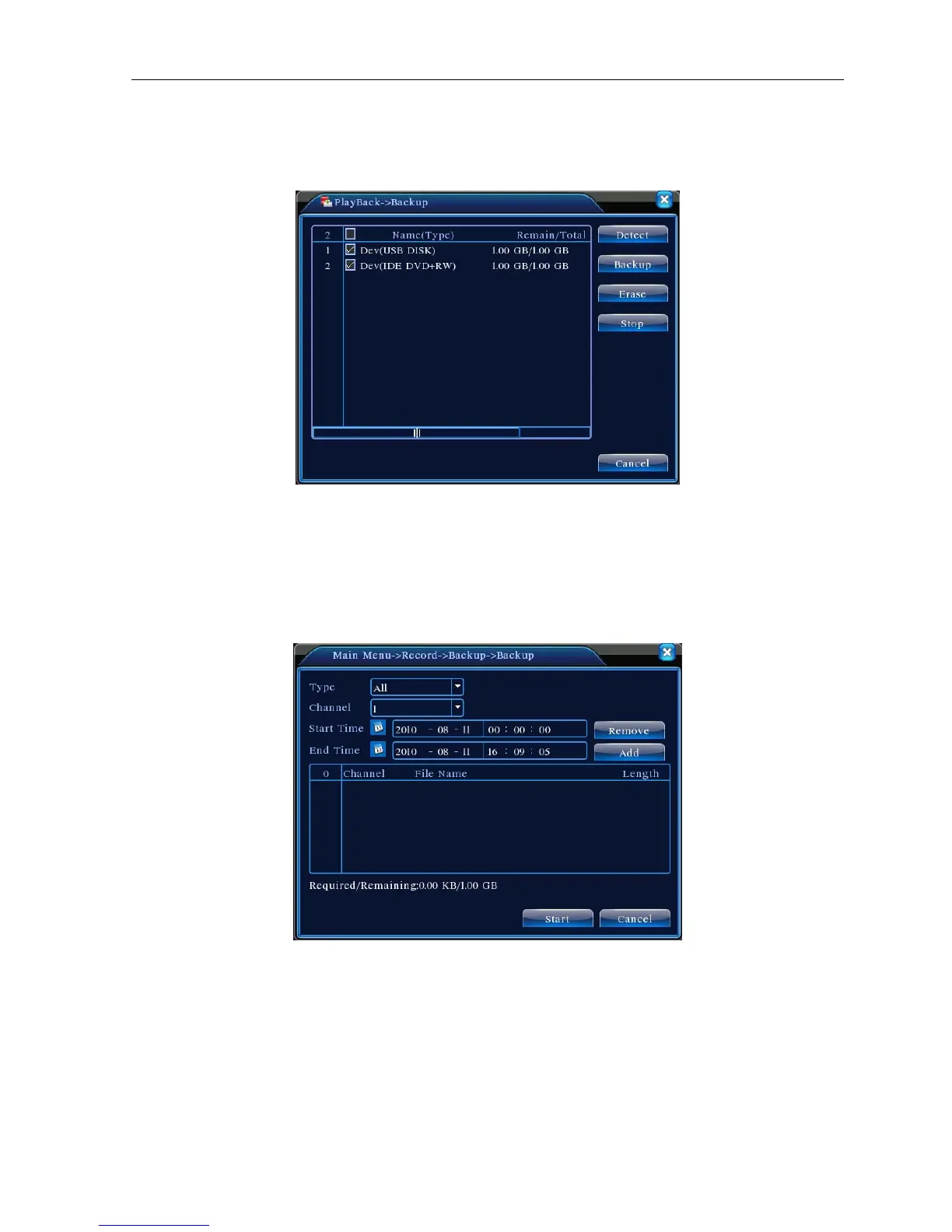
Picture 3.5 detect the storage
Detect: Detect the storage connected with the DVR such as hard disk or universal disk.
Erasure: Choose the file to delete and click erasure to delete the file.
Stop: Stop the backup.
Backup: Click backup button and the dialog box is popped up. You can choose the backup file
according to the type, channel and time.
Picture 3.6 recording backup
Remove:Clear the file information.
Add:Show the file information satisfying the set file attributes.
Start/Pause:Click the play button to start the backup and click the pause button to stop the backup.
Cancel:During backup you can exit the page layout to carry out other functions.



 To Next Page