H.264 Network Digital Video Recorder User Manual
Page 17
【Iris】Click / button to adjust the iris of the camera.
【Direction control】Control the PTZ rotation. 8 directions control is supportive.(4 directions in Front panel is
supportive )
【High speed PTZ】Full-screen show channel image. Left press mouse and control PTZ to rotate orientation.
Left press mouse and then rotate the mouse to adjust the zoom multiple of the camera.
【Set】Enter the function operation menu.
【Page switch】Switch between different pages.
Special functions:
1.Preset
Set a location for the preset, calls the preset points, PTZ automatically turns to the setting position
1)Preset option
Set a location for the preset, procedure is as follows:
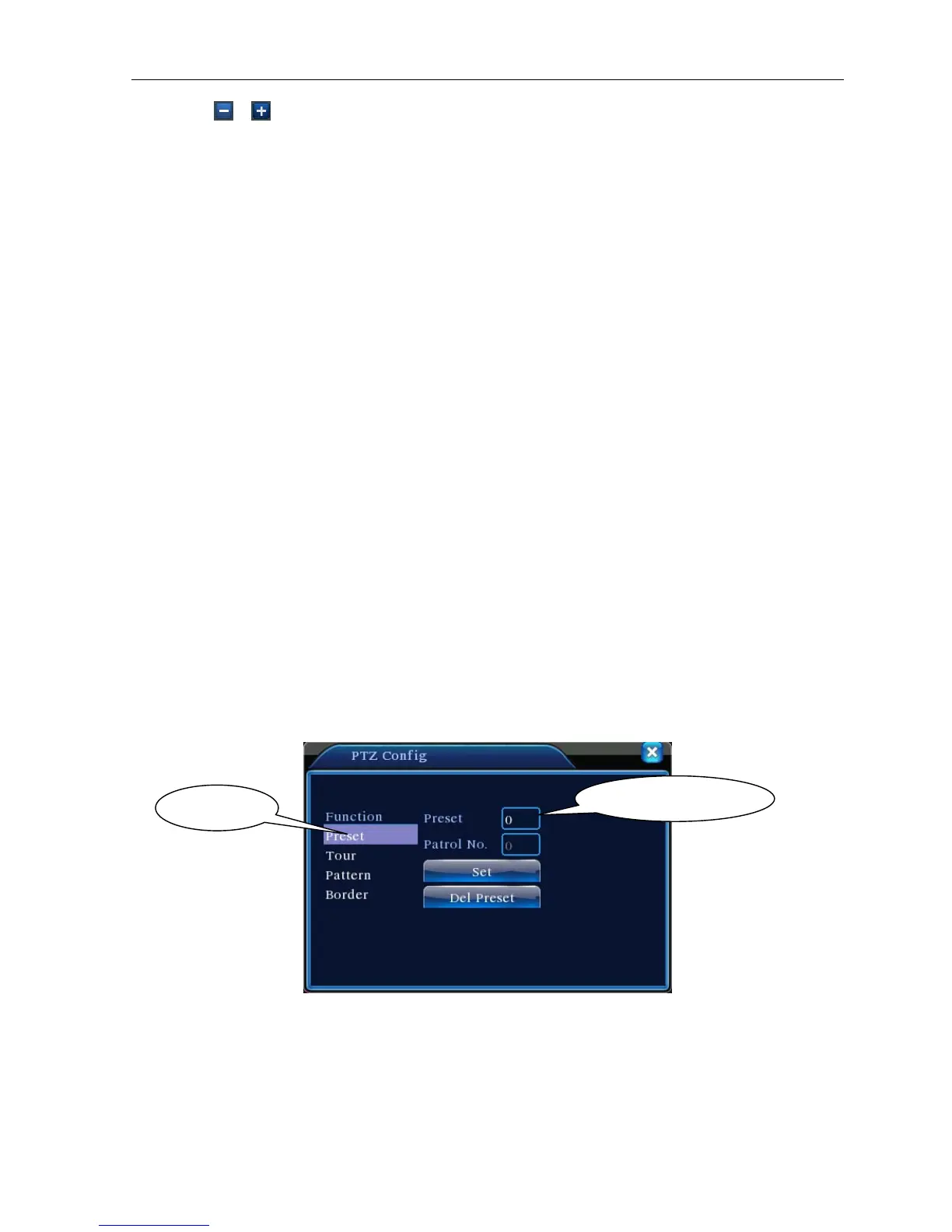
Step1: in Picture 3.10, click the Direction button will turn into preset position, click the Settings button
to enter Picture 3.11.
Step 2: click the Preset button, and then write the preset points in the input blank,
Step 3: click Settings button, return the Picture 3.10 Complete setup
, that is the preset points and preset position corresponds.
Clear Preset:Input preset points, click Remove button, remove the preset。
Picture 3.11 Preset Settings
2)Preset Point Calls
In Picture 3.10, click Page Shift button, enter PTZ control interface as shown in Picture 3.12. In the input
blank, write the preset points, then click Preset button, PTZ turn to the corresponding preset point.
Preset button
Preset point input blank



 To Next Page