H.264 Network Digital Video Recorder User Manual
Page 28
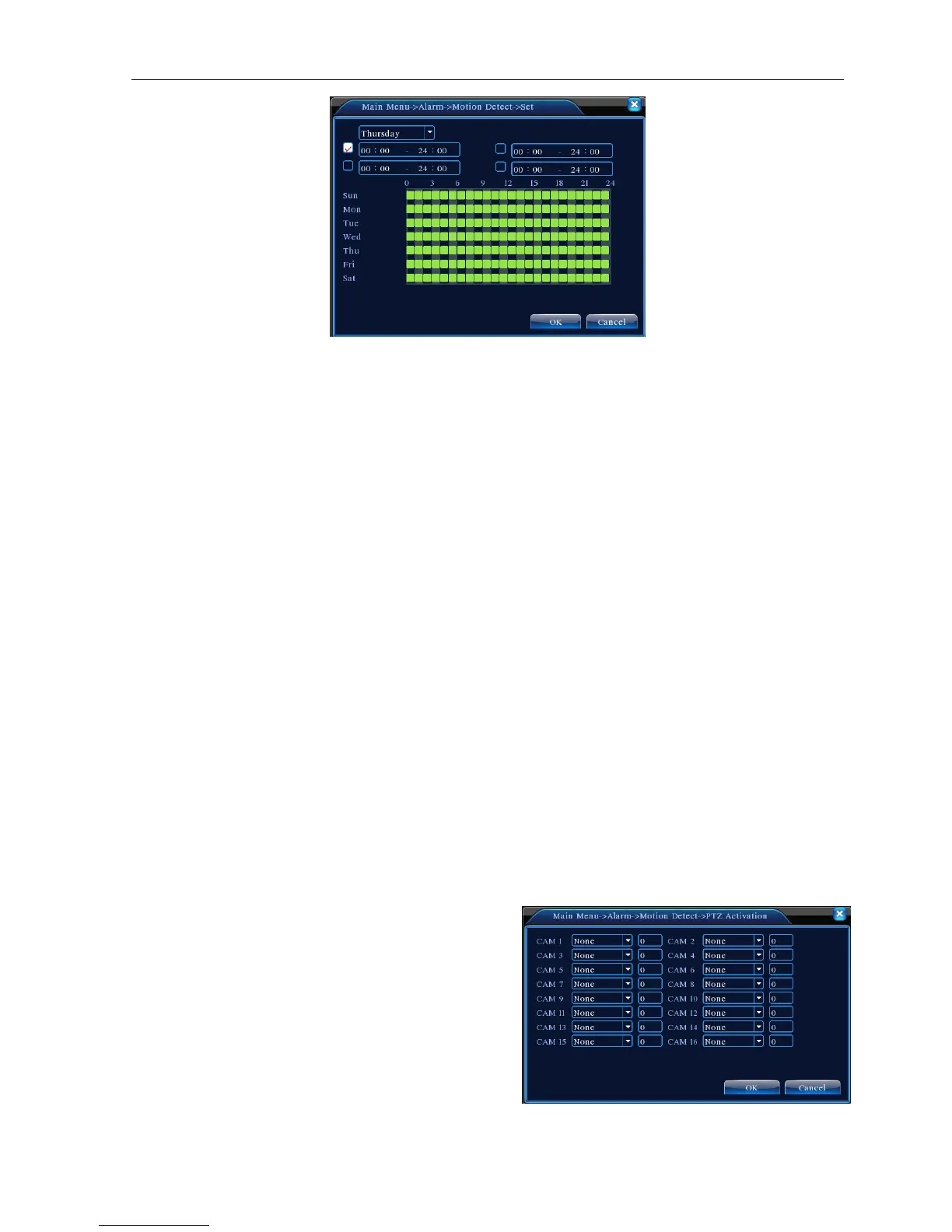
Picture 4.6 set the time section
【Interval】Only one alarm signal is turned on even there are several motion detect signals in the set interval.
【Alarm output】Start the external equipment of corresponding linkage alarm when the motion detect alarm is
turned on.
【Delay】Delay a few moments and stop when the alarm state is turned off. The range is 10~300 seconds.
【Record channel】Choose the recording channel (multiple options supportive). Trigger the video signal when
the alarm is turned on.
Note:Set in the [recording setup] and perform the linkage recording. Start detecting video files in the
corresponding time section.
【Tour】■ means that the selective channel is single window alternate patrol preview. The interval is set in the
[Main Menu]> [System] > [Tour].
【Snapshot】Choose record channels, when alarm happens, system triggers related channels for snapshot
signal.
Note: For Snapshot activation, pls go to set period, detect and alarm enable at Main Menu->Record->Record
config,
【PTZ Activation】Set the PTZ activation when the alarm is turned on.
Note: PTZ activation is set in the [shortcut menu] >[ PTZ control]. Set the patrol between spots, trail patrol and
so on.
Picture 4.8 PTZ Activation



 To Next Page