Page. 64 of 87
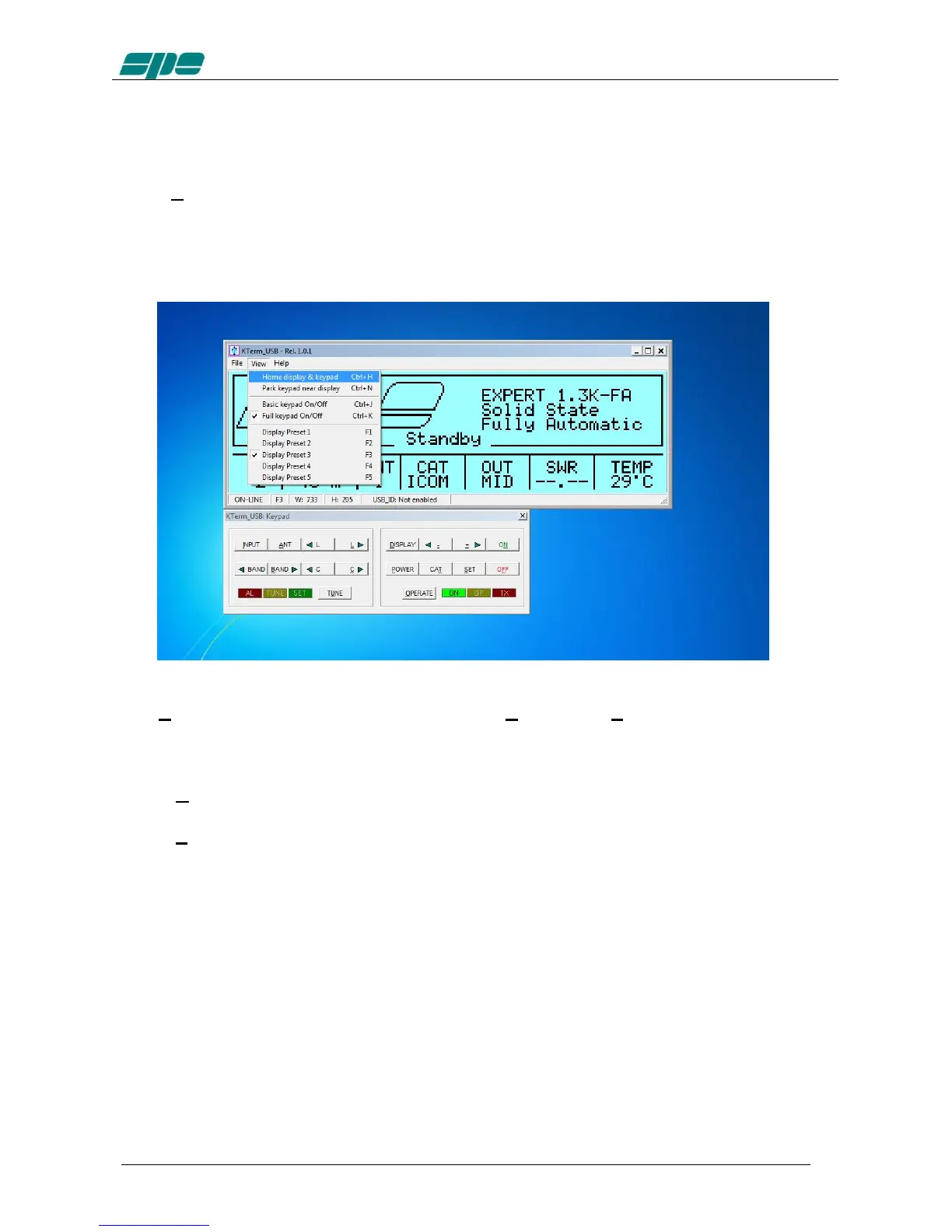
In case the EXPERT linear is already switched on, after the connection established by
KTerm_USB.exe, an immediate update on the current display contents will result.
However, if the EXPERT linear was already switched off, it would be turned on by using
the [ON] virtual key on the application keypad.
Similarly, all the other virtual keypad keys perform the same actions as their equivalent
mechanical keys forming the real front panel keyboard of the EXPERT 1.3K-FA.
The View menu is also equipped with the useful Home… and Park… items which have
been specially designed to allow an automatic repositioning of the application along the
PC desktop area.
In more detail:
Home... (Ctrl+H) This item positions the display window to the upper-left corner
of the desktop area and aligns the keypad to its bottom edge.
Park... (Ctrl+N) This item leaves the display window where it currently stays and
just aligns the keypad to its bottom edge.
The above described operations could be helpful whenever a quick and safe
repositioning of the application windows is desired.



 To Next Page