Page. 27 of 87
10. PROGRAMMING
The three keys: [SET], [◄▲] and [▼►], allow programming the amplifier. They can be
used in the following way:
[SET] Use it to open a menu page, to validate choices and to exit from a menu
page.
[◄▲], [▼►] Use these keys to select options.
A green led illuminates during the programming process.
Programming the system is very easy. You will find your programming choices
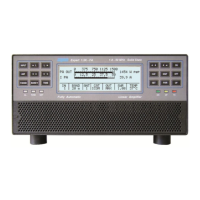
confirmed by the items shown at the lower part of the display.
Note: Programming operations are only possible int he ‘STANDBY’ mode.
Note: Programming changes take effect only after exiting from a menu page (the green
led turns off).
Pressing the [DISPLAY] key for more than 1 sec. it will immediately exit to
STANDBY with no programming effect.
10.1 Ways to operate
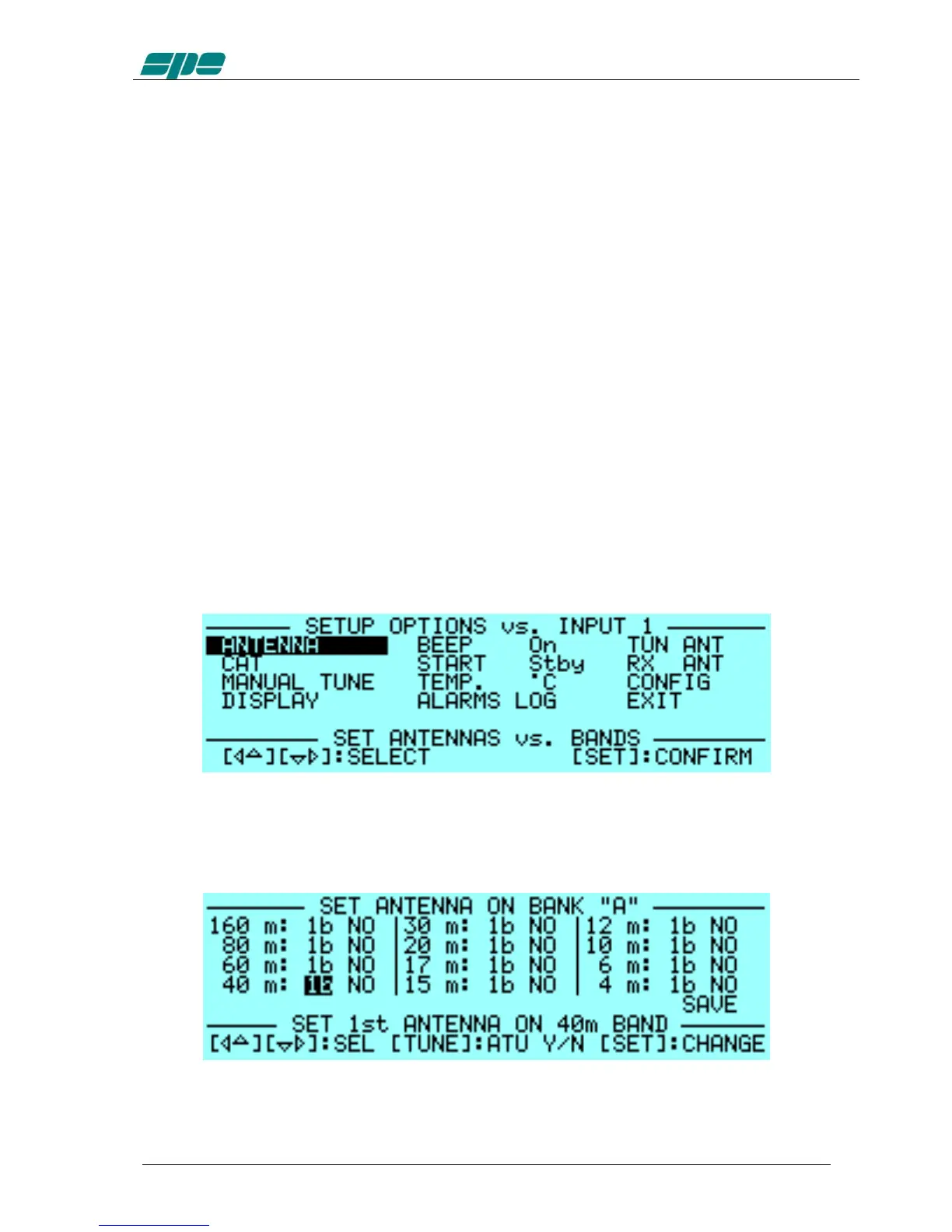
Pressing the [SET] key opens the menu page. On the display there are the following
options:
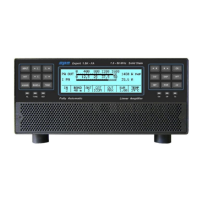
a) ANTENNA: An appropriate antenna may be assigned to each band selecting the
(ANT 1, ANT 2, ANT 3, ANT 4) connector.
If you don’t have an antenna for a particular band, set to “NO”.
This setup allows you to preset up to 2 antennas for the same band.


 To Next Page