INDEX Page. 73 of 92
When trying to connect the linear amplifier to a PC, some problems could occur
because other peripherals sharing the same USB internal hub may conflict with it.
To avoid this kind of conflict it is necessary to go to “selective addressing”.
Selective addressing thru the USB port.
This options has been designed to allow selective addressing of an EXPERT linear
amplifier connected to any given PC USB port.
In contrast to similar devices using the popular FT232RL USB microcontroller where the
typical way for providing selective addressing of a specific device is based upon its serial
port ID parameter (e.g. COM1, COM2, etc.), our method is based upon a unique feature of
the popular FTDI chip that is known as “ID String Property”.
That is a sequence of 8-alphanumeric characters, programmed by the FT232RL’s
manufacturer during the production process of their components, which is something
similar to the MAC address typical to any PC LAN card.
It is important to understand that this unique coding parameter does not allow addressing
ambiguity when correctly applied to FDTI chips that are connected to the same USB bus.
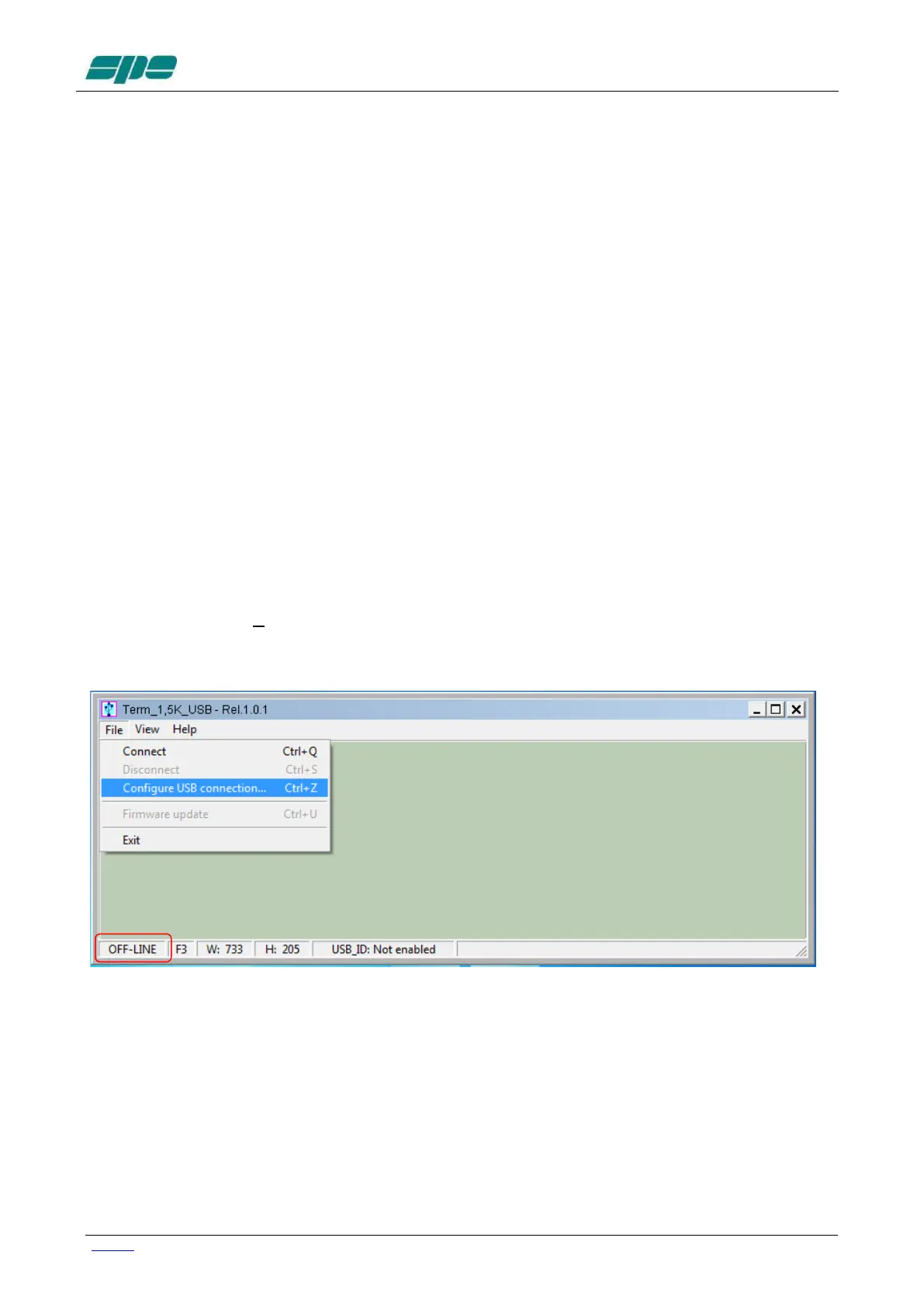
Preliminary programming for “ID string property” with Term_1.5K_USB.exe .
This special setting, based upon an easy “self-learning” procedure, must be performed
once, however only after having put the Expert 1.5K-FA into an OFF-LINE state.
Then, select File/Configure USB connection... from the main menu as shown in the
picture below:


 To Next Page