14
2-2. Setting up Daylight Savings Time
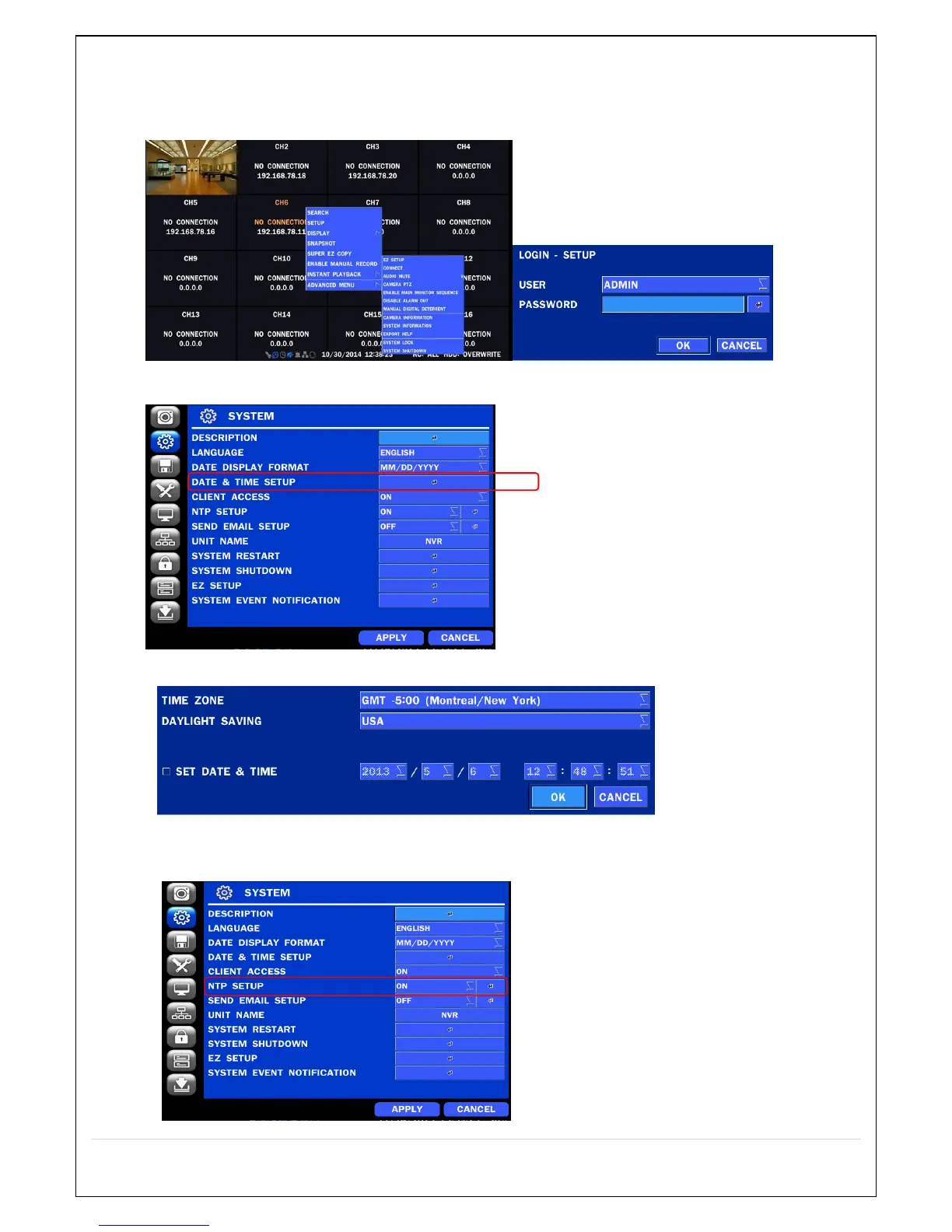
To enable Daylight Saving feature/NTP synchronization, take the following steps.
1. Enter the SETUP mode. The default Username is “ADMIN” and Password is “1111”.
2. Go to SETUP > SYSTEM > DATE & TIME SETUP
3. Select ON from the DAYLIGHT SAVING dropdown menu.
2-3. Setting NTP (Network Time Protocol)
1. SETUP > SYSTEM > NTP SETUP > ON



 To Next Page