59
5-1-1. PTZ Control
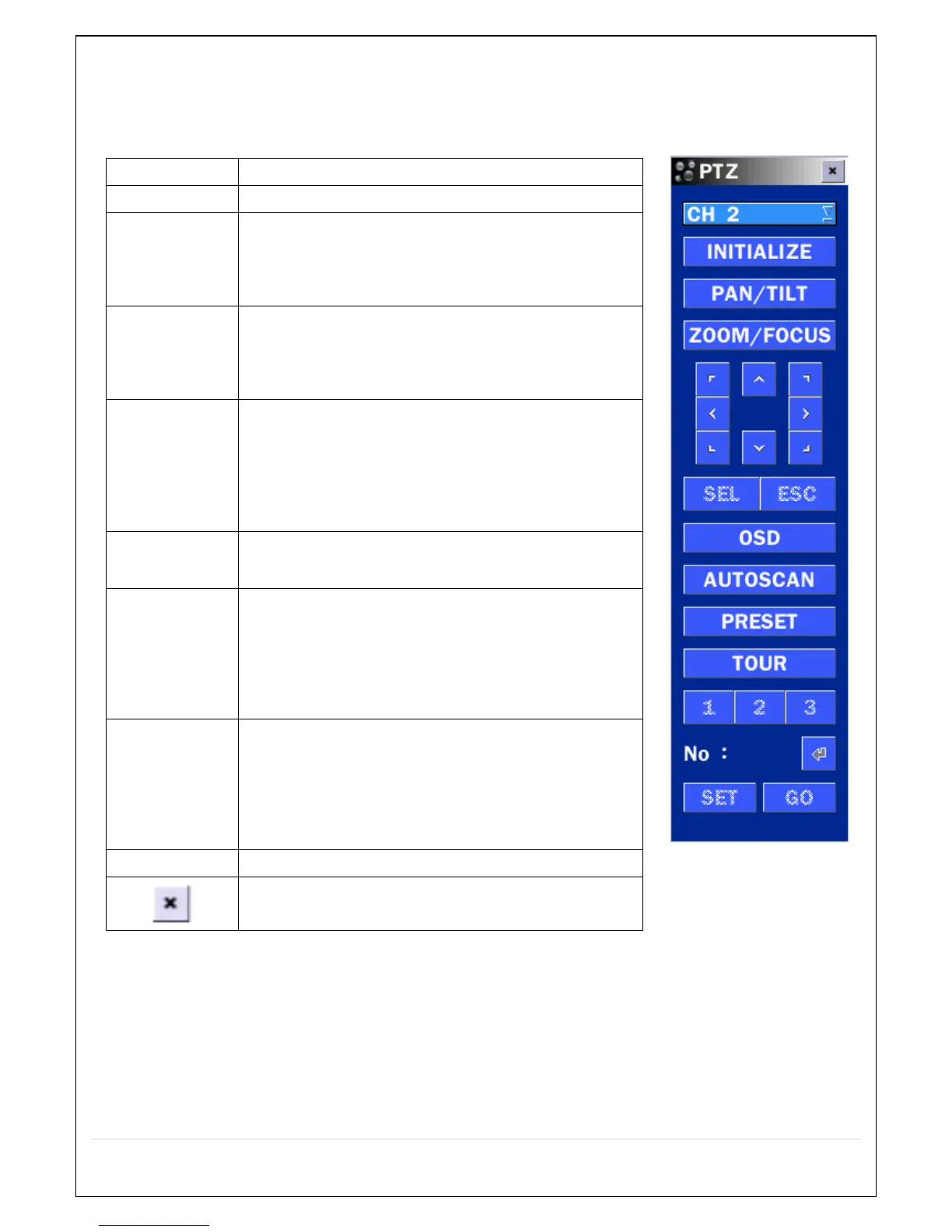
Table 5.1.3. Menu Items in PTZ Control Window
Initialize the PTZ settings of the selected camera
Select PAN/TILT using the ▲▼◀ and ▶button, then
press SEL.
Adjust the tilt (UP/DOWN) & pan (LEFT/RIGHT)
position using the ▲▼◀and ▶buttons.
Select ZOOM/FOCUS using the ▲▼◀ and ▶
buttons, then press SEL.
Adjust the zoom (UP/DOWN)/ focus (LEFT/RIGHT)
position using the ▲▼◀ and ▶ buttons.
Select OSD to enter the menu. Control keys are Right,
Left, UP, Down, Select, Far (REW KEY), and Near (FF
KEY).
Press the ESC button to return to the previous menu.
Press the PTZ button to close the OSD menu.
Press the right key (▶) to start auto scan.
Press the left key (◀) to stop auto scan.
Select PRESET, and then press the left key (◀). A
number input window will appear.
Set the number (3 digits) using the number key, and
then press the SEL to confirm the preset number for
the current position. Press the right key (▶) and enter
the number (3digits) to go to the preset position.
Select TOUR and press the right (▶) key. A number
input window will open.
Select a number (1 digit) using a number key, and
then press SEL to start the tour.
Press the left (◀) key to stop the tour.
Preset the number of the tour group in the OSD menu.
For the TOUR and PRESET menu.
Press ESC to return to the main menu



 To Next Page