22
2-6 . Non PoE Port SETUP
2.6.1 Connecting the Camera (Non - PoE Model)
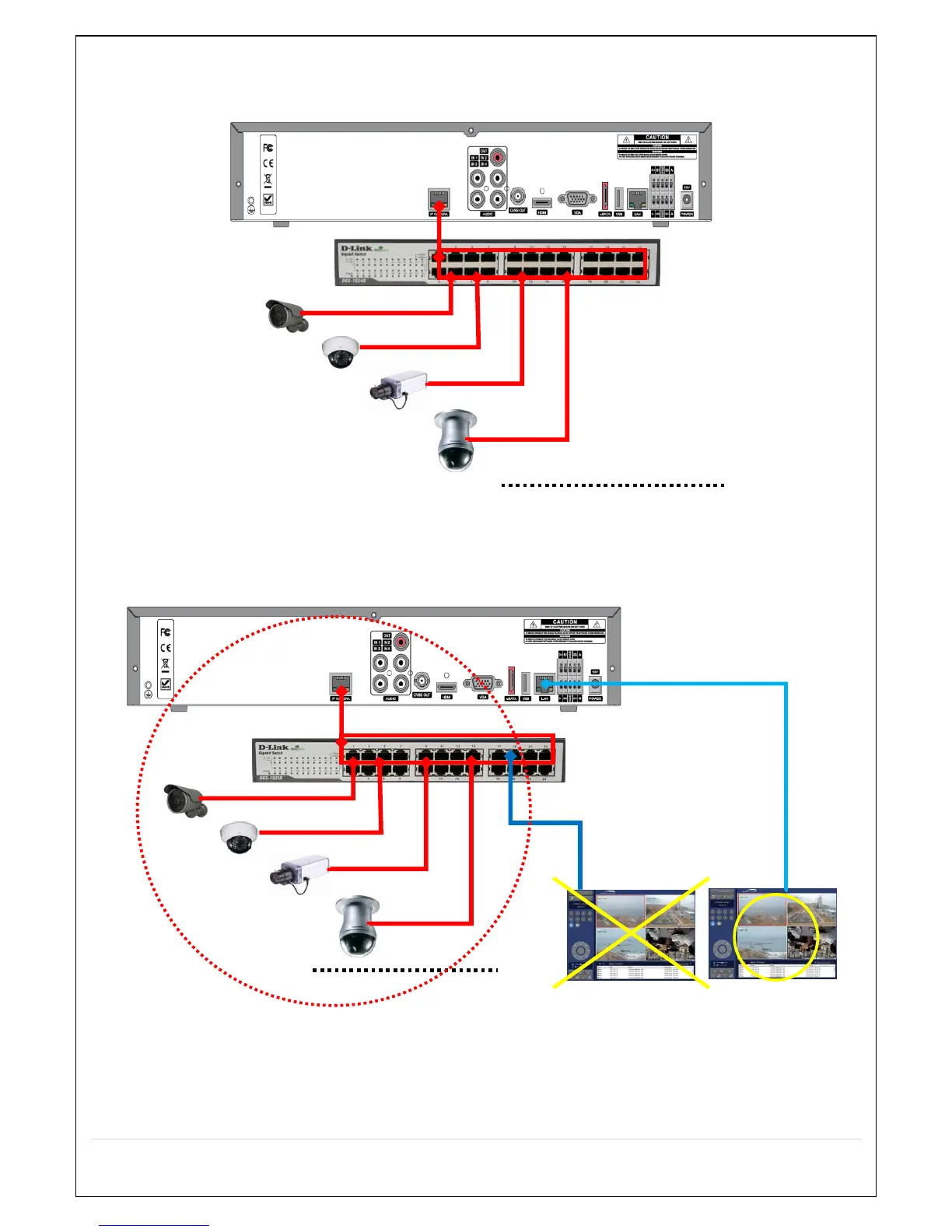
Figure 2.6.1.1. Proper connection example of the NS (Non PoE Switch).
The NS Series features a "Plug and Play" function (on board PoE Switch not included).
Setting up cameras can be done through the EZ CAMERA menu, refer to Figure 2.4.1.
Figure 2.6.1.2. Improper connection of the NS (Non PoE switch).
2-7 . IP Camera SETUP (through Web Viewer page)
NS / NSP Series allow remote access to the IP Cameras through an "IP Camera Setup" menu.
The PC Web Client features the "IP Camera Setup" menu that can be accessed remotely.



 To Next Page