34
4-2. Setup – SYSTEM
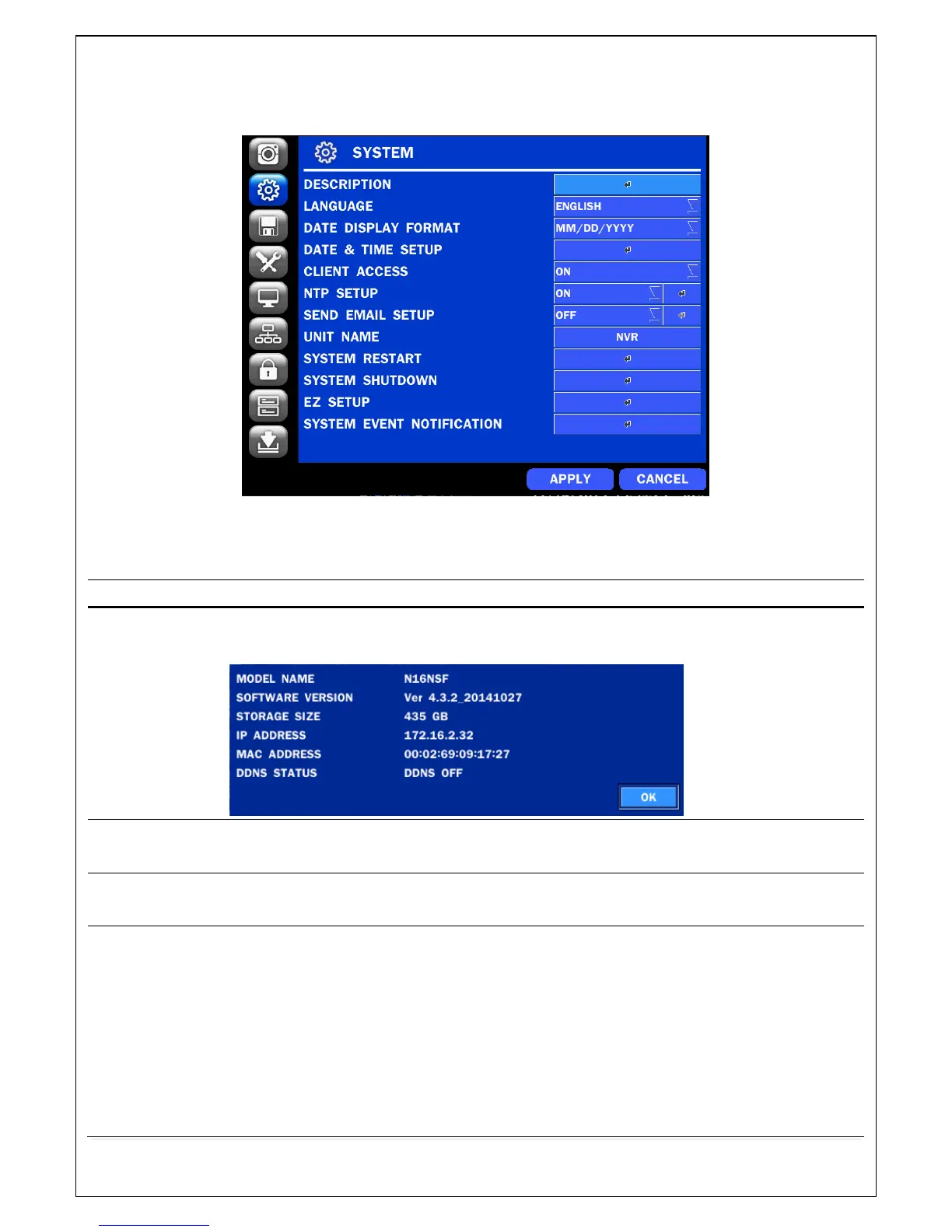
In the SETUP menu, select the SYSTEM tab. Then, the SYSTEM menu is displayed as pictured below.
Navigate through the menu items or change the settings using the mouse or the remote control.
Figure 4.2.1. SYSTEM Setup Screen
Table 4.2.1. Menu Items in SYSTEM Setup Screen
Press the button to view the system information. (Software Version, Storage Size, IP
Address, MAC Address and DDNS Status)
Select the display language using the mouse or the remote control. Once a language is
selected, the display language will change.
Select the date display format using the mouse or the remote control. Options are:
MM/DD/YYYY, YYYY/MM/DD, DD/MM/YYYY, YYYY-MM-DD, MM-DD-YYYY, DD-MM-YYYY
Select the display date and time using the mouse or the remote control and press OK
button to set the present date and time.
Select DAYLIGHT SAVINGS using the mouse or the remote control and select the
appropriate daylight savings time zone. The options are:
OFF: Daylight saving is turned off.
USA: Applies the USA daylight saving time.
EU: Applies the EU daylight saving time.



 To Next Page