84
- HDD BAD SECTOR
- HDD ALMOST FULL
o VIDEO CLIP SETUP: Setting the duration for pre and post recording.
o EVENTS AND NOTIFICATION
- HEALTH CHECK / RESTART / SHUTDOWN / PANIC RECORD:
Enable Email Notification in the event a problem occurs with the NS.
- ALARM-IN : Enable Email Notification when the camera detects sensor
- MOTION DETECTION : Enable Email Notification when the camera detects motion
- NO CONNECTION: Enable Email, Beep and Alarm output Notification when the
camera signal is lost.
- HDD TEMPERATURE : Enable Email Beep and Alarm output Notification when the
HDD reaches the maximum temperature
- HDD BAD SECTOR : Enable Email Notification when the HDD has bad sectors.
- HDD ALMOST FULL : Enable Email Notification when the HDD is almost full.
- HDD FULL : Enable Email Notification when the HDD is full.
- HDD FAILURE : Enable Email, Beep and Alarm output Notification when the HDD
fails.
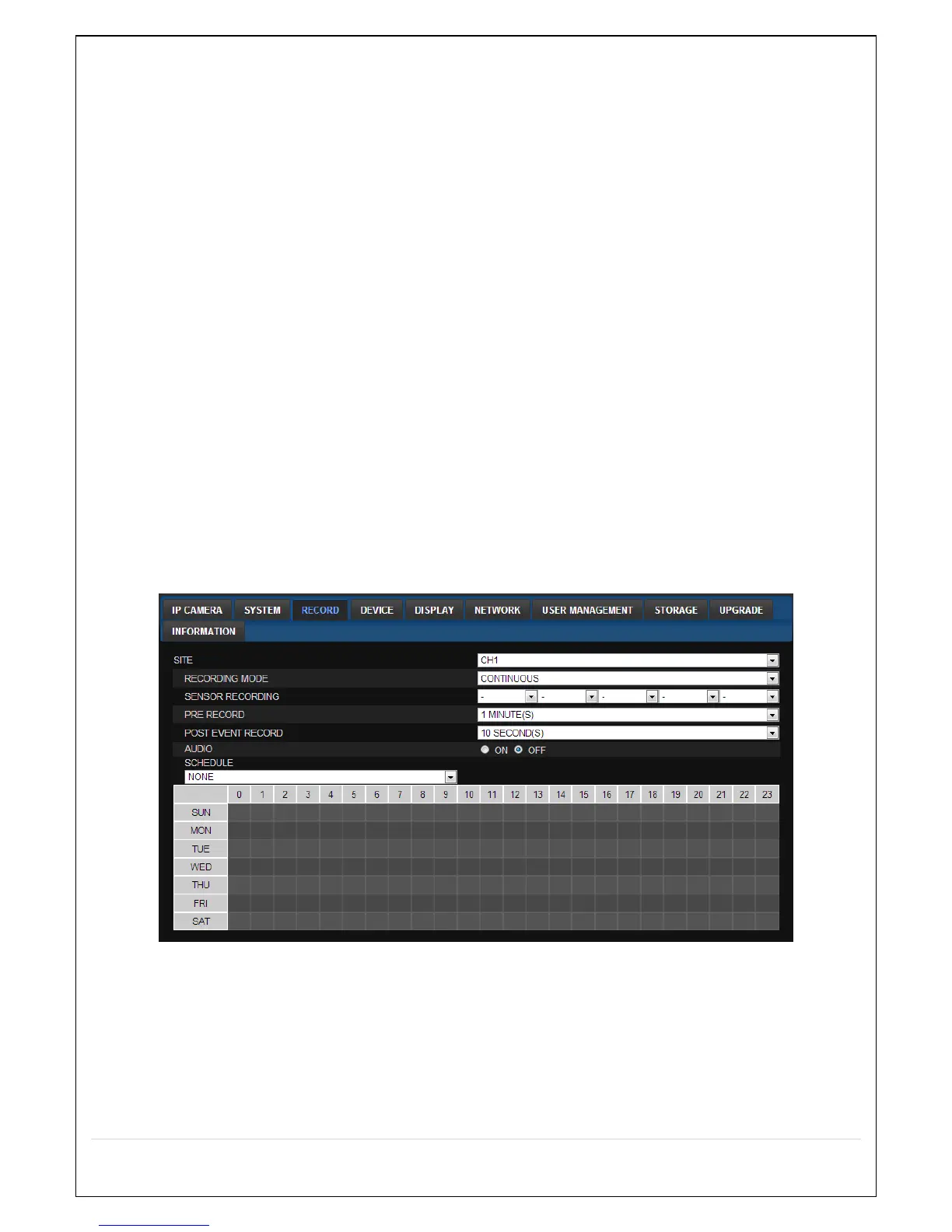
7-7-3. Record
Select RECORD tab to set the recording conditions.
These settings apply to the specified channel only.
Recording Setup
o RECORDING MODE: CONTINUOUS, SCHEDULE, MOTION
o PRE RECORD: Sets whether to perform or not pre recording.
o POST EVENT RECORD: Sets the duration of the event recording.
o AUDIO: Sets whether to perform or not audio recording.
o SCHEDULE: Sets the schedule recording.



 To Next Page