40
4-4. Setup – DEVICE Mode
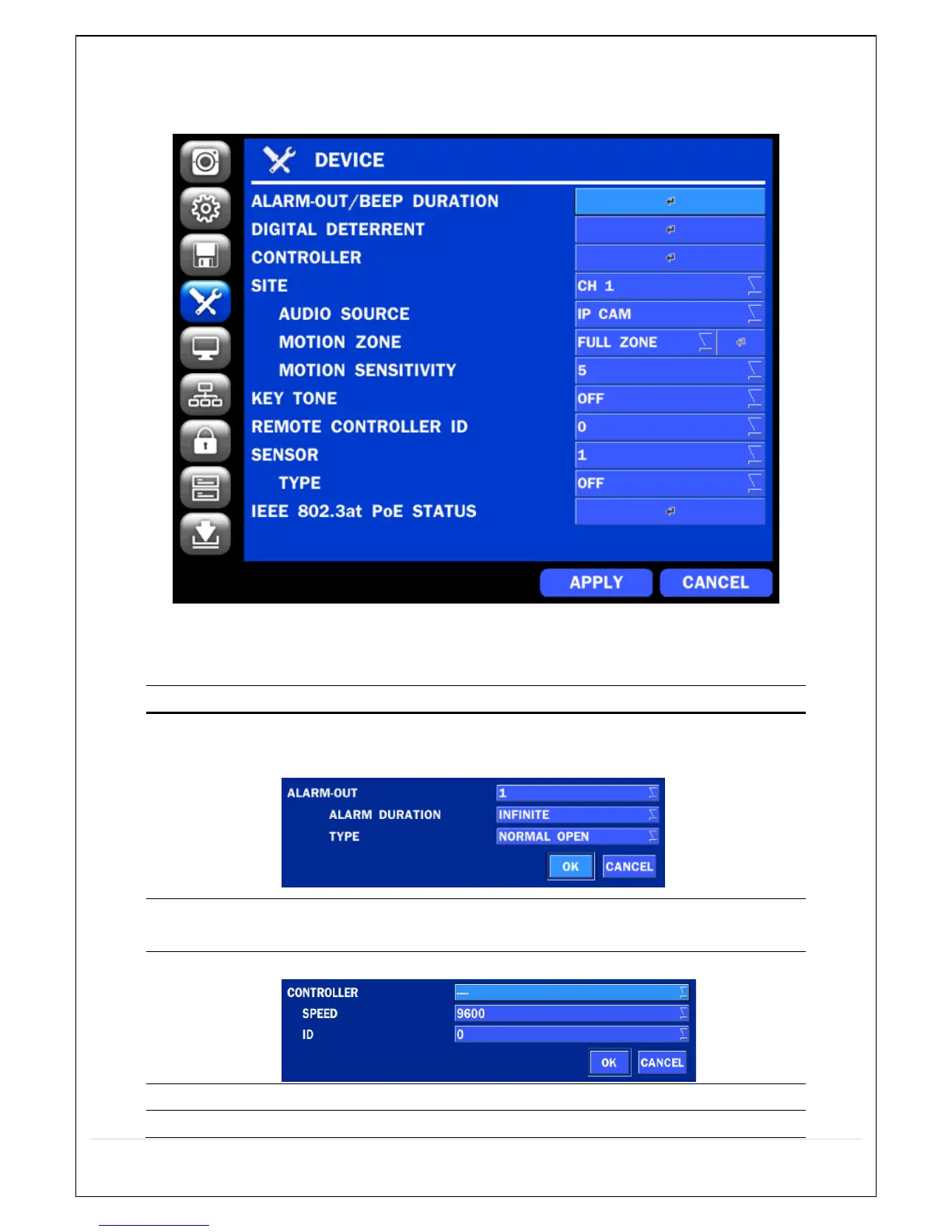
In the SETUP menu, select the DEVICE tab. Then, the device menu is displayed as pictured below.
Navigate through the menu items or change the settings using the mouse or the remote control.
Figure 4.4.1. DEVICE Setup Screen
Table 4.4.1. Menu Items in DEVICE Setup Screen
ALARM OUT
/ BEEP
DURATION
Only one Alarm-out is available.
Set alarm dwell time from 5 to 60 seconds or infinite.
Setup schedule and audio recordings for Digital Deterrent.
Set the PTZ baud rate, protocol, and ID.
Display the channels triggered by an event (Refer to 4.4.4)
Select specified channel for motion zone setup.



 To Next Page