23
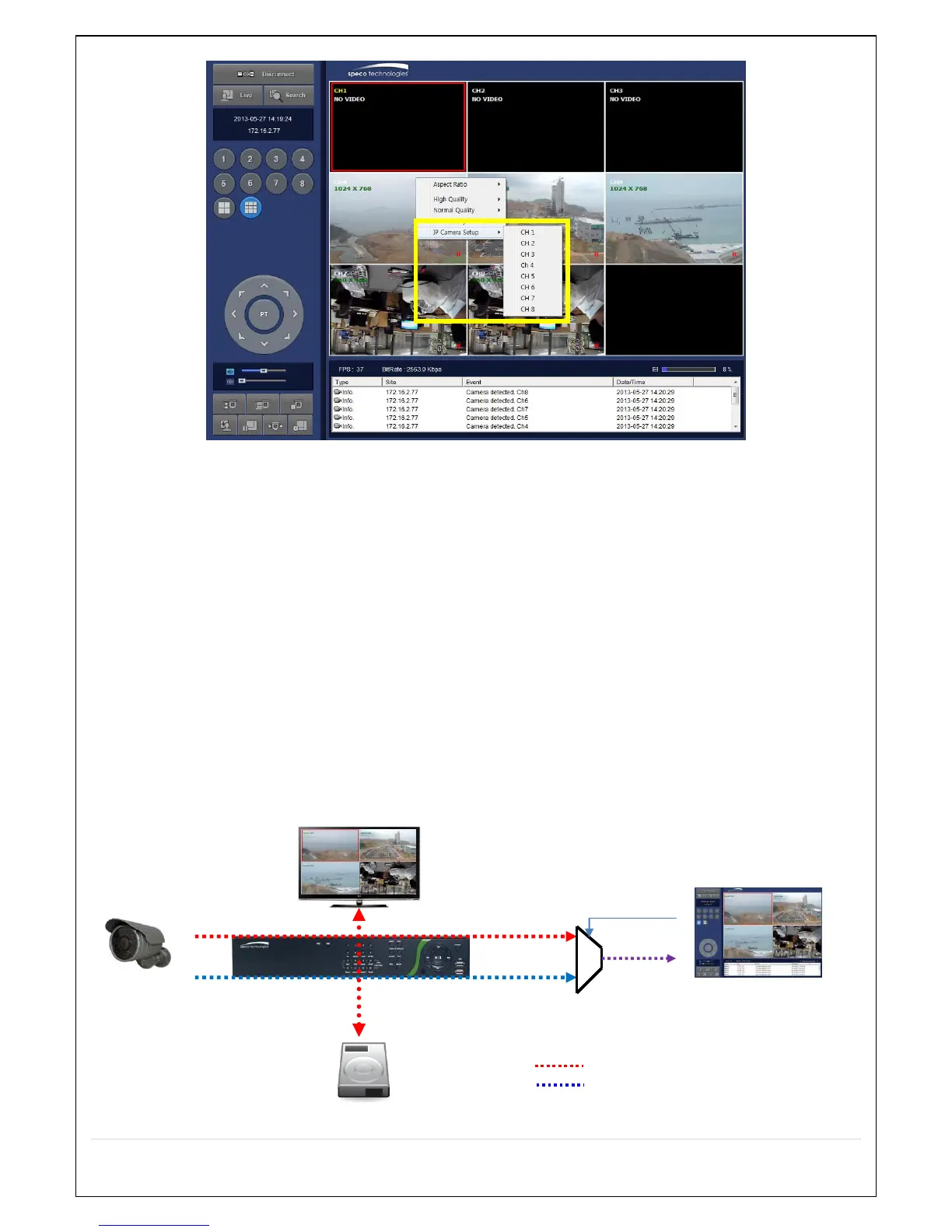
① Click the mouse right button
② Select “IP Camera Setup”.
③ Select Channel Number.
④ It launches the camera’s web setup page.
In order for the web pages to launch from the “IP Camera Setup” menu when accessed from the WAN, Ports 59011 to
59254 on the router must be port forwarded to the NVR. The local address of the NVR can be found in the system
information
2-8 . Dual Streaming
High Quality (Main Profile) Video Stream is used for both Recording and Live Display.
High Quality (Main Profile) Video Stream can be viewed through the network, when selected.
Normal (Secondary) Quality Video Stream is used by default when viewing through the network.



 To Next Page