86
REMOTE CONTROLLER ID: Sets an ID number of which remote control to receive commands.
SENSOR: Select the type of sensor.
IEEE 802.3af PSE Status: Table showing the status of all PoE devices connected to the NSP.
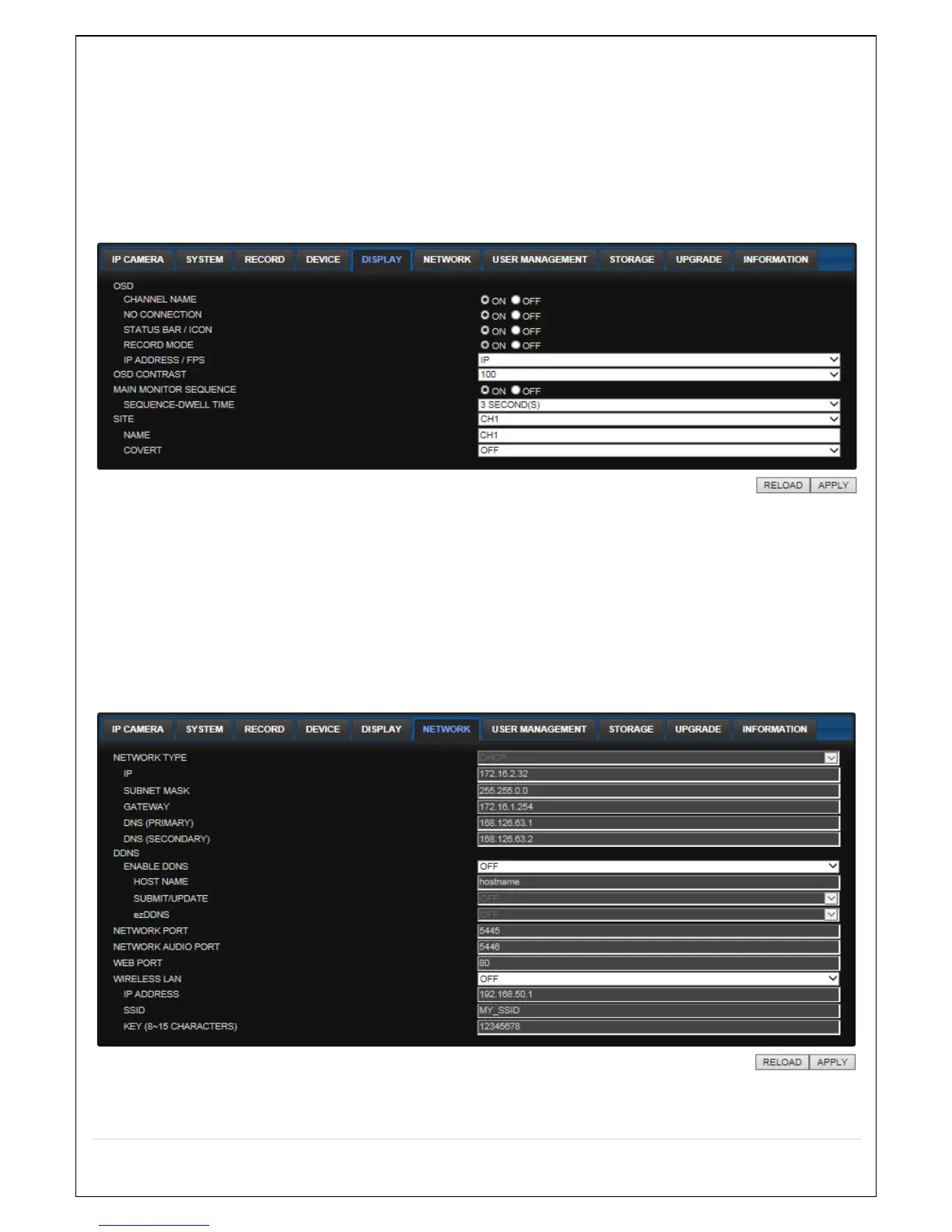
7-7-5. Display
Select the DISPLAY tab to set the DISPLAY conditions.
These settings apply to all channels.
OSD: Sets whether to display or not date and time as well as channel number on the screen.
OSD CONTRAST: Adjust the character contrast on the screen.
MAIN MONITOR SEQUENCE: Setting for automatically switching the displayed video.
SEQUENCE DWELL TIME: Sets the interval for automatically switching the screens.
SITE: Name, Covert (These settings apply to the specified channel only).
7-7-6. Network
NETWORK TYPE ( Cannot be altered remotely )
o STATIC: The address setting mode is manual. Input IP, Gateway, Subnet Mask, and DNS IP.



 To Next Page