85
7-7-4. Device
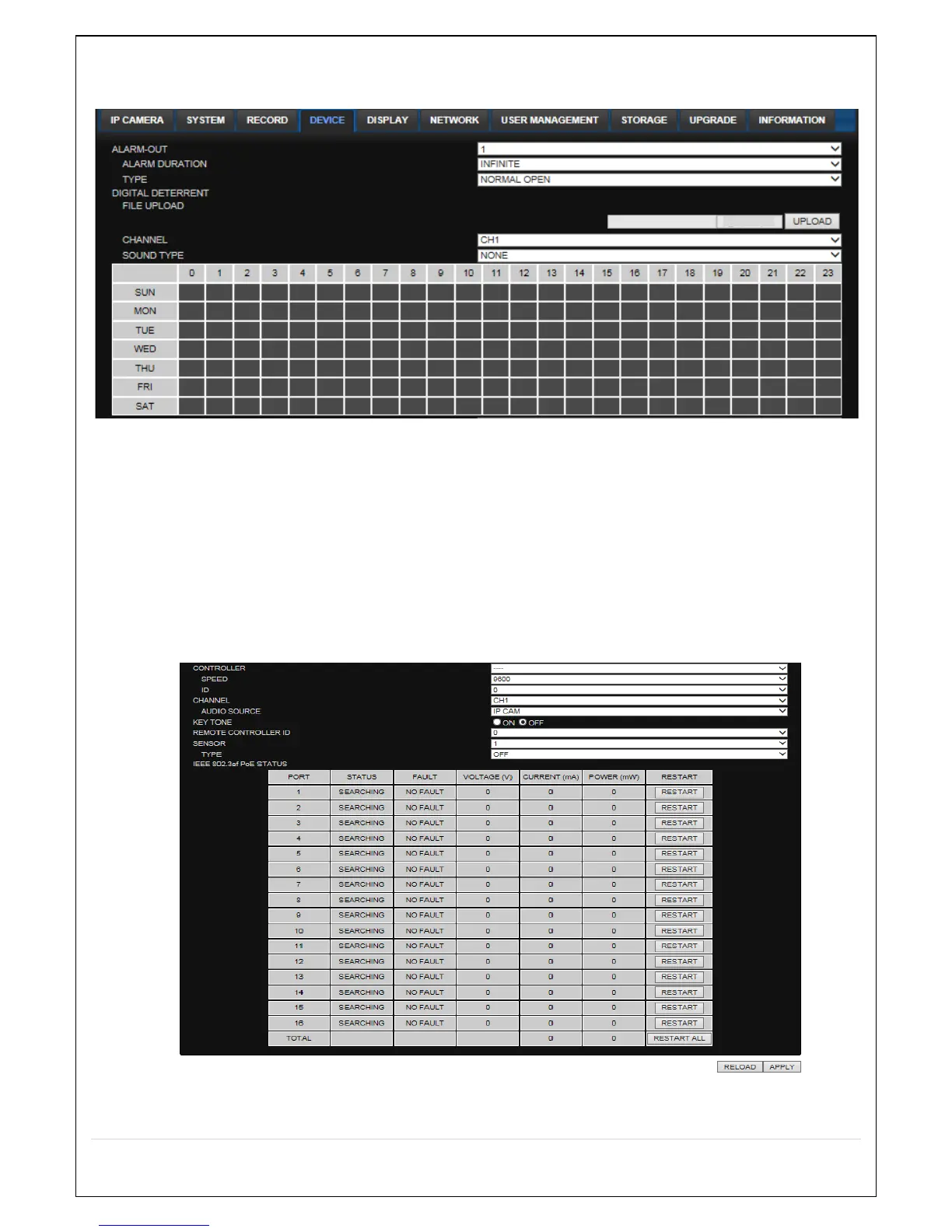
Select Device to set device settings of the NS
ALARM OUT: Set the sensor, motion, and video loss for triggering alarm relay.
HDD Error and Video Loss can be set for triggering a beeping sound
The following settings can be changed to trigger an alarm output.
o ALARM DURATION
DIGITAL DETERRENT: The schedule of digital deterrent can be set and a sound file can be
uploaded to the NS.
To set up schedule, select CHANNEL > select SOUND TYPE > select Area.
o CHANNEL: Select the Channel to configure audio input
o SOUNT TYPE: Select the sound type.
CONTROLLER: Set the controller speed, type and ID.
KEYTONE: Sets On or Off of Key Tone.



 To Next Page