18
If necessary, click on Preview to Preview the camera, or Setup to change camera settings.
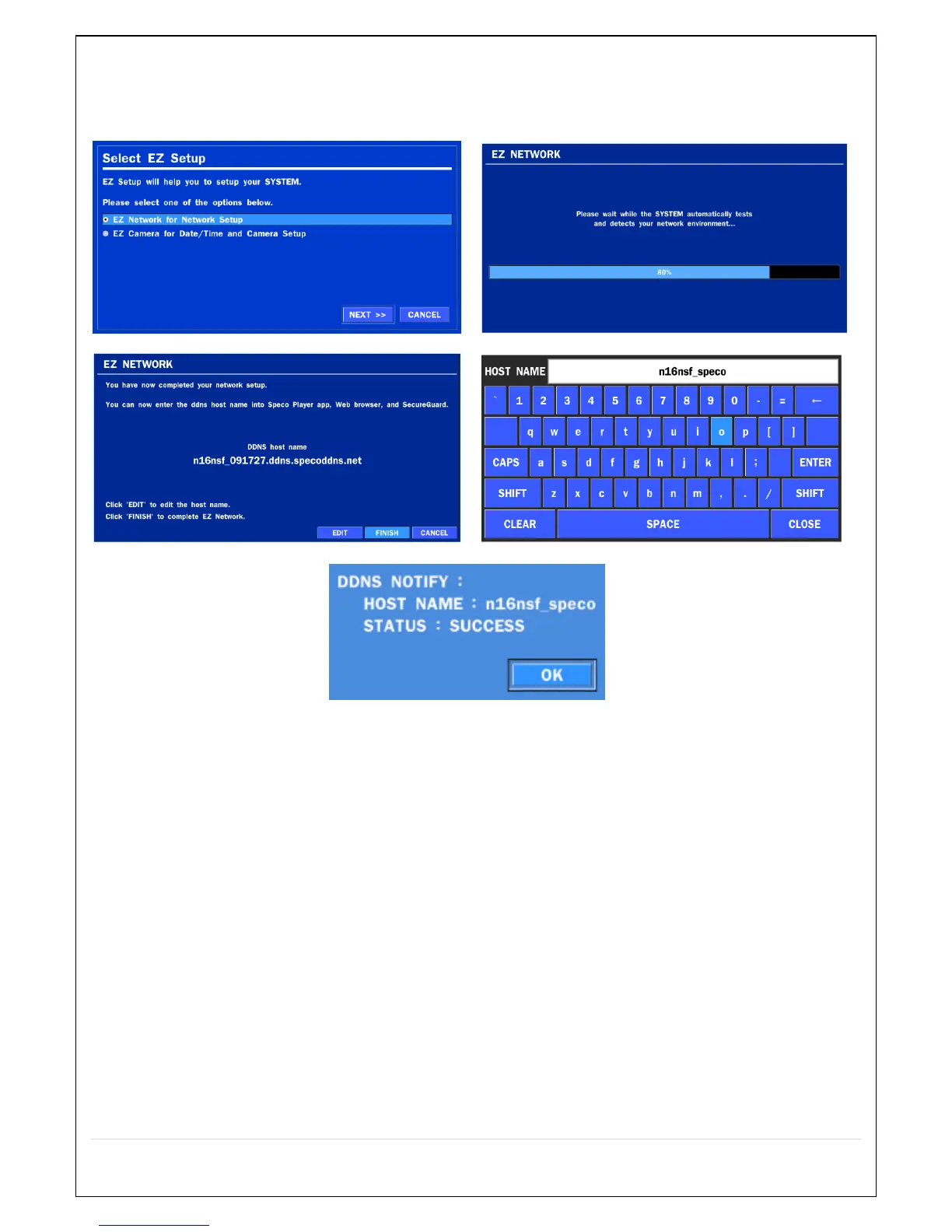
2.4.2. EZ NETWORK
Figure 2.4.2. EZ NETWORK Setup Procedure
① Select EZ Network for Network Setup.
② It begins to test and detect the network environment automatically.
③ DDNS hostname will be setting up.
④ If needed, edit the hostname
⑤ When you finish EZ network setup and close the window, it displays the result.



 To Next Page