20
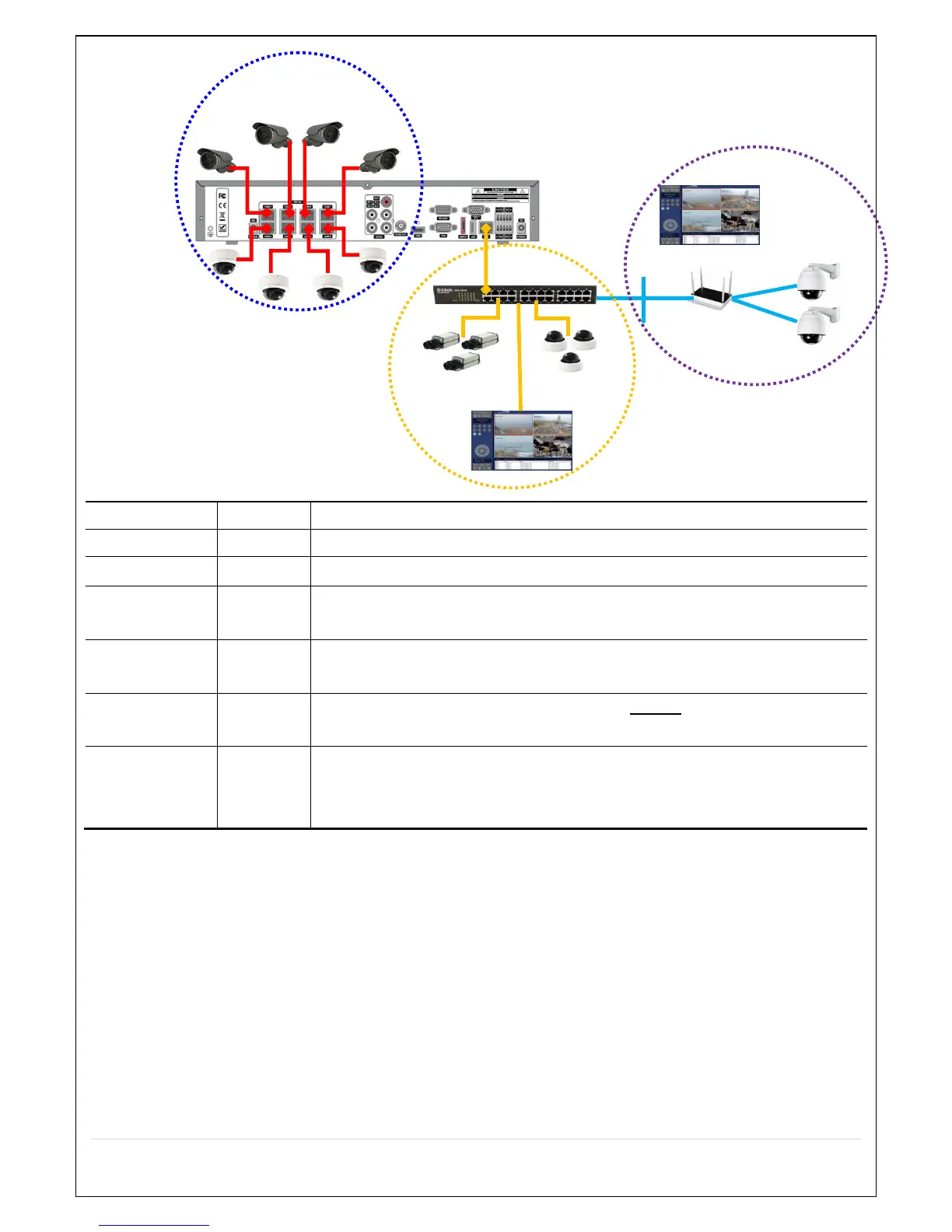
Figure 2.5.1.2 IP Camera Connection Diagram (N16NSP)
able 2.5.1. Factory Default of the IP Camera
The following IP Camera settings are recommended for optimal connection with the NS Series
The IP Camera must act as a DHCP client for the “Plug and Play”.
The “CBR” is recommended because of the internal buffer design of the NS Series
The maximum performance of the N16NS/NSP is 1080p@192fps or 720p@400fps.
To get higher frame rates per channel, 1280x720 is the recommended resolution.
The maximum performance of the N16NS/NSP is 720p@400fps.
Therefore 25fps per channel is recommended. (25fps x 16 = 400fps)
The maximum throughput of the N16NS/NSP is 40Mbps.
Therefore 2Mbps per channel is recommended. (2Mbps x 16 = 32Mbps)
For “Dual Streaming”, the sub stream should be turned on.
And for the proper streaming through the WAN connection,
CIF@512Kbps or lower bitrates per channel is recommended.
The NSP Series features a "Plug and Play" function with a PoE Switch.
The “Plug and Play” functionality requires the IP Camera to be in DHCP mode.
The NS automatically assigns an IP Address to the IP Camera. (10.20.30.11 ~ 10.20.30.254)
The NSP models will automatically map the camera on the PoE Port to the corresponding NVR
channel number.
The NSP PoE Port maximum power consumption [N4NSP – 48Watt, N8/16NSP – 96W]
The NSF PoE Port Maximum power consumption [N16NSF – 200W]
Private Network
- IP Cameras only



 To Next Page