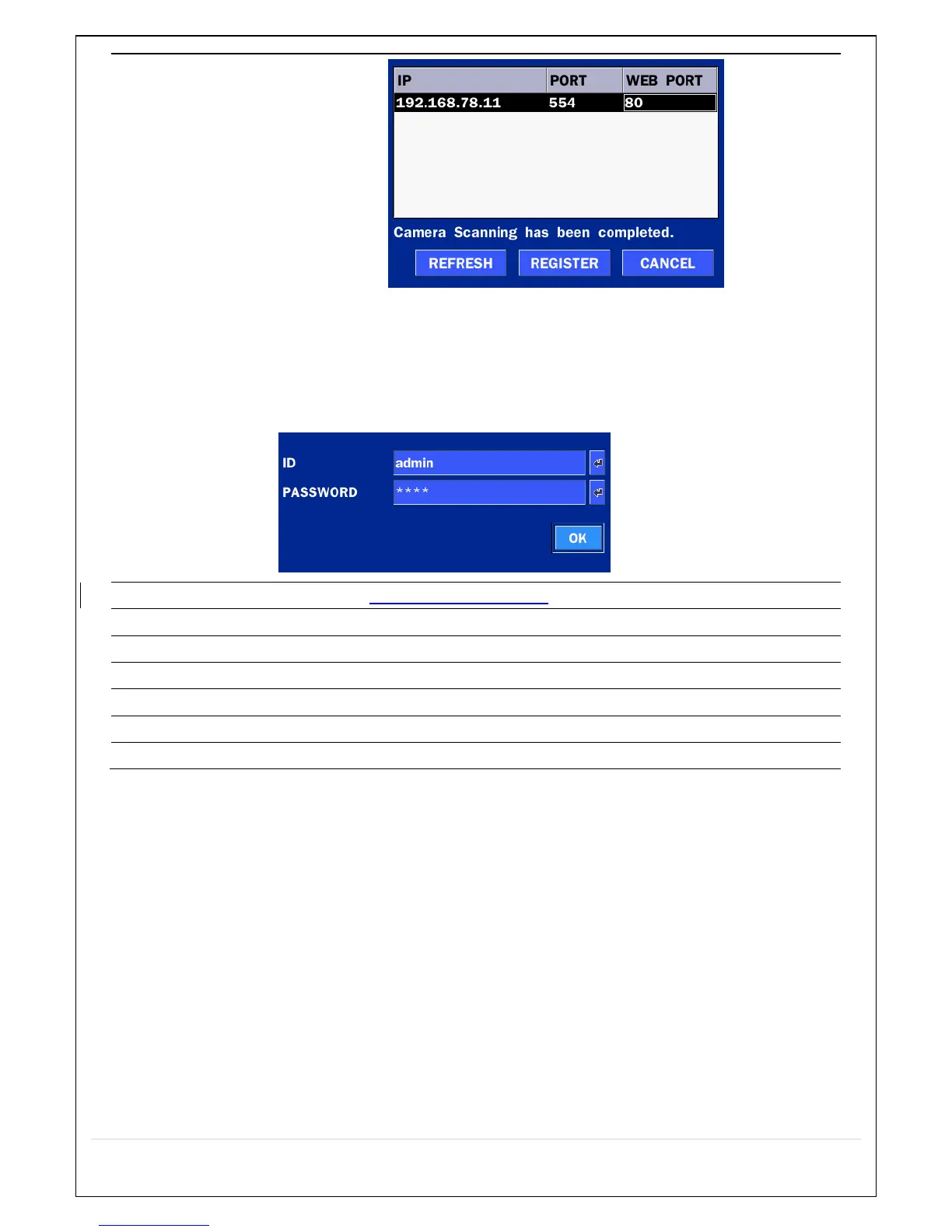
IP: Enter the address of IP camera to connect, or select from scanned list.
PORT: Enter the port number of IP camera to connect
WEB PORT: Enter the web port number of IP camera to connect
OTHERS: Change the IP camera setting. Double click the empty box and
then Log-In box will be pop-up. (Enter ID and PASSWORD of IP Camera)
Select the protocol for the IP Camera.
Automatic IP Camera search on the local network.
Set up IP camera address.
Set up the RTSP port of the IP Camera (default: 554)
Set up the web port of IP Camera (default: 80)
Enter the PASSWORD of IP CAM



 To Next Page