67
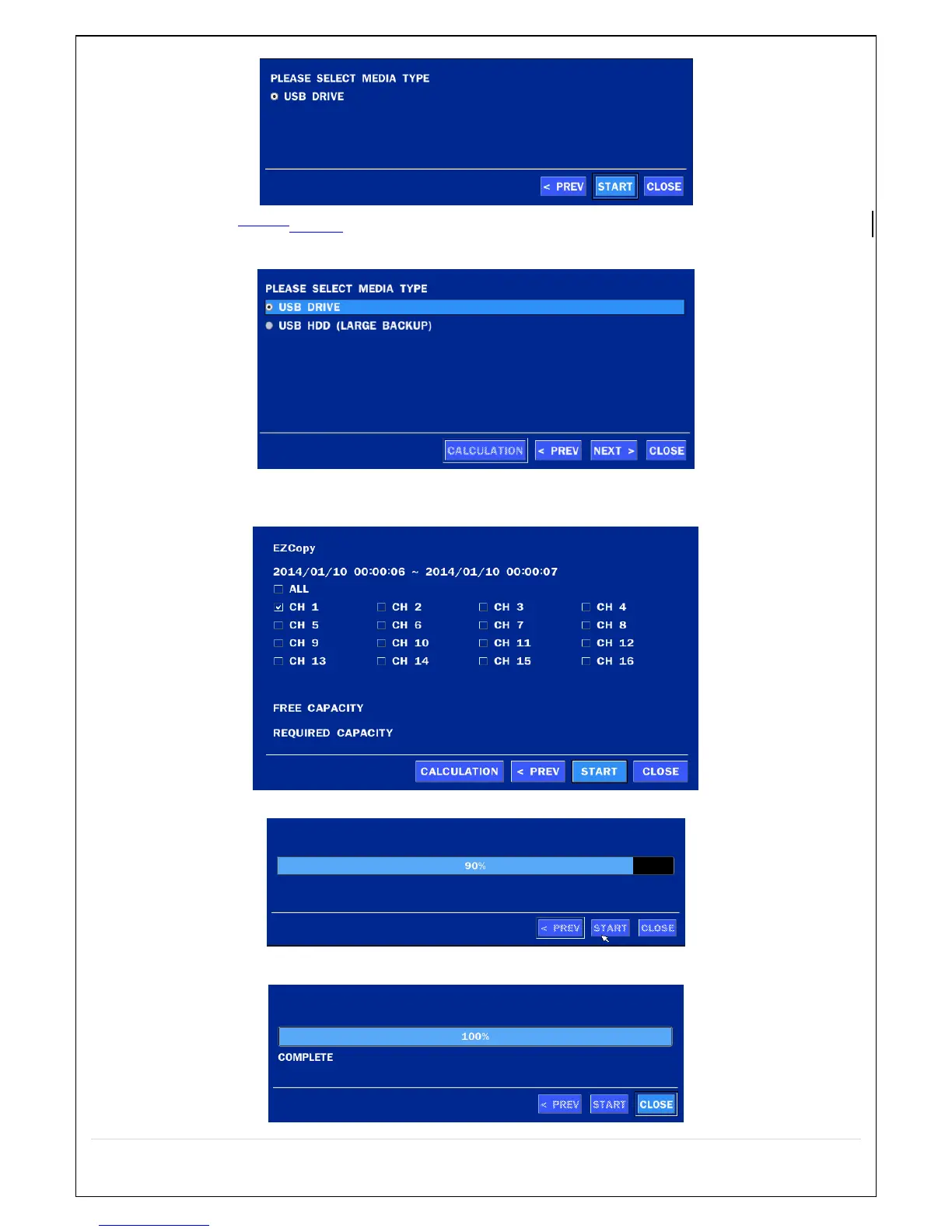
2. Select USB STICK DRIVE (Flash Drive) to back up less than an hour.
Select USB HDD (Large Backup) to back up from 1 hour to 24 hours.
3. Once you select the channel and duration, the system will start to archive the data to the USB drive.
4. The following image shows the progress of archiving the data.
5. The following shows the image to complete the backup. Select lose to return to the previous screen.



 To Next Page