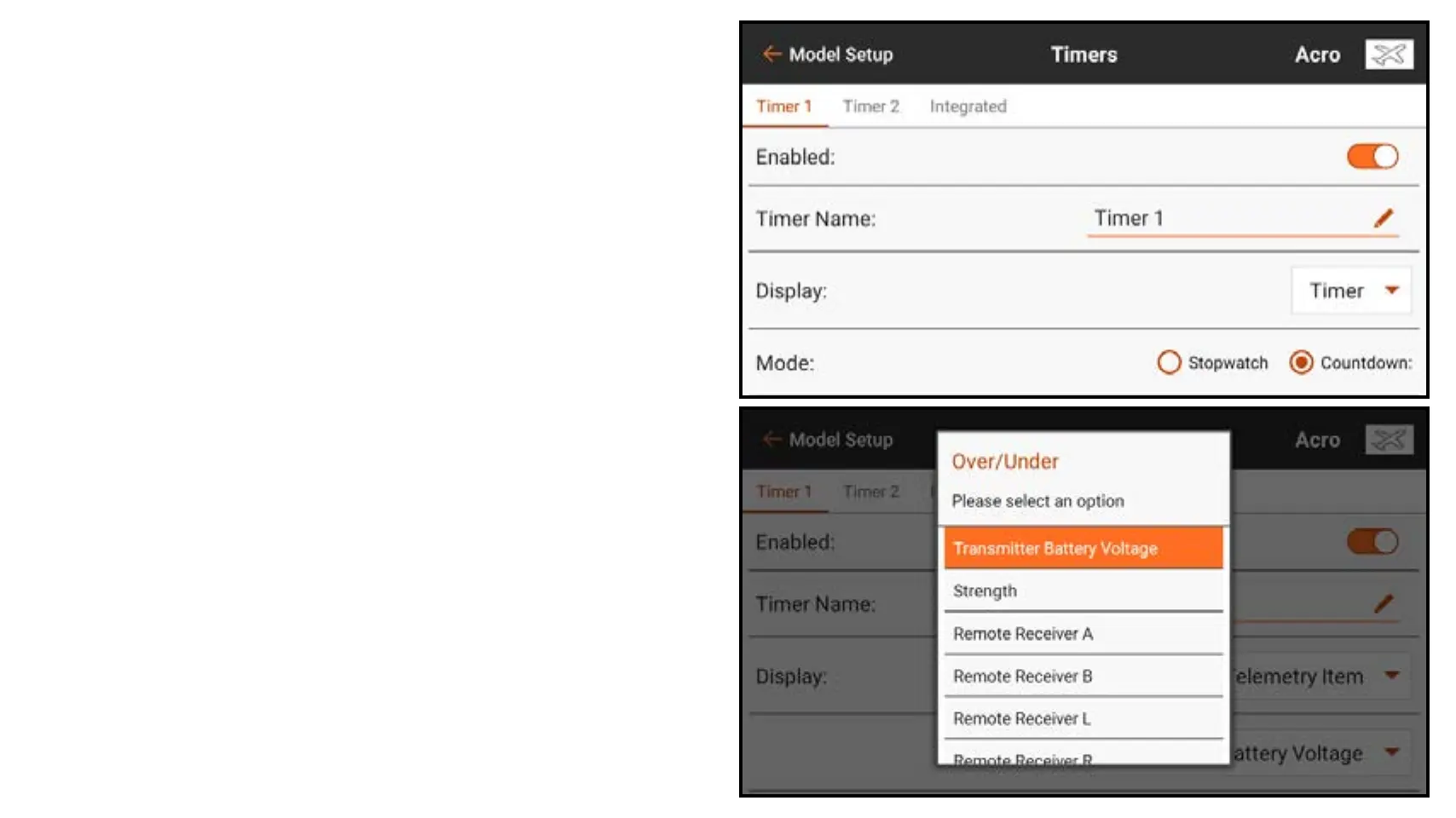
To configure a timer:
1. From Model Setup, touch Timers.
2. Touch TIMER 1 or 2 along the top
ribbon. Menu options for these two
timers are identical.
3. Set the Enabled button to on to
enable the selected timer.
4. Name the timer if desired.
5. Touch the Display selection box
to choose between the timer or a
telemetry item on the main screen.
If you select Telemetry Item, select
from the drop down box to find the
desired telemetry item to display in
that timer slot on the main screen.



 To Next Page