GenA User Guide
Spok, Inc. – Copyright 2022 P a g e | 23 v01/22
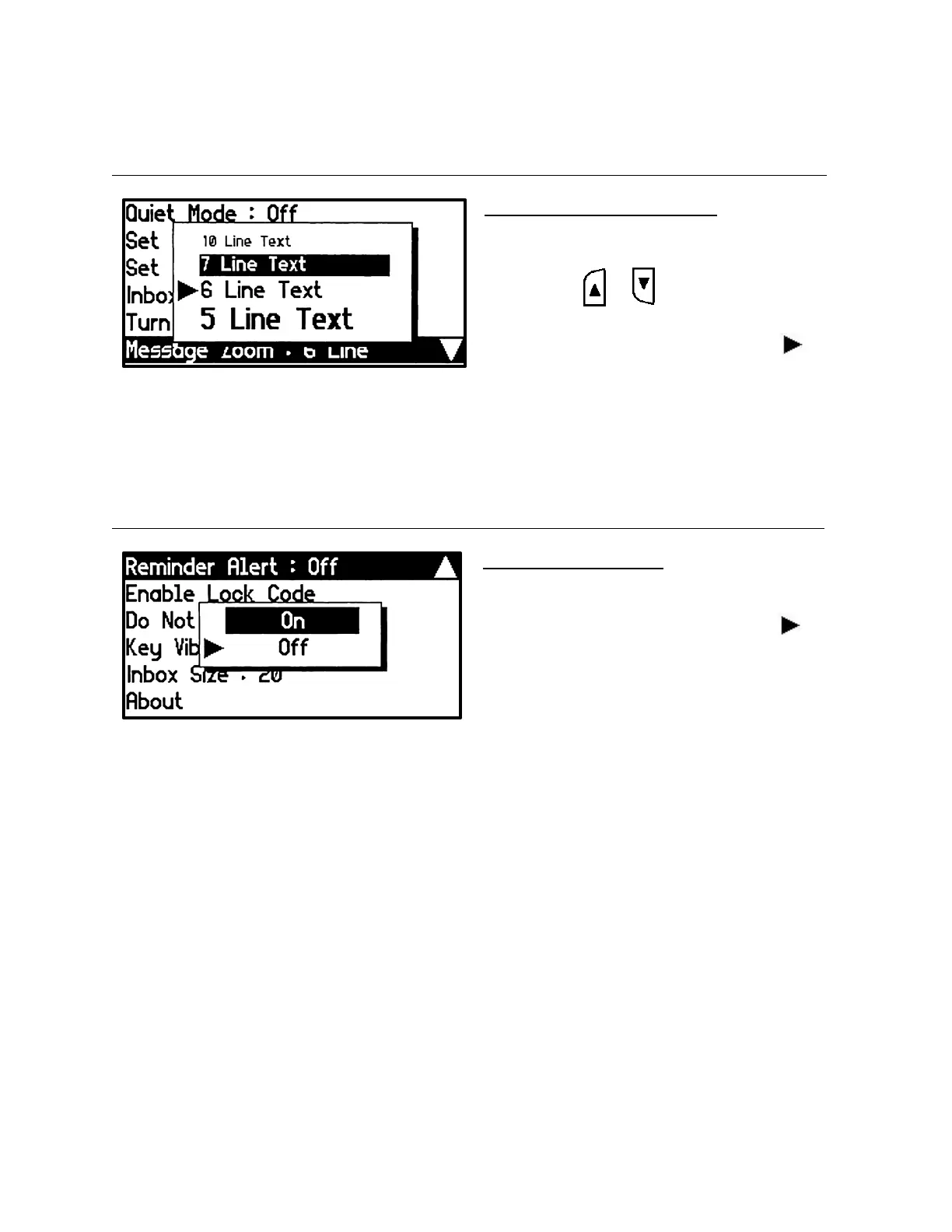
Set Message Zoom
Four different text sizes are supported for the message text in the message list and message view
screens.
Set Message Zoom Setting Popup
• Set the text size of the message list,
message read, group folder screens
• Press the or button to select the
desired text size.
• The current setting is indicated by the
icon.
Set Reminder
When this feature is enabled and there are unread Inbox messages, the pager will alert the user every
two minutes with a short beep or vibration depending on the current Inbox alert type or Audible mode.
Set Reminder Alert Popup
• If there is one or more unread messages, a
double chirp will alert every two minutes.
• The current setting is indicated by the
icon.


 To Next Page