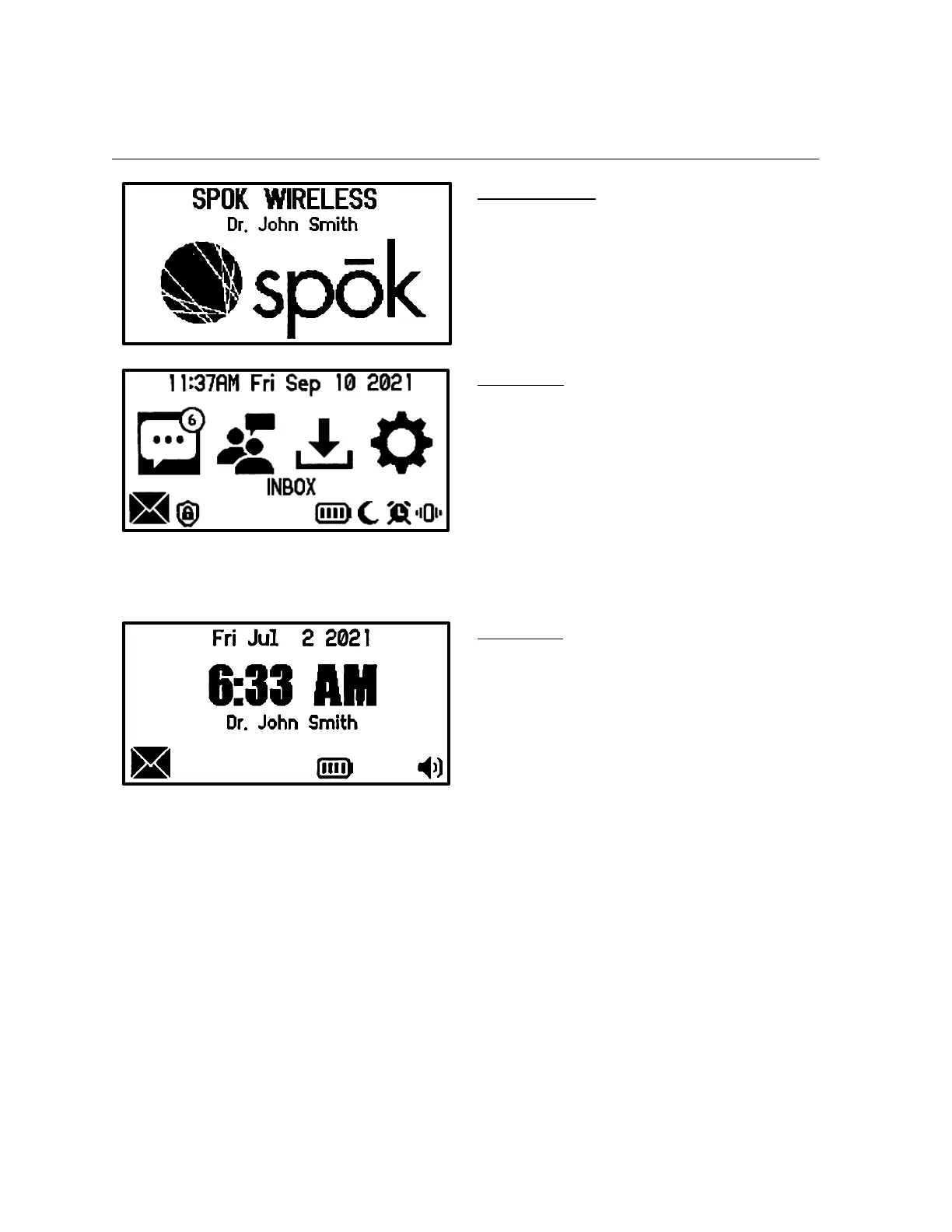
Main Screen
This screen will appear after the pager turns on
or when the user exits the Inbox, Groups, Saved
or Settings list or when the user presses a
button while on the Time screen.
• The screen shows the current time & date
at the top
• The Inbox, Groups (if enabled), Saved and
Settings folder icons are shown in the
middle
• The bottom row shows the status icons
Time Screen
• This screen automatically appears after the
user hasn’t pressed a button for 30
seconds.
• It shows the date and time, the device
screen name, and the device status icons in
the bottom row


 To Next Page