GenA User Guide
Spok, Inc. – Copyright 2022 P a g e | 3 v01/22
PURPOSE
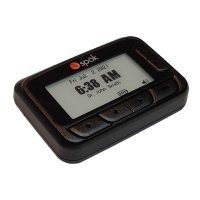
This user manual is intended to provide detailed user interface and operating instructions for the Spok
GenA™ pager. The GenA™ pager is offered exclusively by Spok.
FEATURES
• Device
• High resolution E-Paper display with auto-on front-light
• 16 Flex long/short addresses
• Uses one alkaline AA battery
• Main Screen Status
• New message indication (Message Icon)
• Unread message count indication for Inbox and Groups folders
• Four segment battery status display
• Message Management
• Up to 99 Inbox folder messages
• Up to 99 Groups folder messages across all sub-folders
• Up to 99 Saved folder messages
• Inbox and Groups folder message lock with Lock Icon
• 15 groups sub-folders (optional)
• Message with Time & Date stamp
• Message continuation icon
• All & individual message delete
• Message slot number
• Duplicated message indication (with icon)
• Configuration Settings
• 5, 6, 7 & 10 line message text display with proportional font
• Quiet Mode (User Selectable)
• One alarm with alert text
• Alerts: One beep, one standard and seven custom alerts, chirp, vibrate
• Do Not Disturb time (no audible alert)
• 2-minute Reminder Alert (User Selectable)
• Manual power On/Off
• Smart unread reminder On/Off (Optional)
• Screen name
• Remote Programming
• Access lock clear
• Message and encryption key delete
• Screen name update
• Group address add/delete
• Other
• Always on clock display
• Custom power up logo (Optional)
• Message encryption (AES-128)


 To Next Page