GenA User Guide
Spok, Inc. – Copyright 2022 P a g e | 9 v01/22
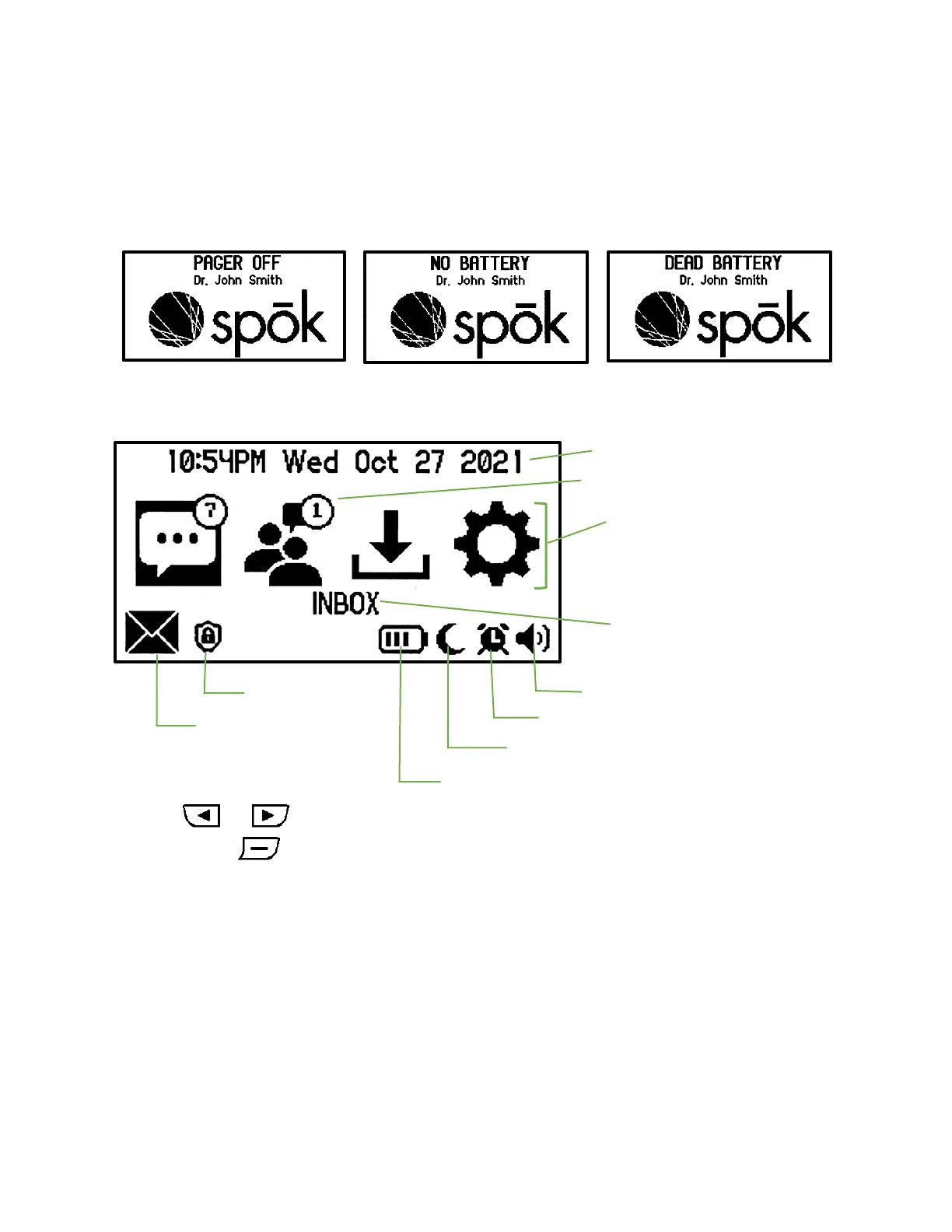
SPECIAL PAGER POWER OFF SCREENS
E-Paper screens permanently display their last image when power is removed. To ensure that personal
or confidential information is removed from the display when the pager is powered off, the pager will
automatically clear its screen when it is turned off, the battery is removed, or the battery dies while still
inside the pager. In these situations, the pager will indicate how it powered off so that the user will
know how to turn the pager on again.
MAIN SCREEN
Press the or buttons to move the highlight between the Inbox/Group/Saved and Settings
folders. Press the button to select the highlighted folder.


 To Next Page