IP Video Intercom Paging Console User Manual
9
User-define terminal parameters
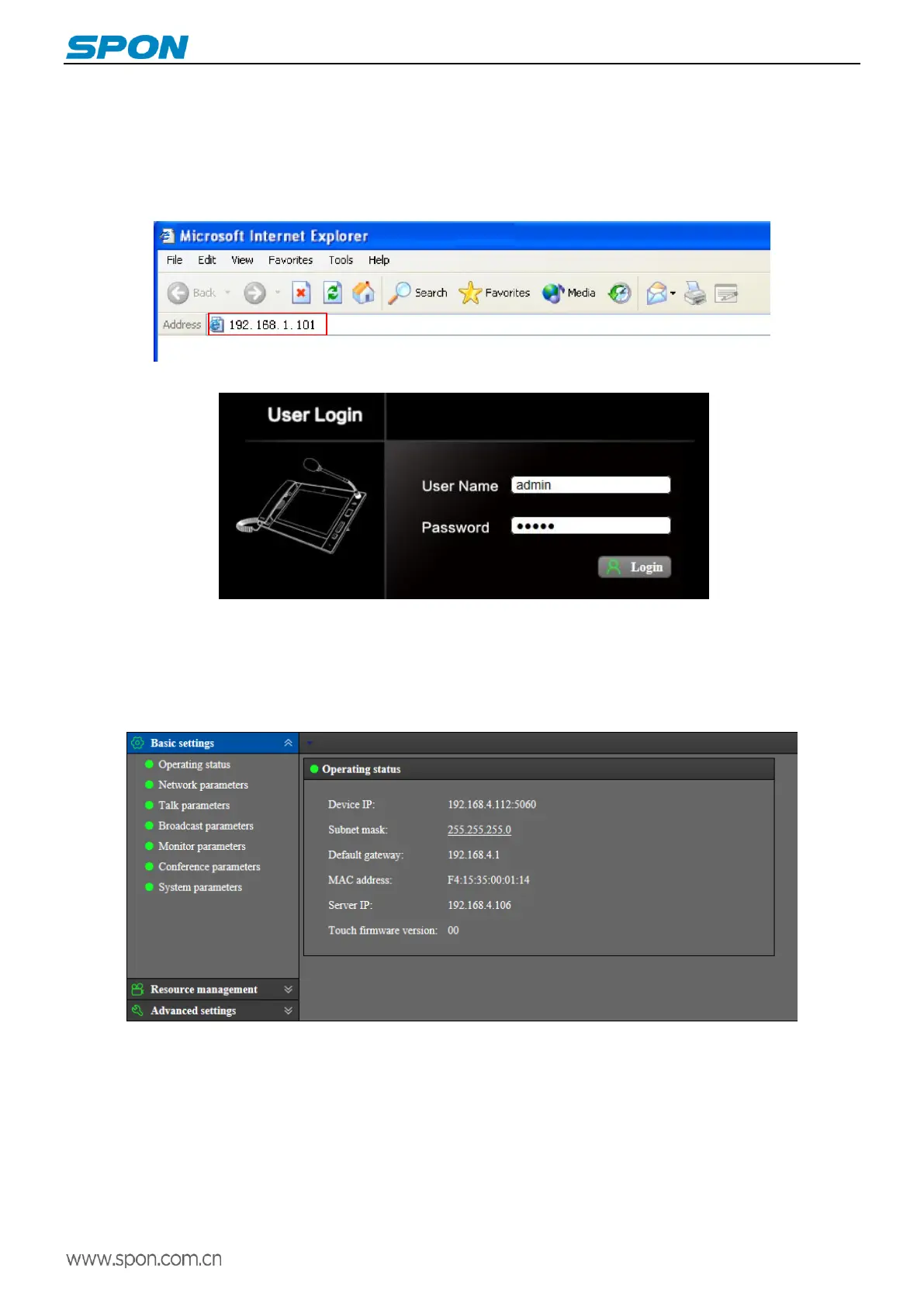
Login web page
(1)Please input the video paging console IP address to the browser address bar (the factory default IP address is
192.168.1.101), then enter.
(2)Enter the user name(admin) and password(admin) in the web page(the default is admin)
.
(3)Click “Login” to enter the IP video intercom paging console Web page.
Basic settings
Running status
Display the device IP, server IP , subnet mask, default gateway, MAC address...etc.



 To Next Page