IP Video Intercom Paging Console User Manual
3
Hardware interface introduction
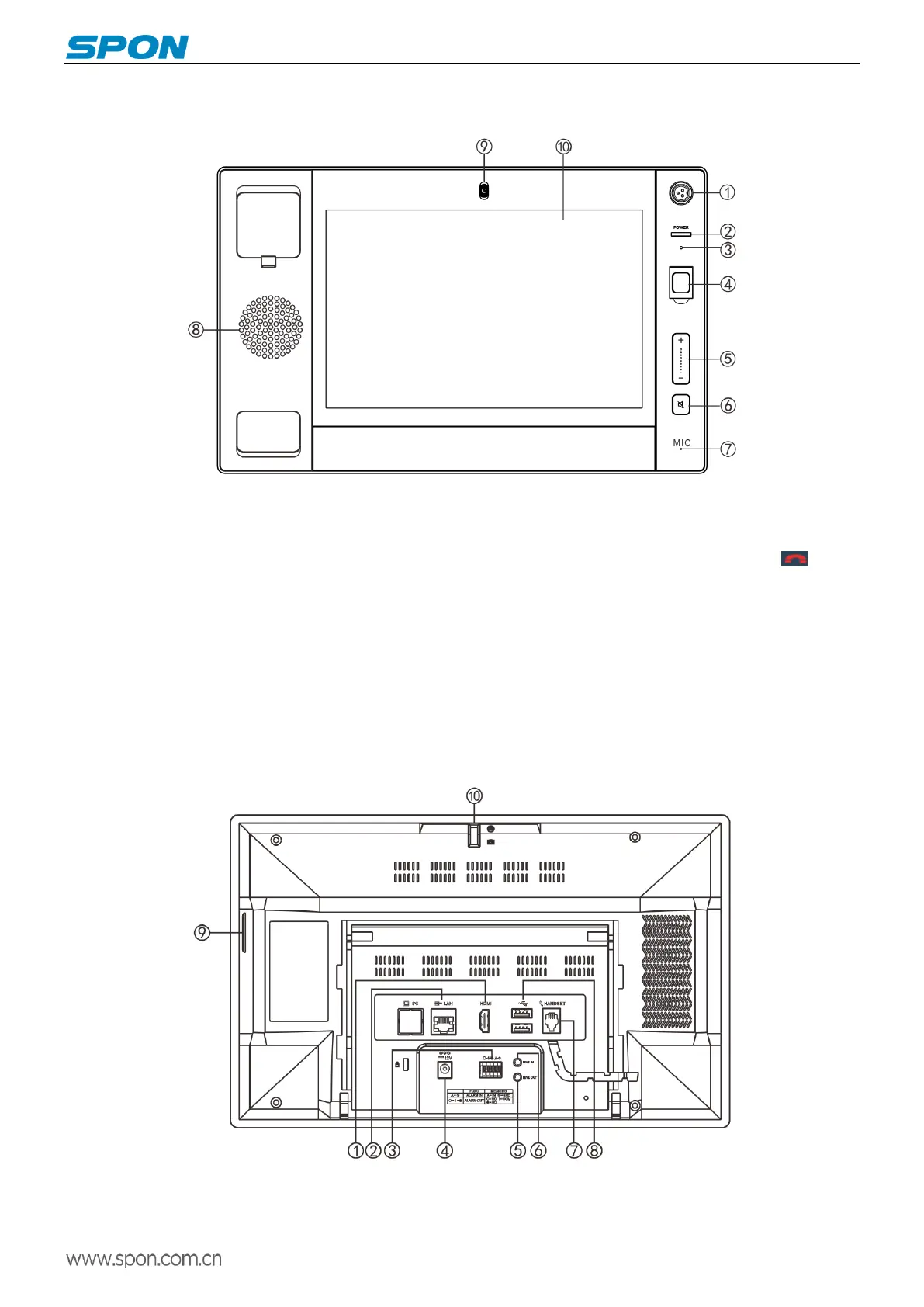
Front
①Microphone pole socket: insert the microphone pole, collecting audio.
②Working indicator: offline status is red, device has login to the SIP sever is green.
③Reset interface: Use the tweezers to rest.
④Emergency broadcast: press "emergency" button for 1 second, it can broadcast to the all groups, press to stop
broadcast.
⑤Volume control button.
⑥Mute button.
⑦Microphones: Collecting local intercom audio in hands-free mode.
⑧Loudspeaker: Restore the remote and local sound.
⑨Camera: Collect local video.
⑩Touch-screen: Human-machine interaction input channel to receive the command.
Back
①HDMI interface: connect the display
②Network interface: Insert the cable to connect server.
③Alarm input/output port (reserved port)



 To Next Page