IP Video Intercom Paging Console User Manual
27
Terminal broadcast
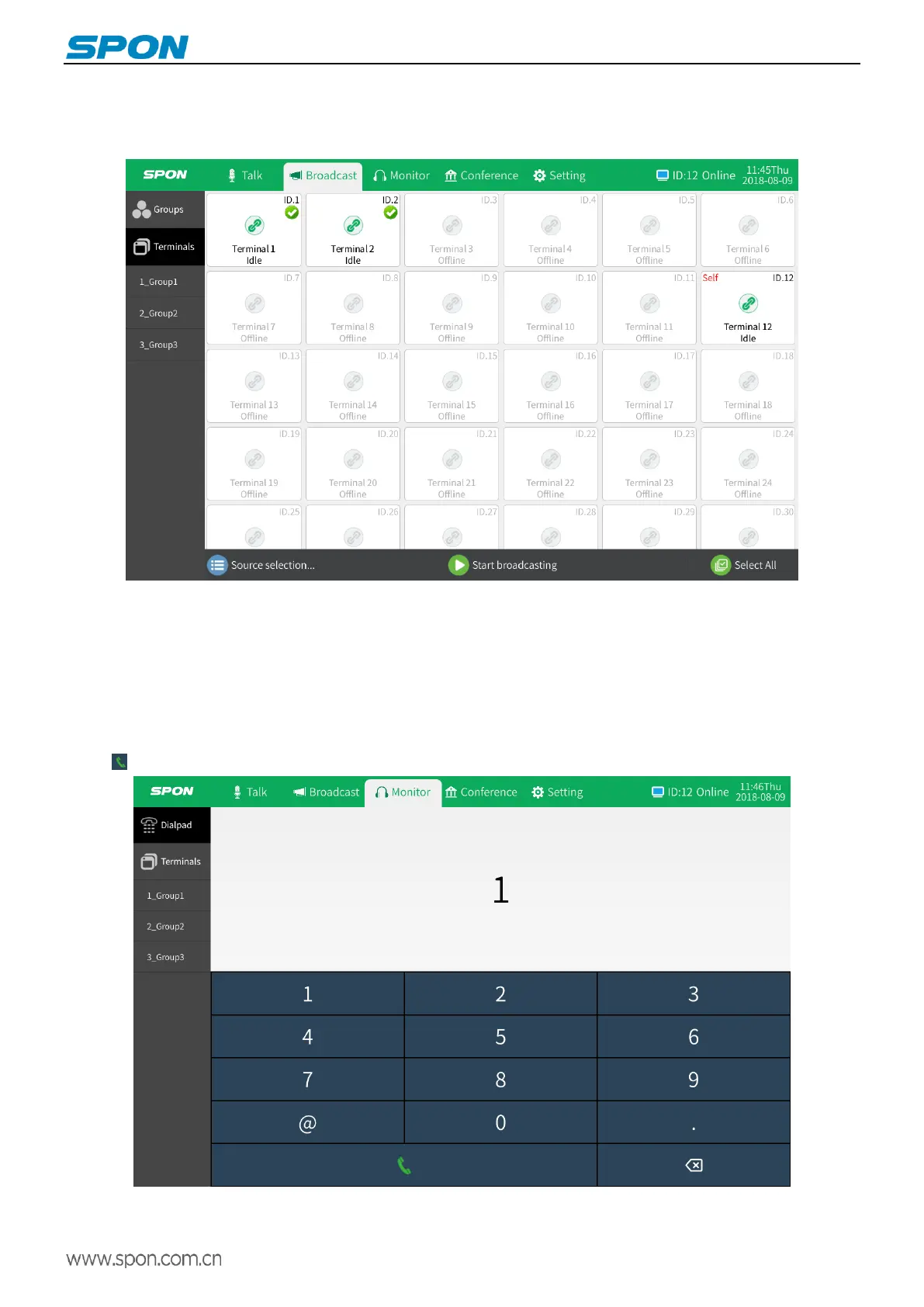
Select “Select All” in the broadcast module to display the list of all terminals. Select the target terminal in the terminal list,
click “Source selection” to select the source and volume, and click the “Start Broadcasting” button to initiate the broadcast.
Monitor
IP video intercom paging console can monitor to one or all terminals online at the same server.
Dialpad
Select "Dialpad" in the monitor module, and input the target terminal ID number in the pop-up virtual keyboard, click the dial
button initiate a monitor.



 To Next Page