IP Video Intercom Paging Console User Manual
11
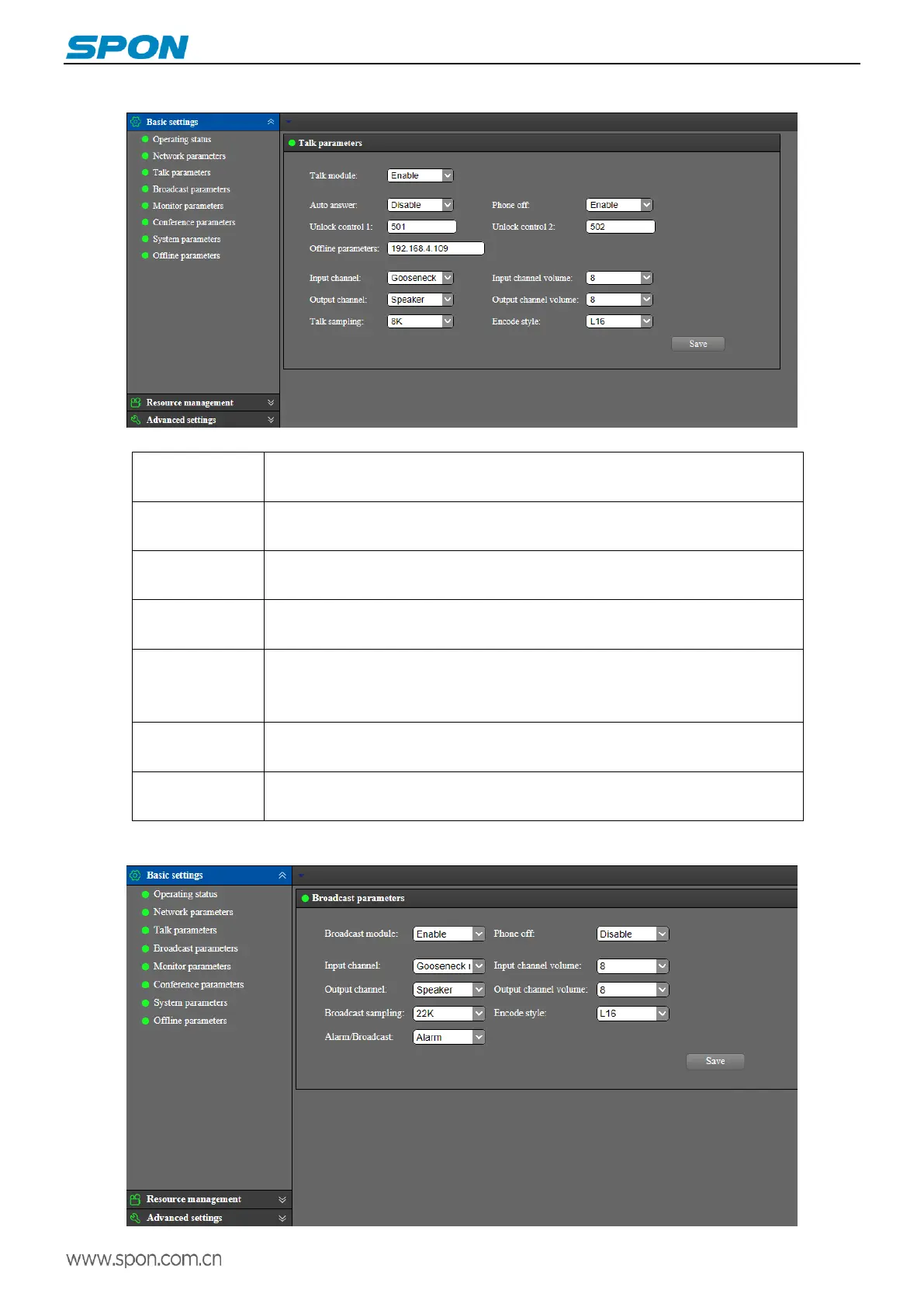
Talk parameters
The meanings of the parameters are as follows:
Set ON or OFF the talk module, which is enabled by default. Disabled terminal,
screen have not talkback module
Set up terminal talk mode, which is enable by default, when disable, press the talk
key to turn on the talk
When enabled, the handset can be hung up to end the talking, and it can not end the
talking when disabled. (the default is enabled)
Unlock control 1 corresponds to short circuit output 1, unlock control 2 corresponds
to short circuit output 2.
Set the IP of offline calling (the IP address will be displayed on the dial-up interface of
the intercom module after saving), and the terminal can call the target terminal which
is set in the office parameter when offline.
When the auto answer is set up, the output channel of sound source can be selected
for loudspeaker and line output.
When setting the talk, the audio output channel can choose loudspeaker, earphone
speaker and line output.
Broadcast parameters



 To Next Page