IP Video Intercom Paging Console User Manual
24
Refresh terminal
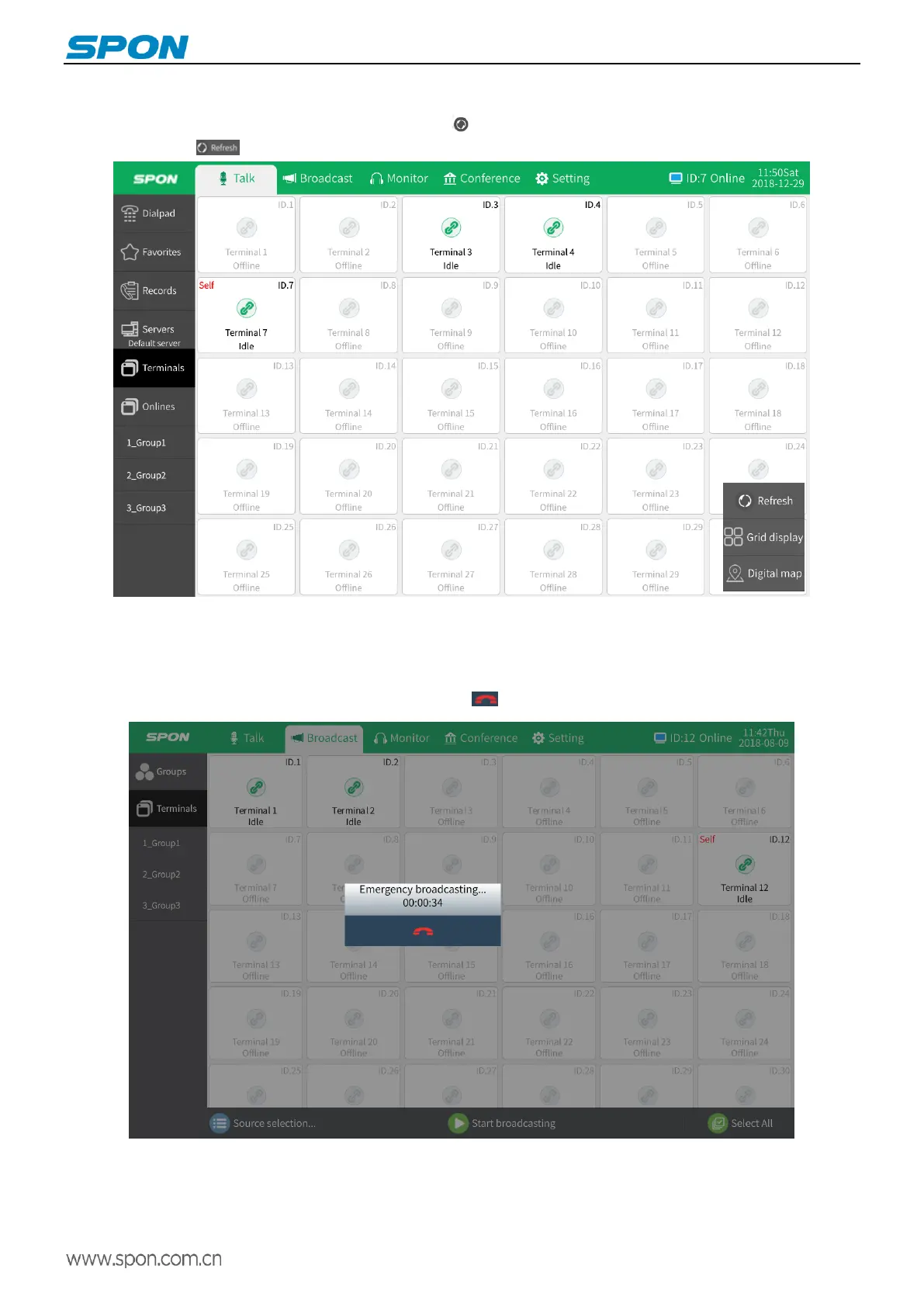
In the talk module [all terminals] interface, click the icon at the bottom right of the screen, and then click the refresh
terminal button again , The terminal data will be reacquired.
Broadcast
Emergency Broadcasting
Click the terminal "emergency broadcasting" button to quickly initiate the all zones broadcast, all IDs on the server are
receiving and entering broadcast status, click the hang up button to stop broadcast.
Note: red emergency broadcast button of the terminal defaults to have the broadcast function. The function of
"alarm/broadcast device" can be set as "alarm" in the terminal web page -- Broadcast Parameters - " Alarm / Broadcast Device " .
Press "Emergency Broadcast Button" of the terminal to initiate the alarm set by the server. The operation is as follows:



 To Next Page