IP Video Intercom Paging Console User Manual
25
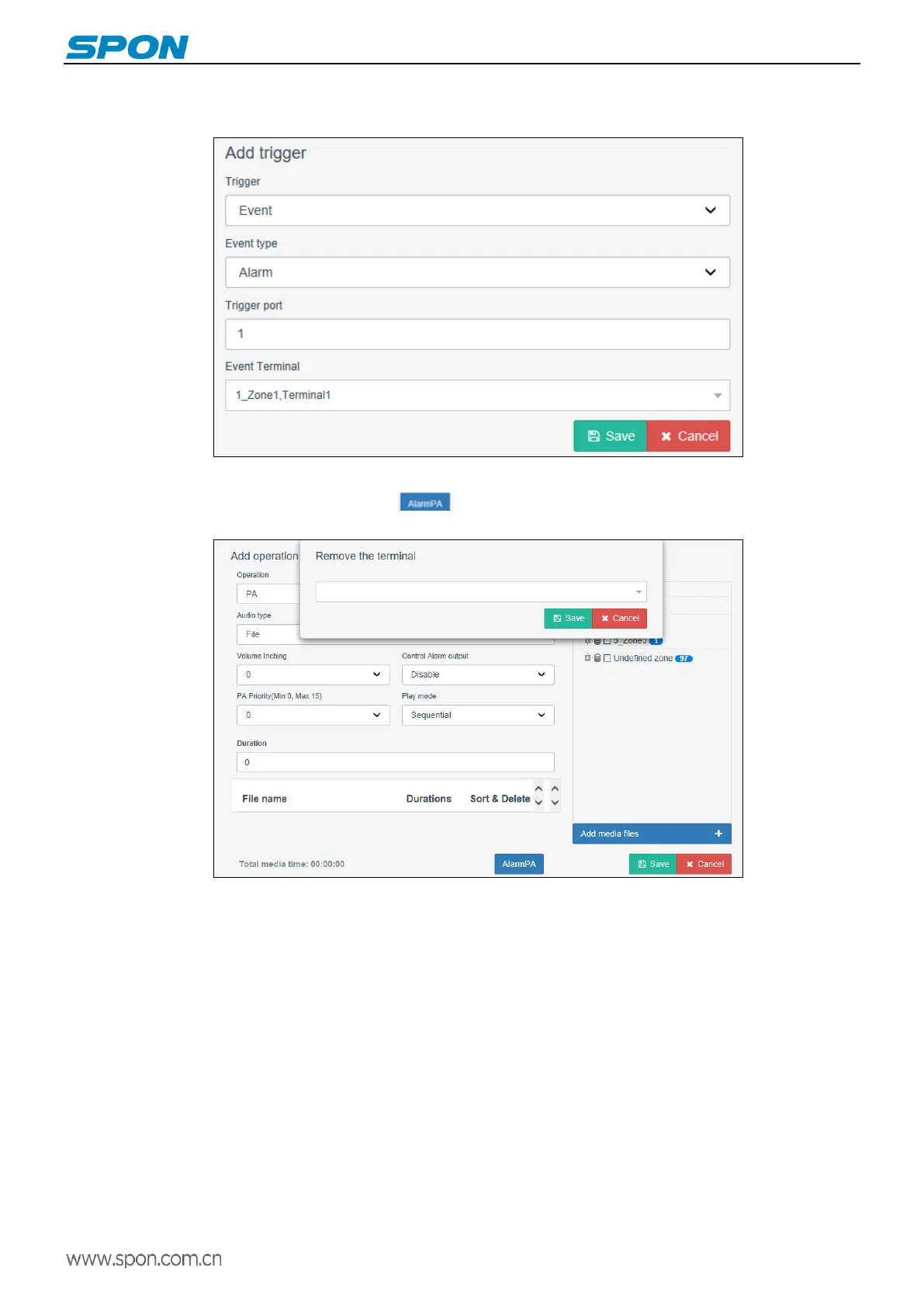
1) Add trigger: in the Service Software Schedule task, click Add Task - Add Trigger, and selects "Event" on trigger, Event type
selects " Alarm ", Trigger port selects “ 1 ”, and then check the Event Terminal, click " Save " after setting up.
2) Add operation: when enter into the add operation interface, check the terminal that receives the alarm broadcast in the
target area, and then click the alarm broadcast button below. Select the terminal that has the permission to release the
alarm, and then click “Save” when the settings are completed.
3) After the above settings are completed, press the "Emergency Broadcast Button" of the terminal, the receiving alarm
terminal configured on the server will sound an alarm prompt tone.(For example:Terminal9 is alarming). The terminal with the
authority to release the alarm can cancel the alarm by pressing the hang up button.



 To Next Page