IP Video Intercom Paging Console User Manual
22
Offline talk
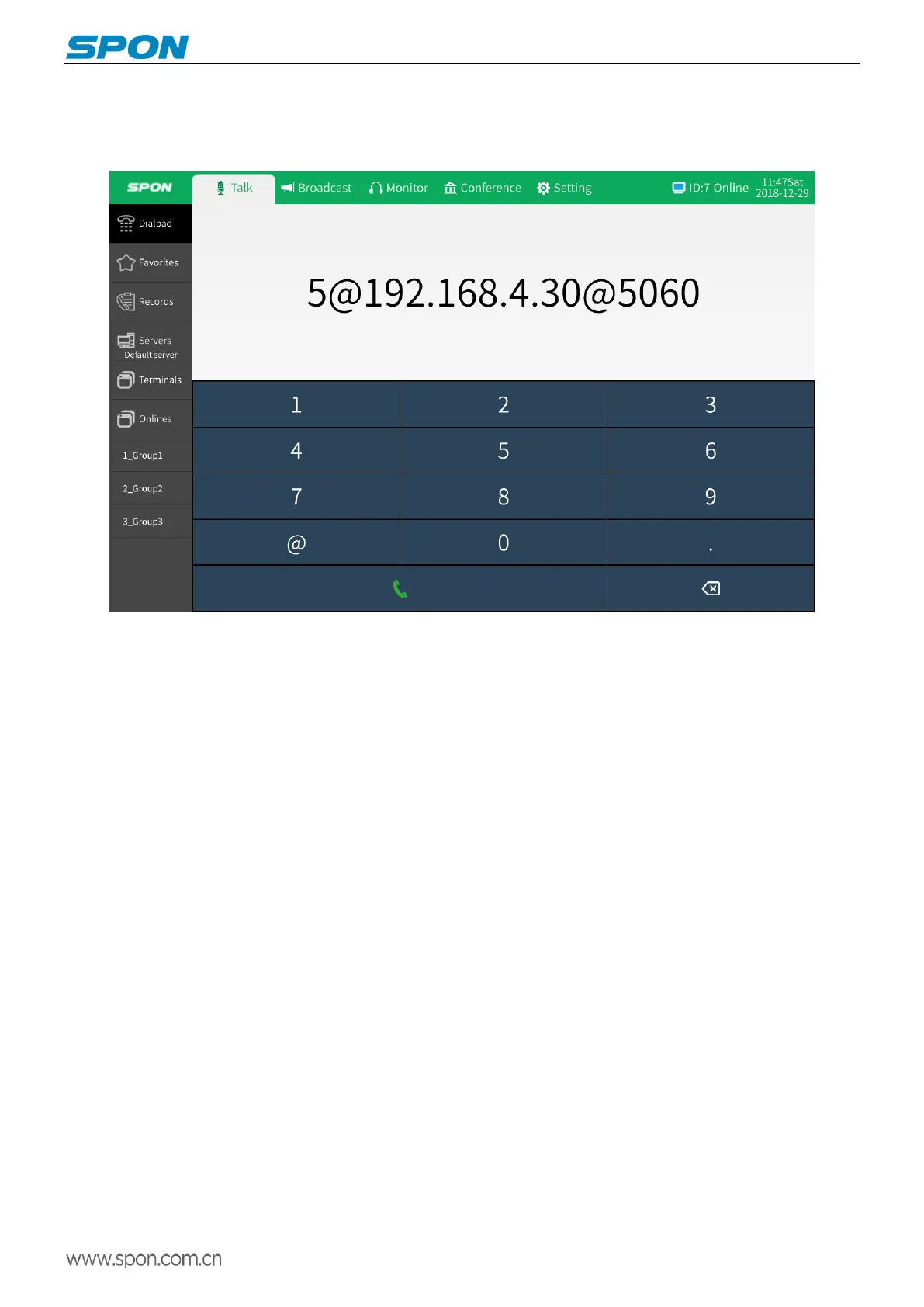
When terminal is offline, input the call target ID+@+IP+@+IP port on the dial pad, and then click the call button to make an
offline call.
Offline parameters can also be configured via web page to enable offline intercom function:
Method 1:Set the offline parameters in the “Basic Settings”-“Intercom Parameters” on the web page. The dial pad will display
the set parameters. When the terminal is offline, press the call button to initiate the offline intercom.
Method 2: Set the offline target in the “Basic Settings”-“Offline Parameters” on the web page. When the terminal is offline,
click the corresponding target terminal to initiate the offline intercom.
Note:
During the talk, IP video intercom paging console by defaults is the microphone lever mode. If the handset is
picked up during the talk, it automatically switches to the handset mode (the microphone lever input is invalid), and the
user can use the handset mode for private conversation.



 To Next Page