IP Video Intercom Paging Console User Manual
26
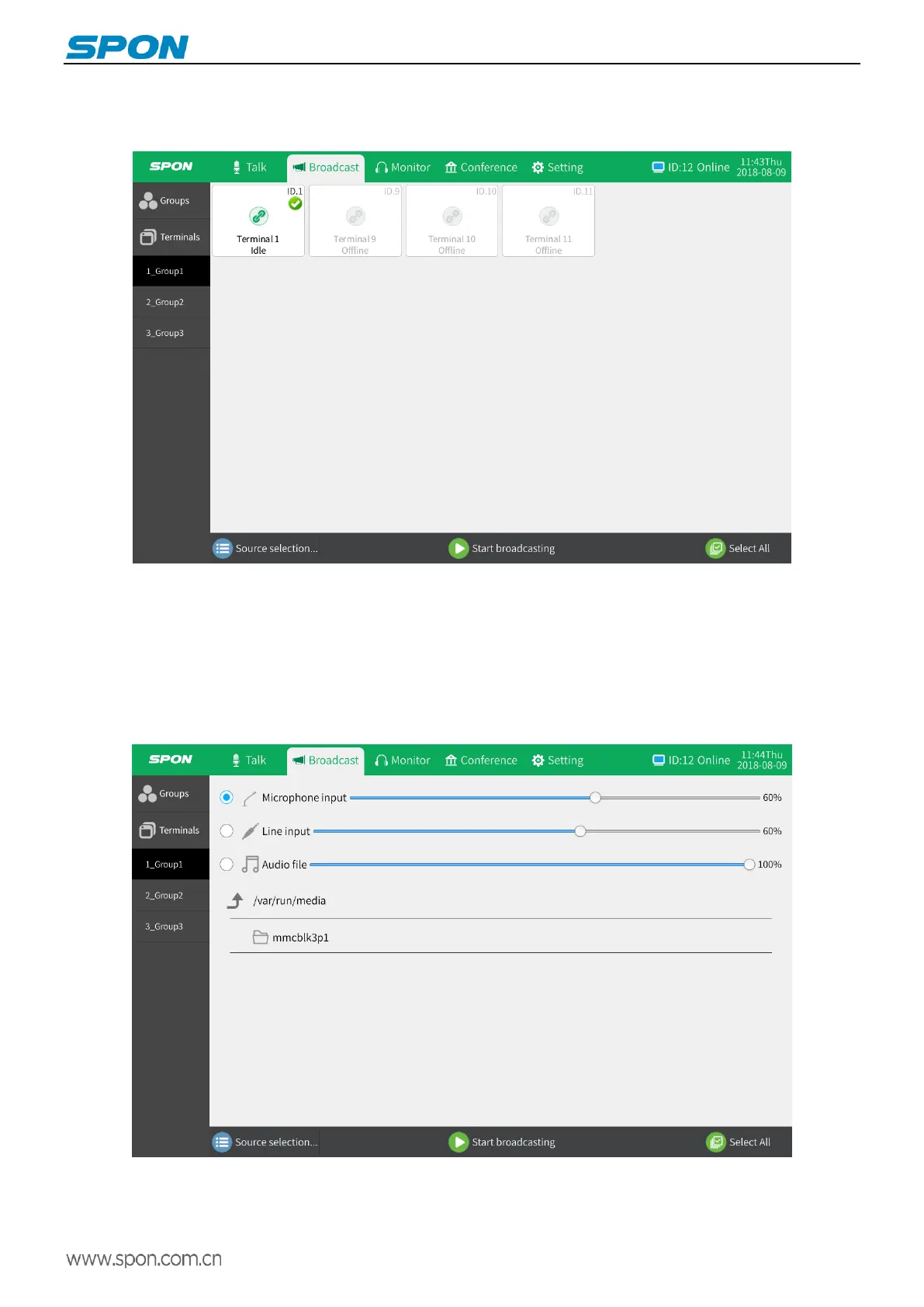
Zone broadcasting
(1)Select “Select All” in the broadcast module to display the list of all zones. Select the target zones in the zone list and
click “Source Selection” to select the source and volume.
(2) Sound source selection
Microphone input: The sound source is the microphone rod input, and the user performs real-time talk and broadcast
from the microphone rod to the target zones
Line input: The audio source is the audio file in the line input. Users can play the specified audio file on the computer to
the specified target zones through the IP video intercom paging console.
Audio file: The audio source is an audio file in an external storage device (USB). Put the wav and mp3 format audio
files into the USB, and then insert the USB interface on the back of the terminal.
(3)Click the "Start Broadcasting" button to initiate broadcast.



 To Next Page