51
742.221 | 12.04
EN
7.3.3 Control elements
The control elements shown on the display, which are used for performing settings in the inverter,
are described below using illustrative examples.
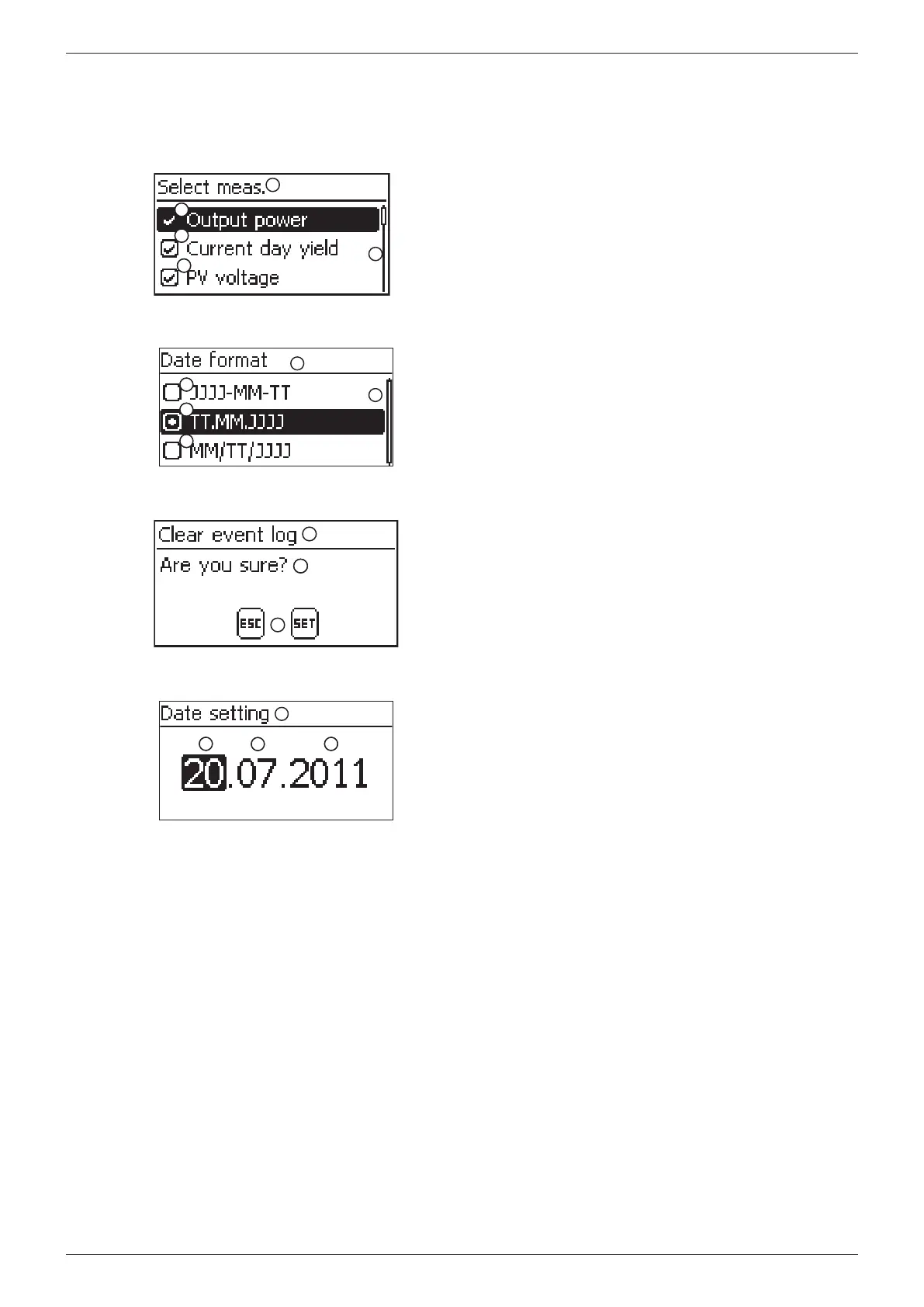
Selection list with check boxes
3
2
2
2
2
1
2
2
Designation of the selection list
Check boxes with names:
– Check boxes allow multiple selection
– The currently selected check box is highlighted in black
– Preset check boxes have no frame and are always
switched on (cannot be changed)
Scroll bar
Selection list with radio buttons
3
2
2
2
2
2
2
1
Designation of the selection list
Radio buttons with names:
– Radio buttons are exclusive-OR (only one radio button
can be switched on)
– The currently selected radio button is highlighted in
black
Scroll bar
Dialogs (general)
3
2
2
1
Dialog heading
A question presented to the user
Response possibilities:
Back (cancel): press ESC
Confirm (answer the question with Yes): press and hold
SET for 1 second
Numerical settings
2
2
1
2
2
2
2
Designation of the numerical setting
Value to be set; the selected value to be set is highlighted
in black
When performing numerical settings of remuneration and
dates, the following applies:
Remuneration
• Possiblecurrencies:£(pound),€(euro),kr(krone),none
• The maximum value that can be set for remuneration is
limited for technical reasons. If necessary, the remunera-
tion must be set using different units. Example: dollars
instead of cents (set a currency of none).
Date
When setting the month/year, a check is performed to ensure
that the selected day is valid. If not, then the day is automati-
cally corrected.
Example: 31.02.2011 is corrected to 28.02.2011.








 To Next Page