67
742.221 | 12.04
EN
9.2 General operating functions
• Hidden content is shown using the and buttons.
• Button press repetition: If the buttons need to be pressed repeatedly, you can alternatively
hold these buttons pressed for a long time. The rate of repetition increases the longer the button
is held.
• Pressing any button switches on the backlight of the display if this has previously automatically
switched off.
9.3 Main operating functions
The figures in this section show examples.
Displaying the status
1. If necessary, press ESC for 1 second to call up the status
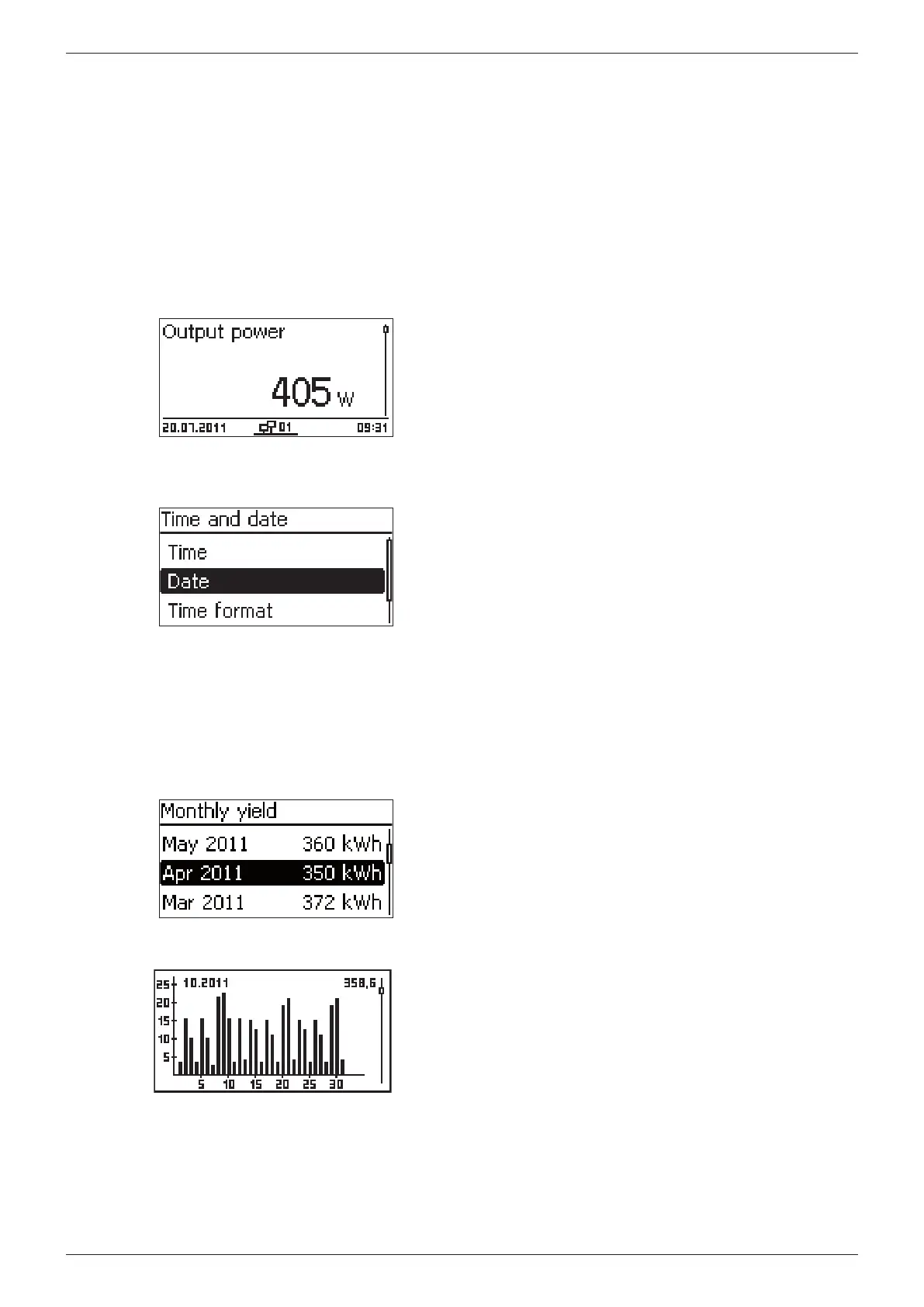
display (Fig. left).
2. Press to display a different status value.
Menu navigation
1. If necessary, press ESC for 1 second to call up the status
display.
2. Press SET. The main menu is displayed with the top
item selected.
3. Press to select a menu item.
4. Press SET to call up the submenu (Fig. left).
5. Repeat steps 3 and 4 for further submenus.
Event messages
See Section 11, p. 72.
Displaying yields numerically (list) and graphically (chart)
√ The status display is shown.
1. Press SET. The main menu is displayed with Yield
selected.
2. Press SET. The list with yield time periods is shown.
3. Press to select a yield time period.
4. Press SET. The individual yields for the yield period are
shown in a list (Fig. upper left).
5. Press to select an individual yield value.
6. Press SET. The selected individual yields are shown in a
chart (Fig. lower left).
7. Press to page through the diagrams.
8. Press SET to return to the list.








 To Next Page