68
742.221 | 12.04
EN
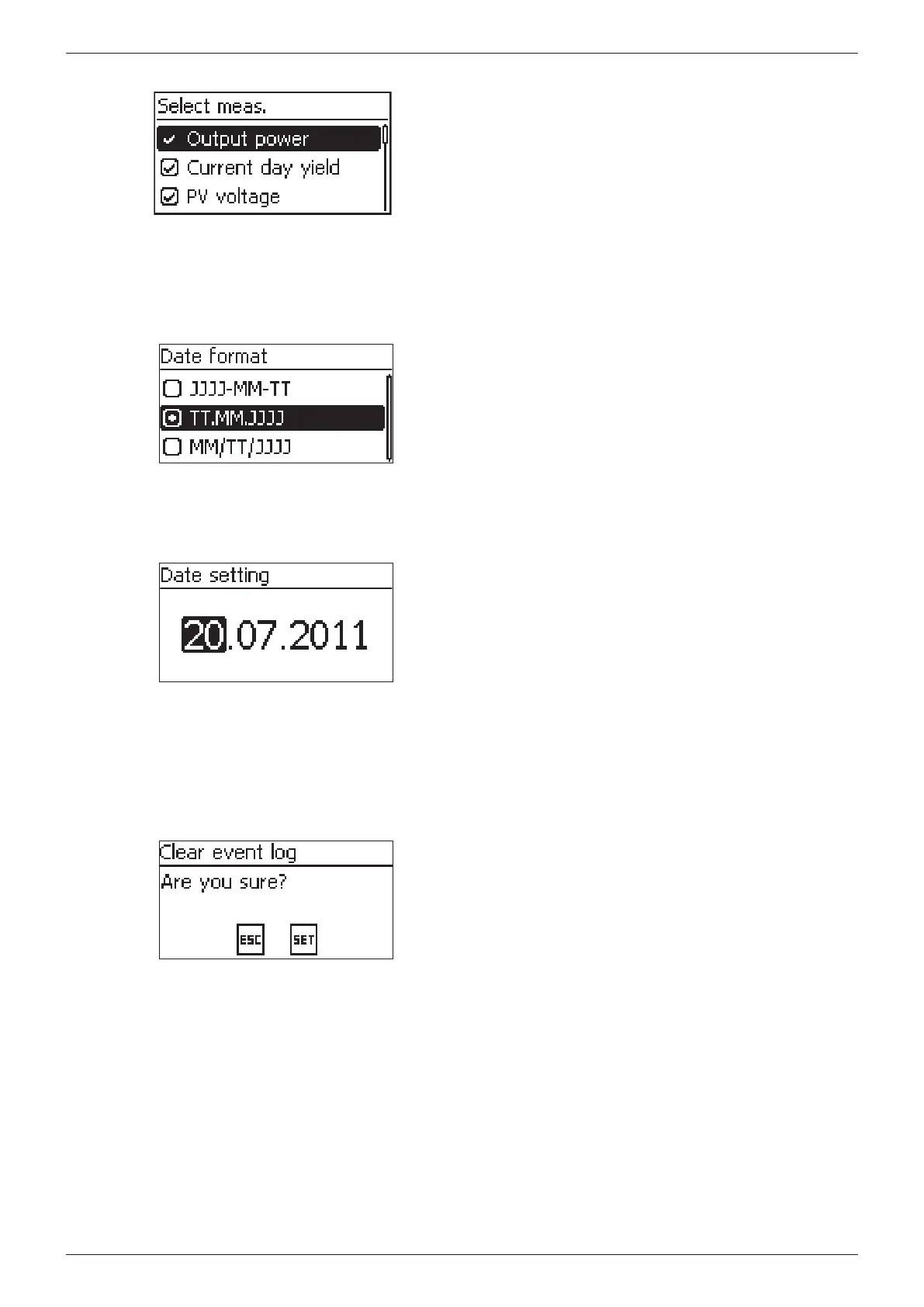
Editing selection lists containing check boxes
√ A selection list with check boxes is displayed (Fig. left).
1. Press to select a check box.
2. Press SET. The state of the check box changes from
on to off and vice-versa (preset check boxes cannot be
changed).
3. Repeat steps 1 and 2 for further check boxes as re-
quired.
4. Press ESC. The changes are adopted and the next high-
est menu level is displayed.
Editing selection lists containing radio buttons
√ A selection list with radio buttons is displayed (Fig. left).
1. Press to select a radio button that is currently
switched off.
2. Press SET. The selected radio button is switched on and
the previously switched on radio button is switched off.
3. Press ESC. The changes are adopted and the next high-
est menu level is displayed.
Changing numerical settings
√ A numerical setting is displayed (example Date in
Fig. left).
1. Press SET. The selected value flashes (Day in Fig. left).
2. Press
to change the value.
3. Press SET. The change is adopted (value no longer
flashes) or
Press ESC to cancel the change (value no longer flashes).
4. Press . The next value is selected.
5. Repeat steps 1 to 4 for the remaining values.
6. Press ESC. The next higher menu level is displayed.
Responding to dialogs
√ A dialog is displayed (Fig. left).
Press SET or ESC as follows:
– Press SET for 1 second to answer with Yes
– Press ESC to answer with No








 To Next Page