69
742.221 | 12.04
EN
Call up the service menu and edit the values
Caution
Risk of yield losses and contravention of regulations and standards.
Inverter and grid parameters can be changed in the service menu. The service menu must
therefore only be used by professional personnel who know the applicable regulations and
standards.
1. Select the Service menu item.
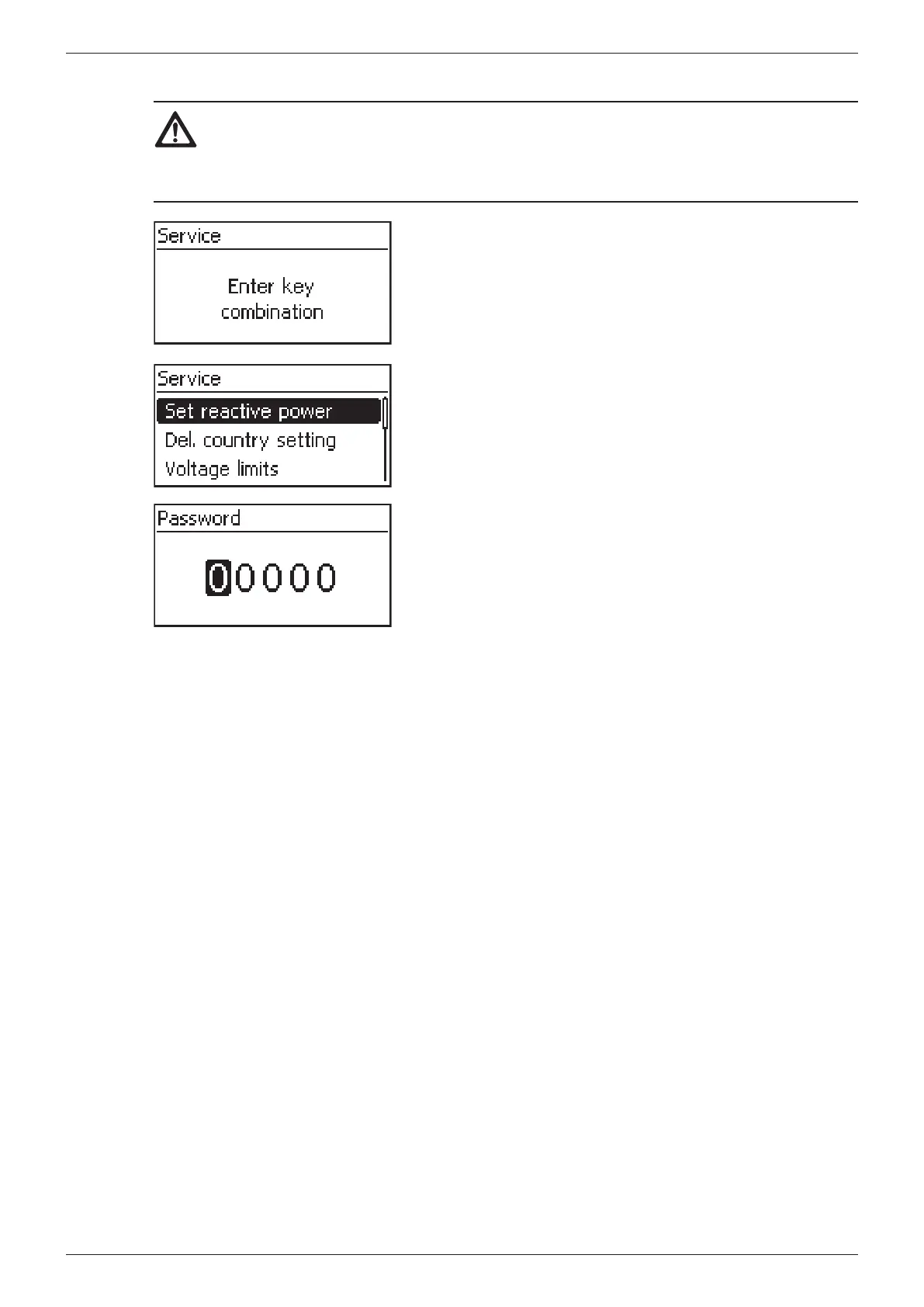
2. Press SET. The fig. shown at the left appears.
3. Press simultaneously for 3 s. The service menu is
displayed (fig. left).
4. Press to select a menu entry.
5. Press SET to edit the menu item. The following applies:
– Enter the password if required (fig. left).
– If necessary, press within a menu item to display
and edit other settings (e.g. Voltage limits).
– The menu entries are described in Section
7.3.5, p. 53.








 To Next Page