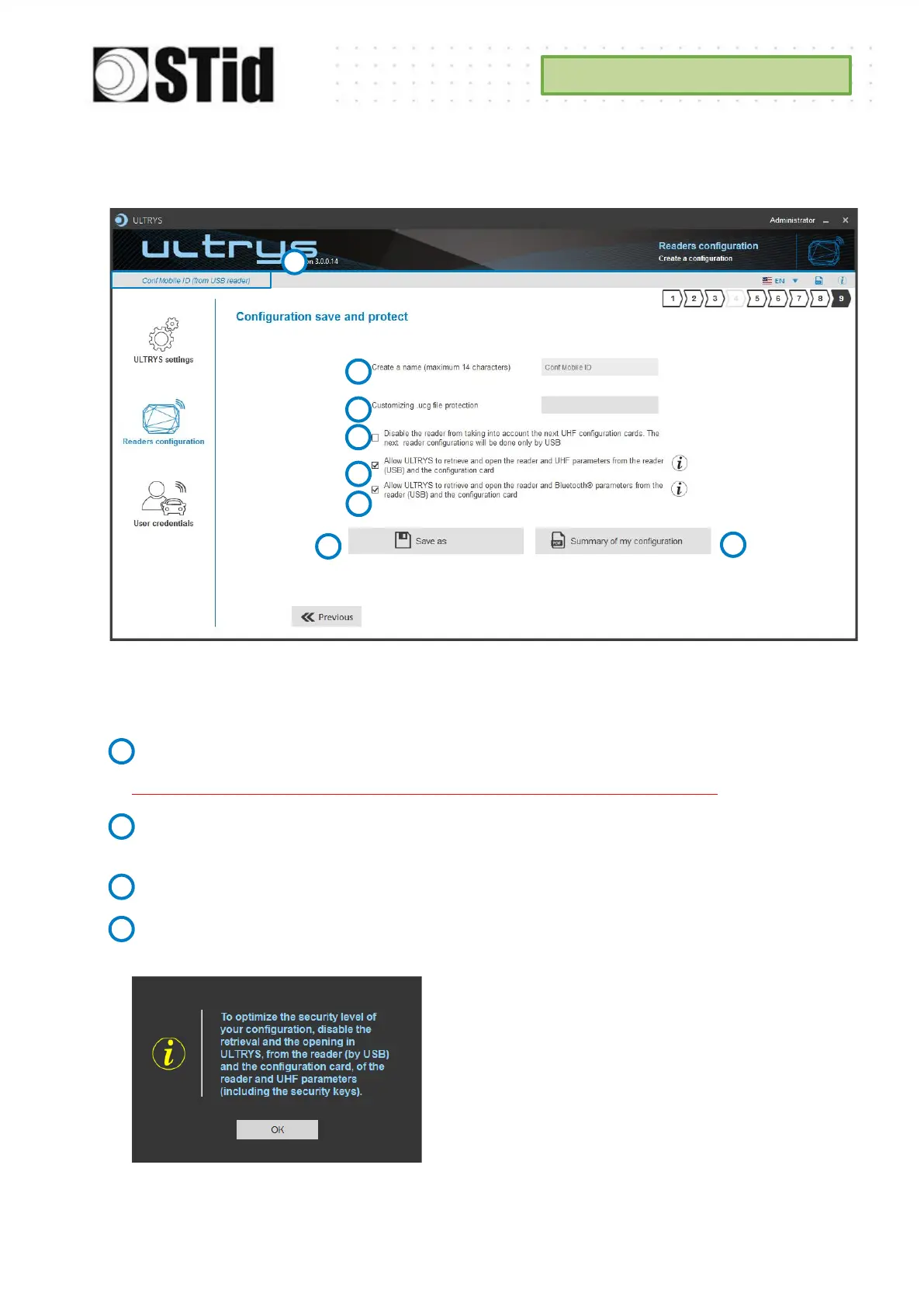
Step 9- Configuration save and protect
This step allows you to save the configuration file containing all the current configuration settings
(keys, formats, reader...). You can select a location and password to protect the file.
Choose a name to easily find the configuration. (example: Parking IN).
Note: the name of the configuration must be contained in the file name.
To protect the configuration file, you can define a password. This password is different from
Administrator password.
If this option is enabled, the reader can only be configured again via the USB connection.
Authorize ULTRYS to retrieve and open the reader and UHF parameters from the reader and
the configuration card. See 11-Open an existing configuration.



 To Next Page