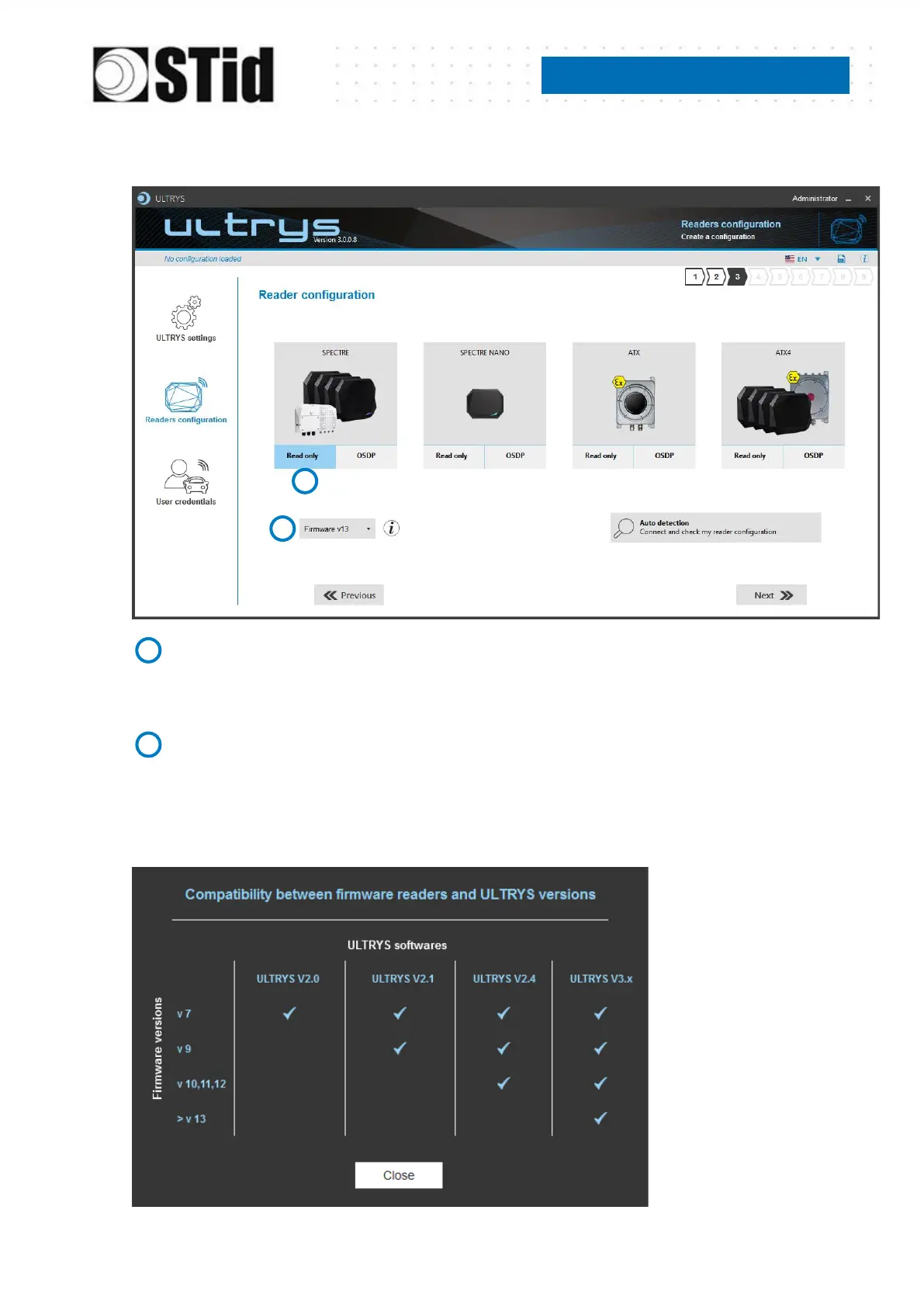
Step 3- Reader configuration
Selecting the reader type
SPECTRE SLA-R4/5x-A/U04-xx readers can be configured in “Read only” mode from firmware
version 7.
Selecting Firmware
You must select the firmware version that is compatible with your reader.
To do so, you can manually select the reader and firmware version, or you can use the function
"Auto detection – Connect and check my reader configuration".



 To Next Page