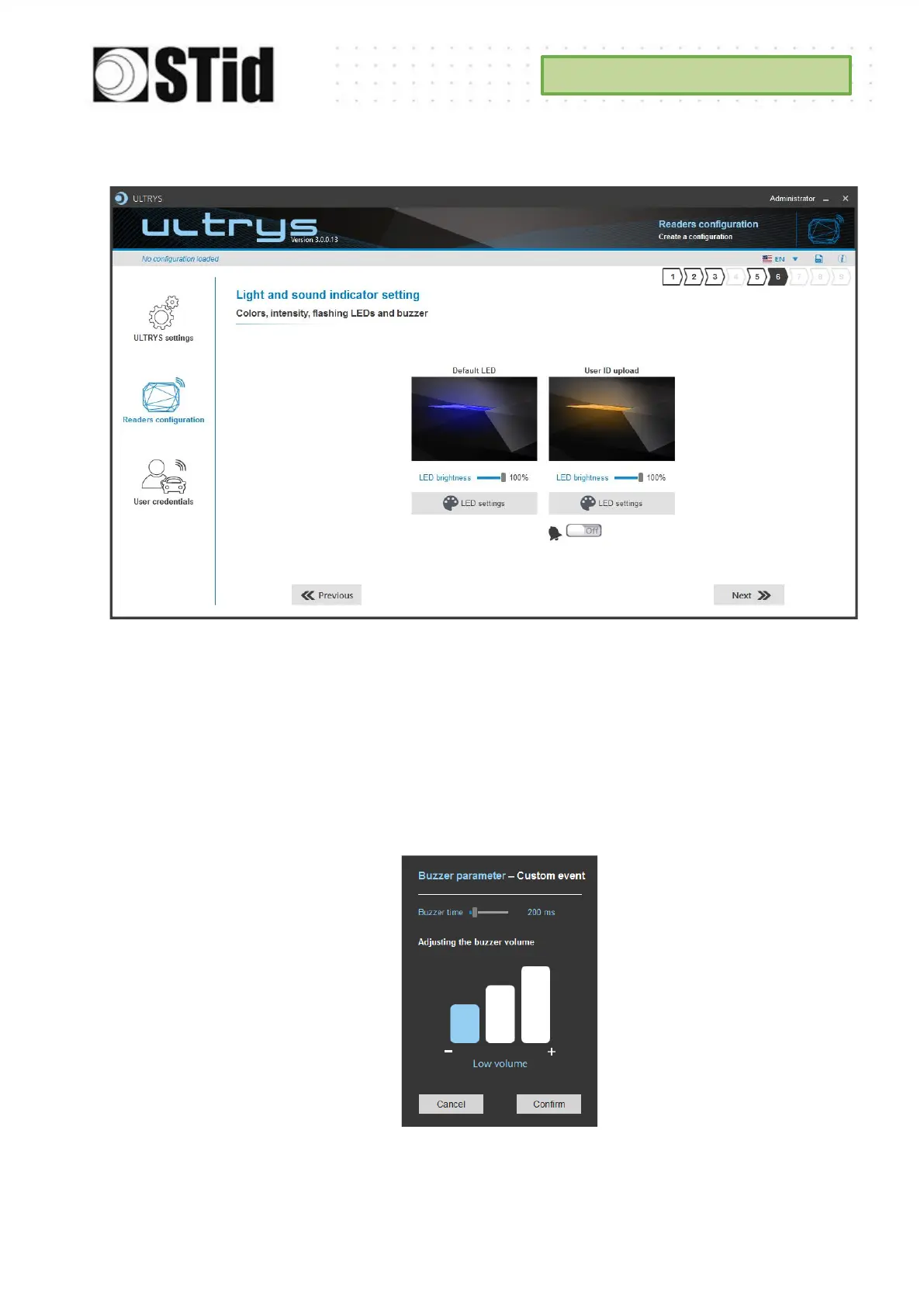
Step 6- Light and sound indicator setting
LED brightness: The intensity of the LED is adjustable in 10% steps (from 10% to 100%).
Default LED:
After the reader initialization phase, the LED must be activated according to the color
defined in the box, as long as the reader does not receive a permanent OSDP_LED
command.
User ID upload:
LED: Color indicating the detection of an identifier by the antenna, as long as the
reader does not receive a permanent OSDP_LED command.
Buzzer: OFF or ON+option :
Buzzer: indicating the detection of an identifier by the antenna, as long as the reader
does not receive a permanent OSDP_BUZ command.



 To Next Page