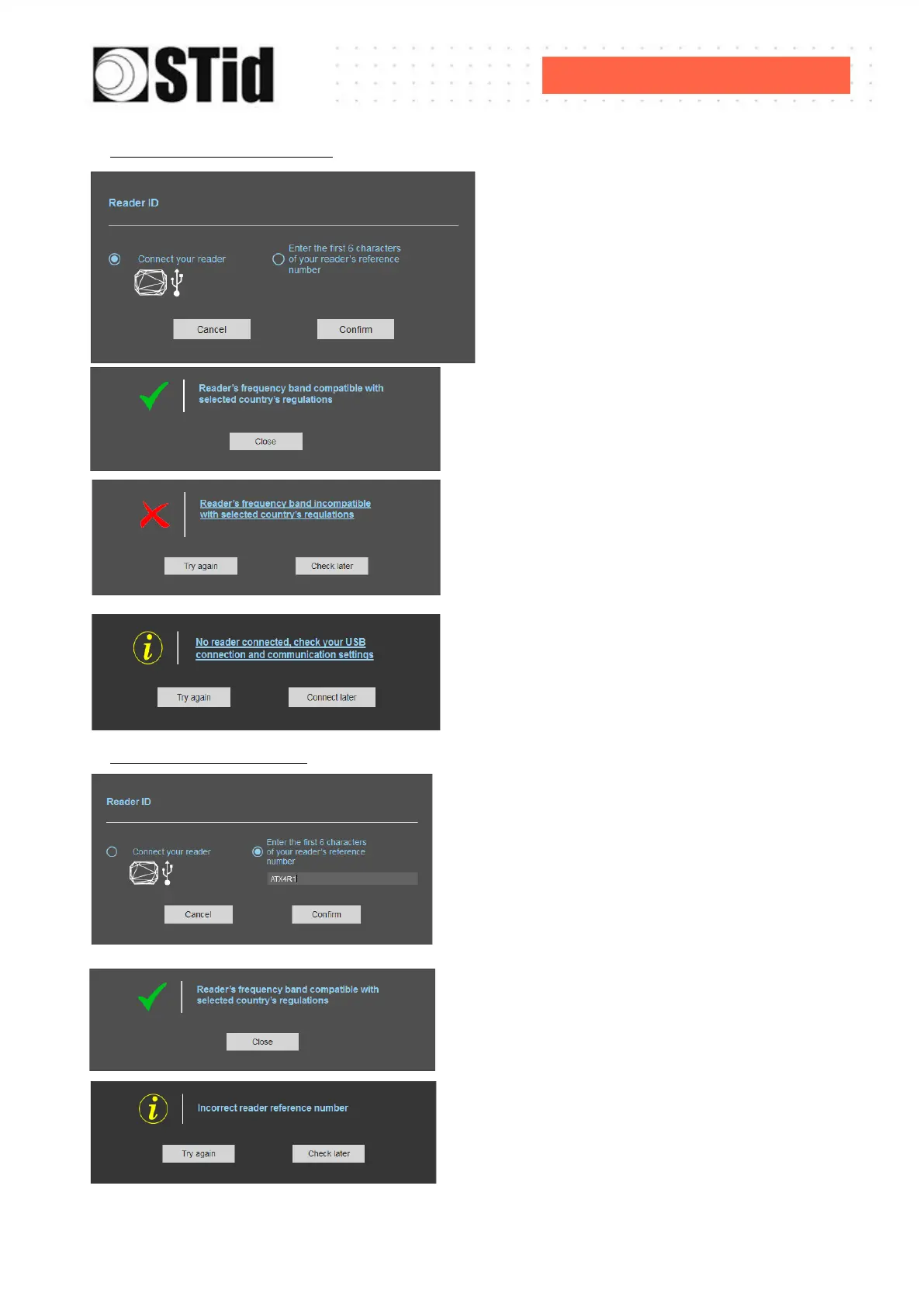
With USB reader connection
1- Connect the reader and set the
communication COM port.
2- Select ‘Connect your reader’
3- Please confirm
Message: OK
Message: NOK
The reader can’t be installed in the
selected country.
- Check the USB cable
- Check the communication with reader
With reader part number
Enter the first 5 characters of the reader part number
Example: ATXR41, ATXR42, ATXR51……
Message: OK
Message: the reference reader is not compatible
with regulation selected.



 To Next Page