© STid – MU_ULTRYS_V3.0.1_EN
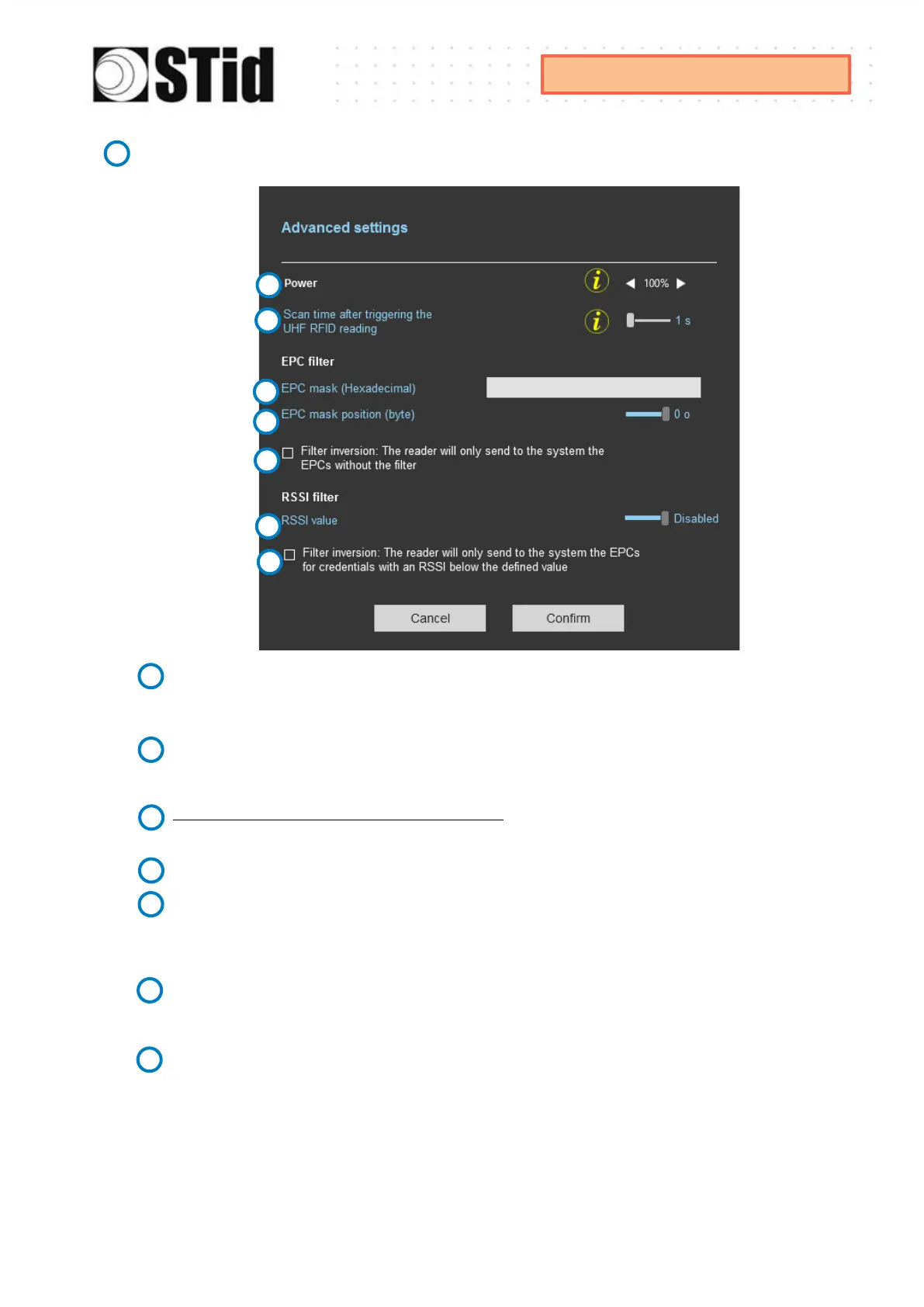
Adjust the antenna power (10% to 100%) to adjust the reading distance.
The power emitted depends on the type of regulation, limited to 1800mw ERP for ETSI and
1200mw ERP for FCC, New Zealand and Australia. No limitation for Morocco.
Adjust the timing for a scan (reading) by step of 1 second (max 30s).
This setting is taking into account only if
Input type selection
is set to
Activating all lanes
or
Activating the event lane.
The EPC filter is not available in Secure Mode.
Enter the value for EPC Mask, max 62 hexadecimal bytes.
Adjust the value for offset EPC mask in bytes (0 to 62). It depends on the EPC Mask length.
Filter inversion
not selected: only tags with an EPC value corresponding to the EPC mask value
will be provided to the user.
Filter inversion selected: only tags with an EPC value different from the EPC mask value will be
provided to the user.
RSSI (Received Signal Strength Indication) is a measure of the power in reception of the tag
response. The value returned by the reader is proportional to the amplitude of the reception
signal Adjust the RSSI value (-110dBm to 0dBm). 0dBm deactivates the RSSI filter.
Filter inversion
not selected: only tags with an RSSI greater than or equal to the specified value
will be provided to the user.
Filter inversion
selected: only tags with an RSSI smaller or equal to the specified value will be
provided to the user.
Ex: RSSI filter = -49f=dBm + Reversal not selected
A tag that will have a RSSI value of -20dBm will be sent back,
A tag that will have a RSSI value of -60dBm will not be sent back.



 To Next Page