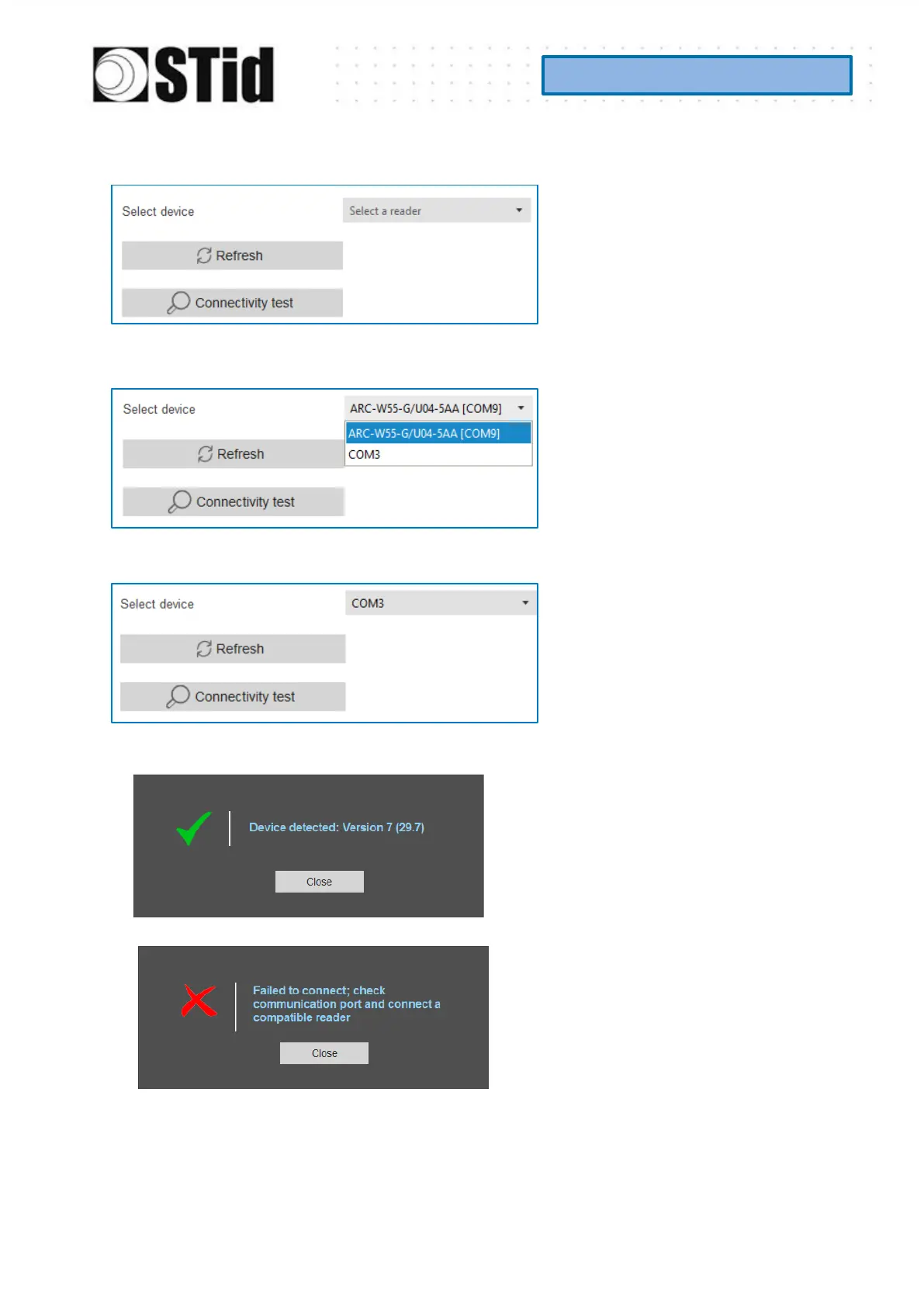
To set the communication port
1- Click on ‘Refresh’ to detect all
readers connected to the PC.
2- Open the dropdown list Select
device
3- Readers whose firmware is ≥ 8
will appear in the drop-down list
under
their commercial reference.
Select the communication port
number for the encoder or reader
or select the reader to use.
4- Run the connectivity test
Message OK (with indication of the firmware
version).
Message: Failed
- Check the compatibility of the reader.
- Check the USB cable.
- Check the Baudrate reader: it must be
fixed to 115200.
Note: during the connectivity test on a UHF encoder, a sound and light signal (orange) will be
emitted for 1 second.



 To Next Page