Site Preparation Guide Preparing for Installation
Page 17
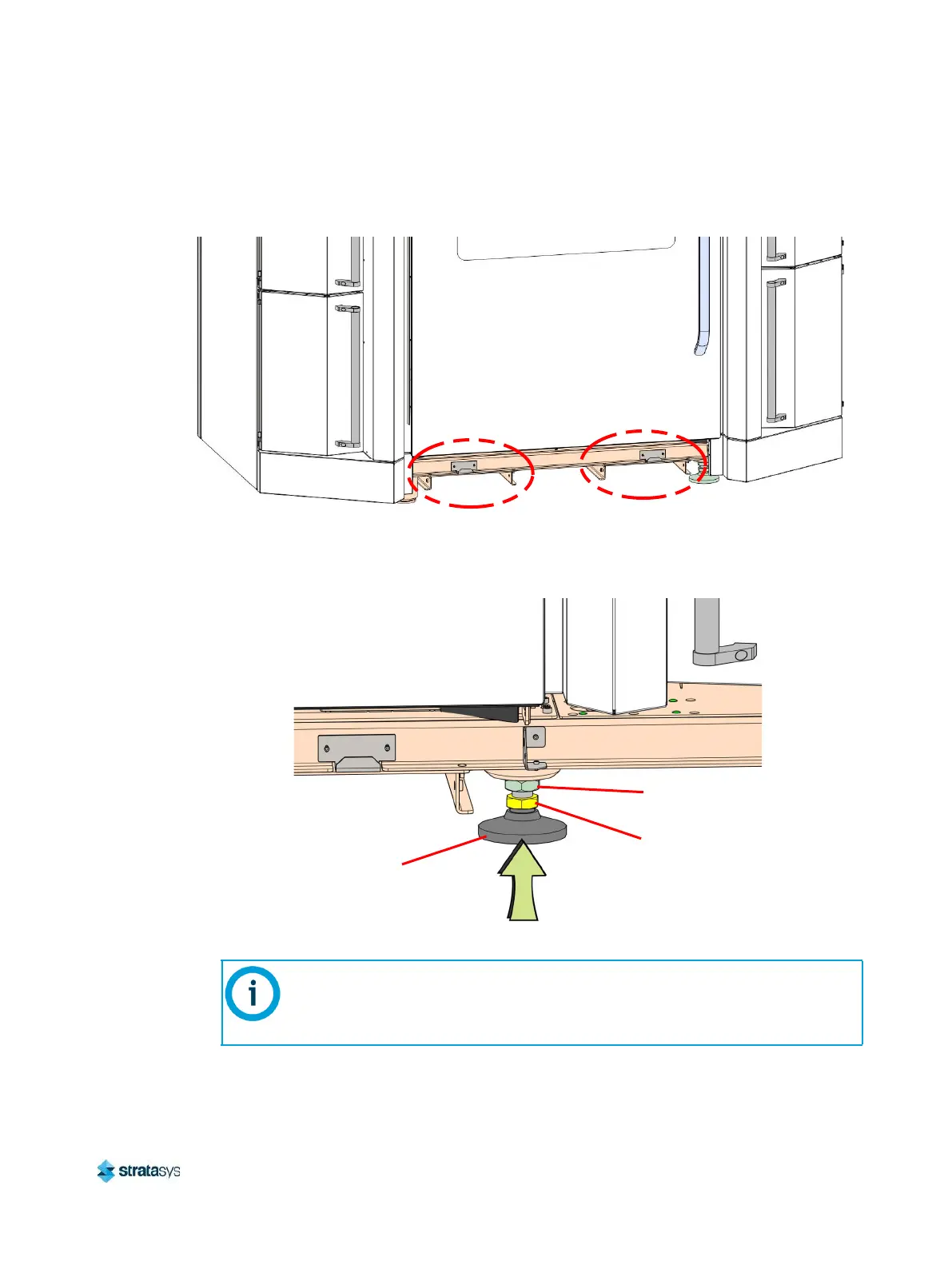
13. Using a US pallet jack from the front of the printer, access the structural lifting channels to
slightly lift the printer so that it can be transported.
Figure 17: F3300 Printer Pallet Jack Lifting Locations
14. While the printer is elevated, rotate the printer stabilizing foot (front right) counter-clockwise
to raise it so that it will not contact the floor when the printer is lowered.
Figure 18: Raising the Stabilizing foot
15. Move the printer into its operating location and gently lower it to the floor.
Position the printer to allow at least three feet of clearance on all sides until the
installation process is complete, see “Physical Specifications and Space
Requirements” (page 2).
Refer to Chapter 2 of the F3300 User Guide for final
setup instructions.
Adjusting Nut
Locking Nut
Stabilizing Foot













 To Next Page