Site Preparation Guide Preparing for Installation
Page 16
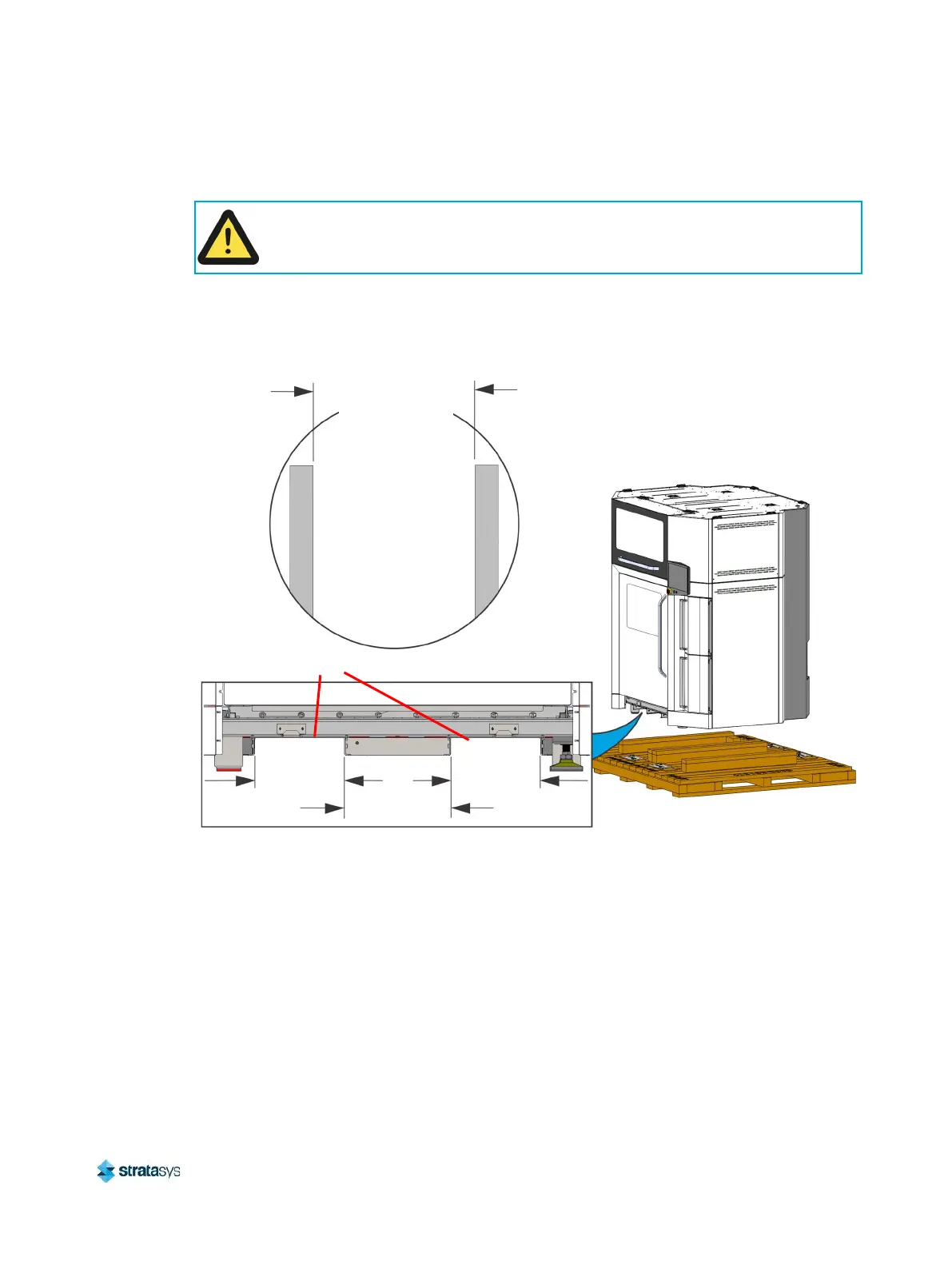
7. Spread the forklift forks to 41 cm (16 in) to fit inside the structural lifting channels
underneath the printer.
8. Using the forklift and the structural lifting channels (Figure 16), lift the printer above the
shipping base.
Figure 16: Lifting the Printer
9. Carefully remove and set aside the shipping base from beneath the printer.
10. Gently lower the printer to the floor.
11. Remove any remaining tape on the external surfaces of the printer.
12. Inspect the printer’s exterior for dents and scratches. Immediately report any damage to
Stratasys and the shipping company.
Caution:
Access the fork lift openings from the front of the printer (Figure 16).
Structural
Lifting Channels
142 cm [56 in] Long
33 cm [13 in]
28 cm [11 in]
28 cm [11 in]
41 cm [16 in]
Recommended
Fork Spread













 To Next Page