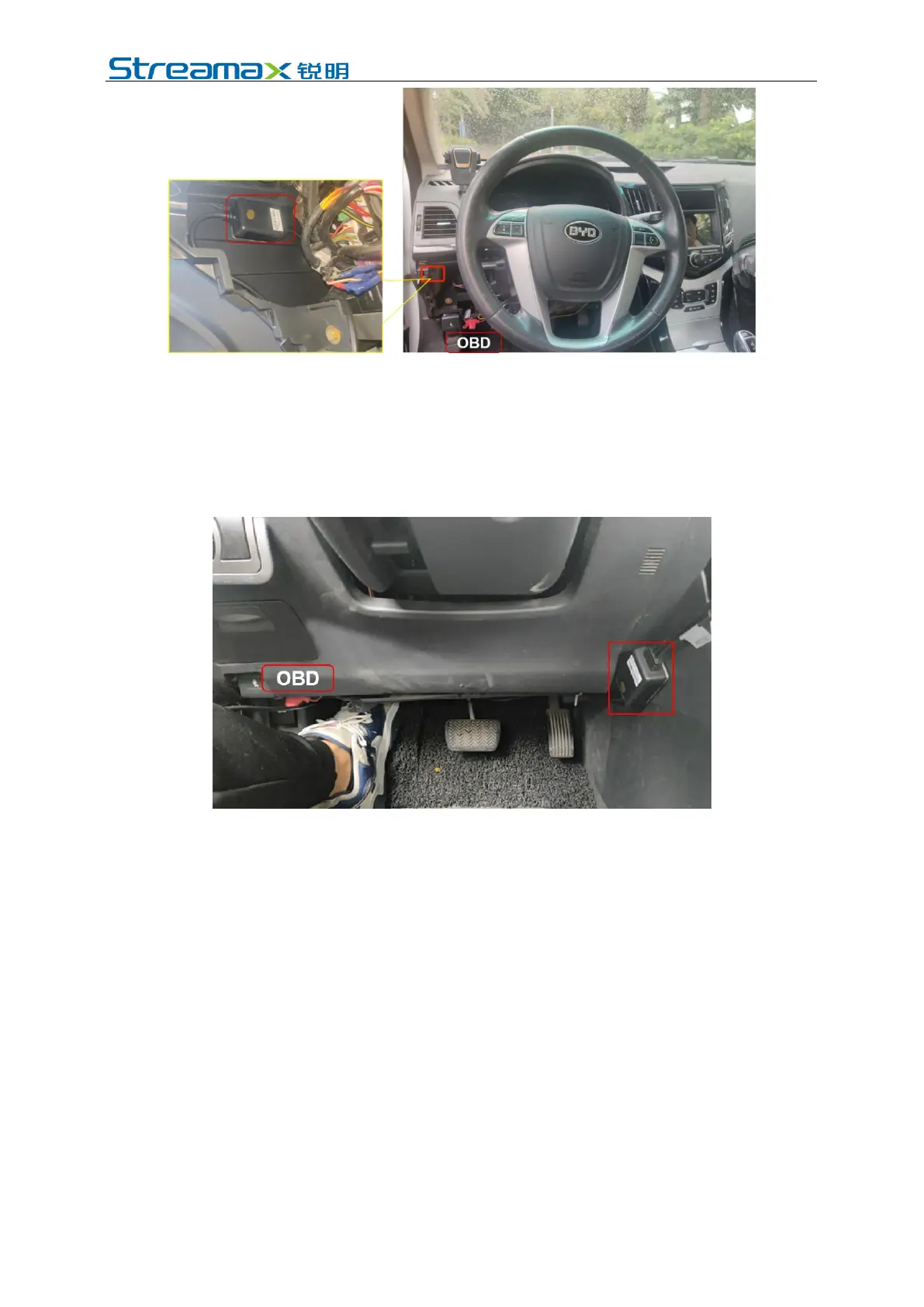
Fixed position 2 of power supply box:
The power supply box will be fixed on the right side-trim in the driving seat area
through open wiring. We do not suggest install it on the left side-trim through open
wiring, since it might interfere with the car door. When the fixed position is selected,
tear 3M cellophane wrapping the power box and fix it on the right side-trim of in
the driving seat area. Please see below:
5. Calibration of AD Plus
5.1 ADAS Calibration
5.1.1 Connection with APP
Start the vehicle and wait for the power status light of the DVR to turn on. The
DVR is working normally and the WiFi is in AP mode if the power status light is
green and normally on and the WiFi status light is red (and not flashing).
Log in to VeyesAPP with mobile phone / Pad within 3min after the main unit is
powered on. Before connecting the device with the EasyCheck App, please turn on
the mobile phone WiFi and GPS.
The ADPlus will remain in AP mode for 3 minutes after it is powered on. At this
time, you can operate the EasyCheck App on your mobile phone, and click the
[Search] to enter the WiFi hotspot search interface. When logging in for the first
time, the name of WiFi hotspot is named by ADplus encryption chip number
(generally, ST-xxxxxxxxxx by default). If the license plate number is modified, the
hotspot name is the license plate number. Search for WIFI hotspots named by
ADPlus encryption chip number or entered license plate number to enter the login



 To Next Page