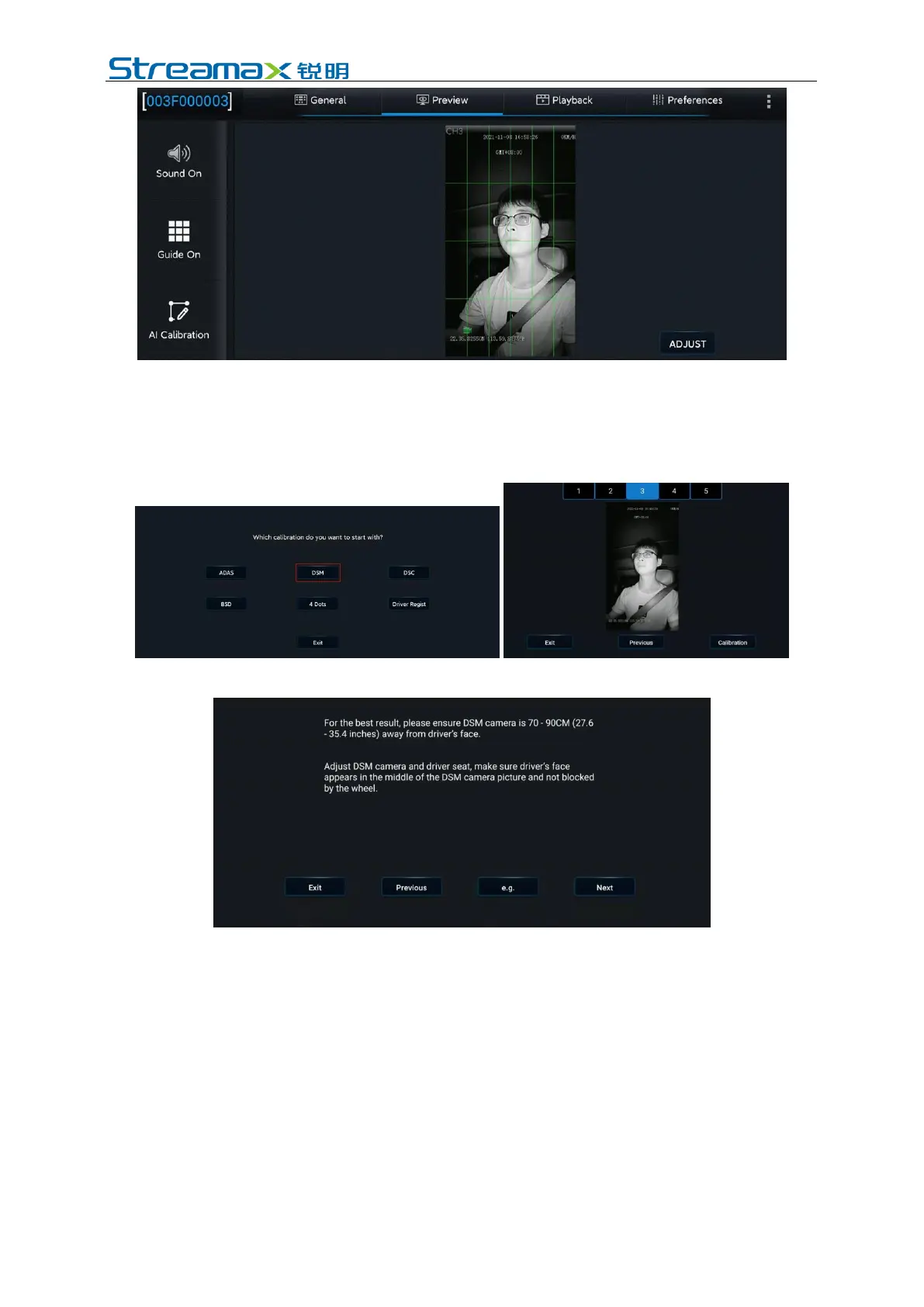
3. Select DMS for calibration.
4. Select the corresponding channel of the DMS camera (select Channel 3
here).
5. Click Calibration to move on to the next step.
6. Confirm the prompts - click Next to move on to the next step.
7. Installation Location of DMS Camera
The left A-pillar, the right A-pillar, the front side of the countertop, and the lateral
side of the countertop are available. If you have any questions, please click each
option in turn, and refer to the legend and description on the right.
After selecting the corresponding installation method, the software automatically
associates the calibration method with the installation method, not requiring any
manual operation (for installation on the left A-pillar, the right A-pillar, and the
lateral side of the countertop, the lateral side calibration is applied, and for the
installation on the front side of the countertop, the front side calibration is applied).
(This step is very important, and the selected installation method must be consistent
with the actual installation method)



 To Next Page